
Article Public Number: KA-01226
Coats Digital Knowledge Article
Product: FastReactPlan
Purpose & Scope:
In case if user want to split 1 order into 2 strips with 2 different delivery date note.
User want these 2 strips were planned next to each other and these strips will not be combined.
Solution:
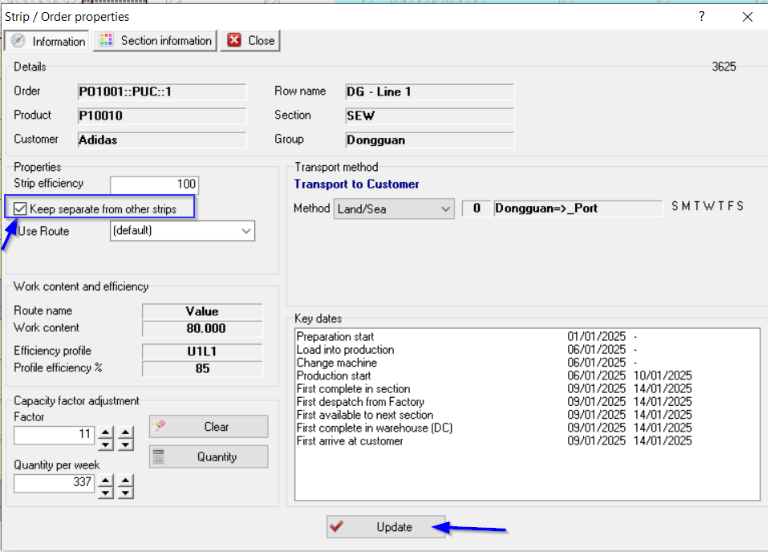
User can use option "Keep separate from other strips"
Instructions:
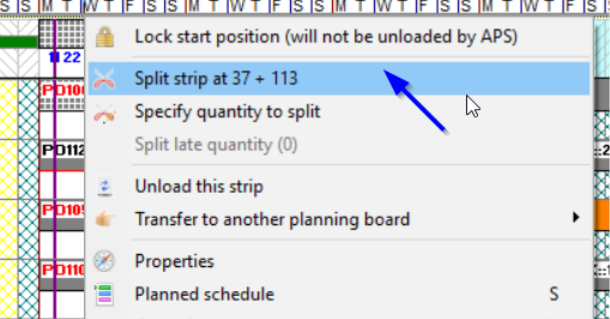
Step 1: Right-click on strip > Select Split strip at .../ Specify quantity to split
Step 2: Keep 2 strips far away each other

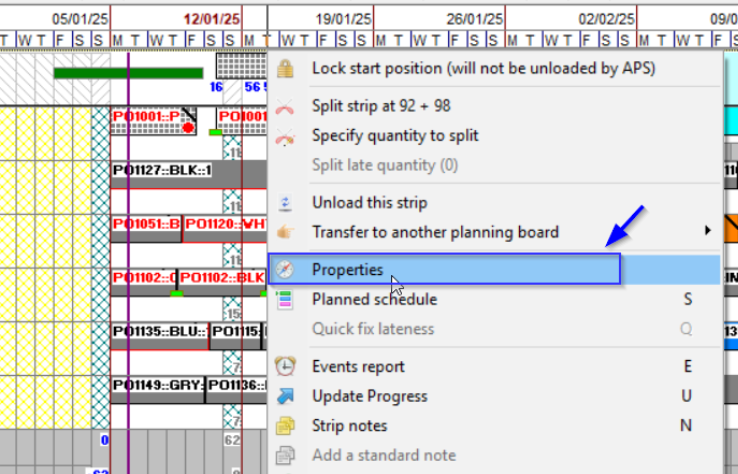
Step 3: Right-click on the second strip, select Properties
Step 4: Tick on option "Keep separate from other strips", select Update
Step 5: Move the second strip next to the first strip
Outcome:
After doing as above steps, there is the yellow rectangle before second strip, they will not be combined.

Further reading:
Links to related articles