
Article Public Number: KA-01310
Coats Digital Knowledge Article
Product: FastReactPlan
Purpose & Scope:
For the late strips, in previous, user need to find how many quantity can be late and they need to calculate by themselves and figure out the solution to fix.
Now user can use new function "Quick fix lateness" to fix late quantity by adding more manpower or adjusting standing time and etc.
Solution:
Enable the option "Quick fix lateness" with frs account.
Instructions:
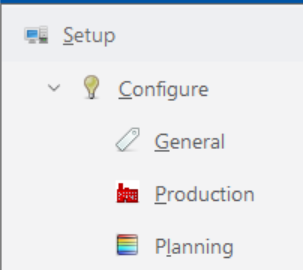
Step 1: Go to Setup -> Configure -> Planning
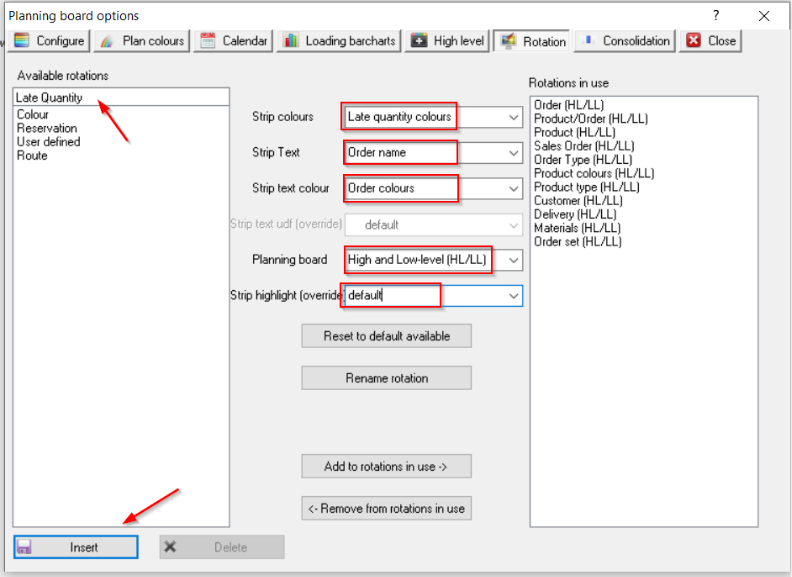
Step 2: In tab Rotation, create new rotation view for Late quantity as screen shot below then click Insert
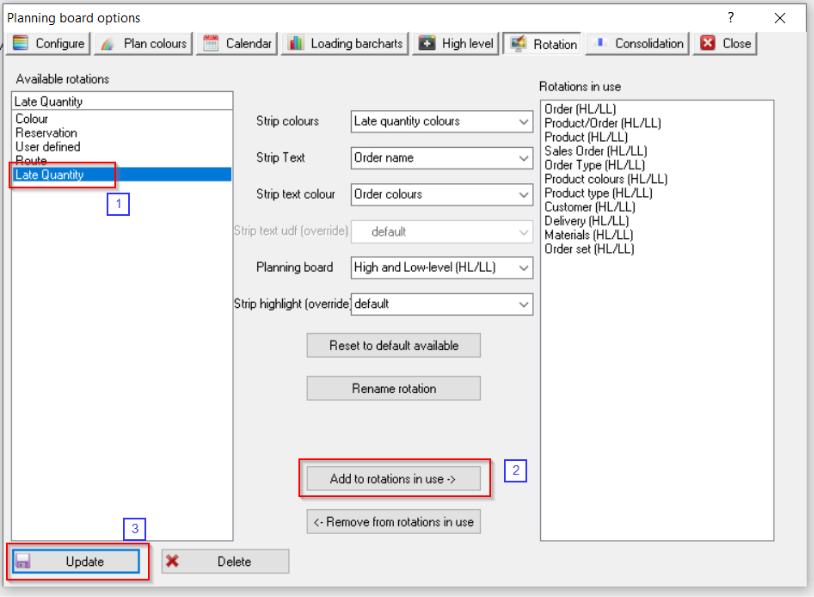
Step 3: Select Late Quantity -> Add to rotation in use
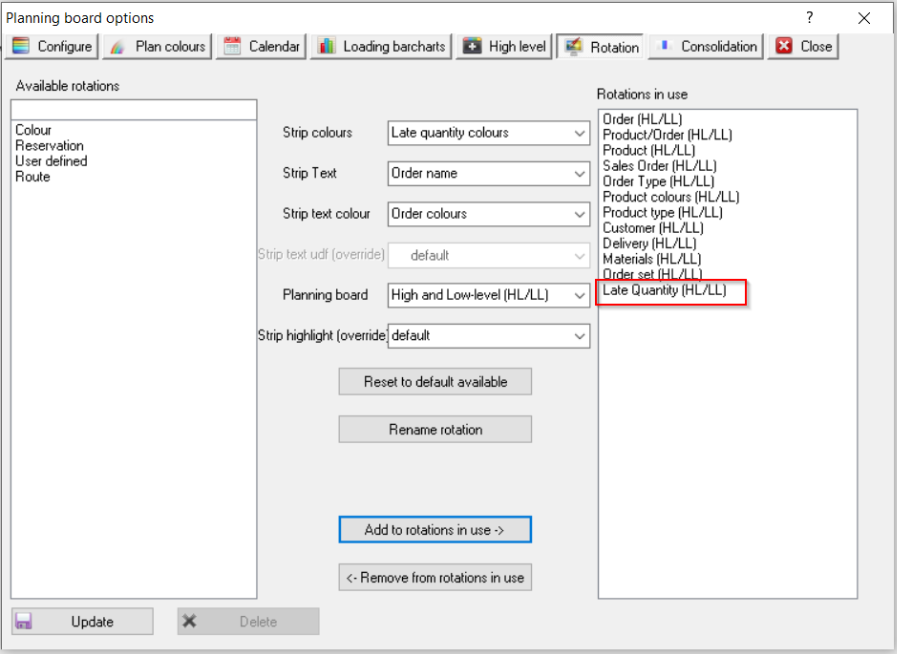
Then Late Quantity is moved to the right list
Step 4: Open LLPB -> Click on icon Rotate Display, select Late Quantity
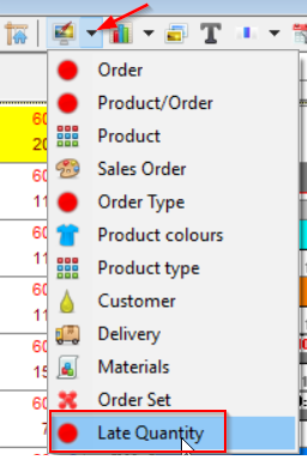
Then the planning board will show the light blue/blue for the quantity late of the strip.
Step 5: Select order PO1135::GRY::1 on line DG - Line 5 there are 726pcs late quantity to make an example
Step 6: Right click on strip PO1135::GRY::1, choose Quick fix lateness
Step 7: The screen below is pop up with 3 options and Advanced to fix late quantity:
1. Add 15:00 hours of overtime (472 late pieces), color rectangle is light blue mean if user choose this option, there are still 472pcs late.
Click on "Advanced" button, choose Overtime -> Update
2. Increase capacity factor by 4 (340 late pieces), color rectangle is light blue mean if user choose this option, there are still ~340pcs late.
Click on "Advanced" button, choose Capacity Factor -> Update
3. Click on "Advanced" button, choose Both/All (mean apply both Overtime and add more capacity factor) -> Update -> no late quantity anymore
4. Reduce post operation standing time (3) to 0 days, color rectangle is grey mean if user choose this option, there are no late quantity anymore.
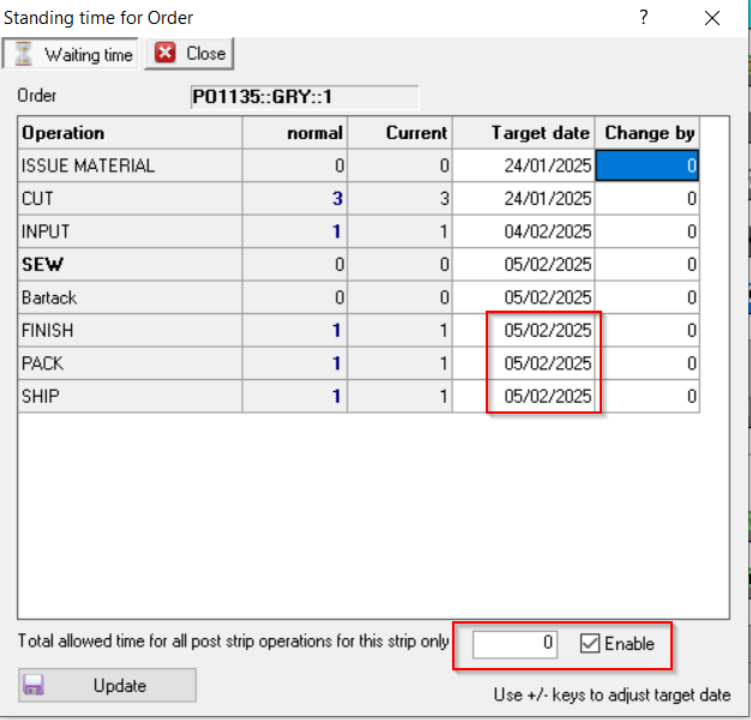
The standing time before fixing late quantity:
Click on "Advanced" button, choose Standing time -> Update
Outcome:
1. If user just choose Add 15 hours over time or Increase capacity factor, the result is as below -> the strip is still late.
2. If user choose both - Overtime and Increase more capacity factor -> no late quantity

3. If user choose Standing time -> no late quantity

And standing time is updated as below:
Further reading:
Links to related articles