
Article Public Number: KA-01139
Coats Digital Knowledge Article
Product: FastReactPlan
Purpose & Scope:
How to check what date format setting in FRP, and how to correct the date format in the file to suit the setup in system.
Solution:
Correct the date format in the ORDUPDAT.TXT/CSV file to match the setting in FRP.
Instructions:
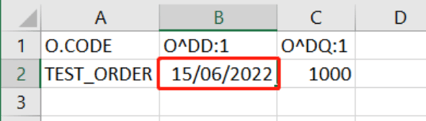
Step 1: ORDUPDAT.TXT/CSV that import with date format as DD/MM/YYYY and lead to fatal error that telling us "...wrong length for selected format [yyyymmdd]... as below
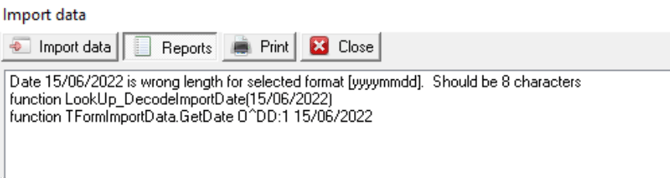
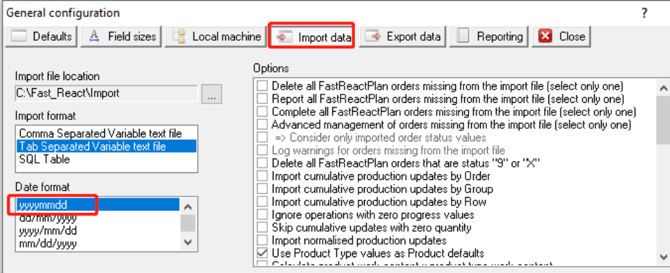
Step 2 : In order to avoid this happen, Go to Setup-->Configure-->General-->Import data, we can see the date format setting is yyyymmdd
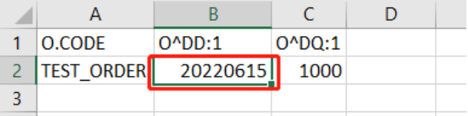
Step 3: Adjust the date format in the ORDUPDAT.TXT/CSV as below, then import again will work.
Outcome:
Correct the date format in the ORDUPDAT.TXT/CSV to match the setting in FRP, then import again will work fine.