
Article Public Number: KA-01424
Coats Digital Knowledge Article
Product: FastReactPlan
Purpose & Scope:
A guide on how to install FastReactPlan.
Solution:
Download the FRP program to Install or Upgrade the current FRP application.
Instructions:
Prerequisites
- Ensure administrator rights are on the computer on which the installation will happen.
- All users must be logged out of FastReact before attempting to replace the program
- Make a backup copy of your data before installing the new release.
- Make a backup of your existing program files before installing the new release.
Setup FRP
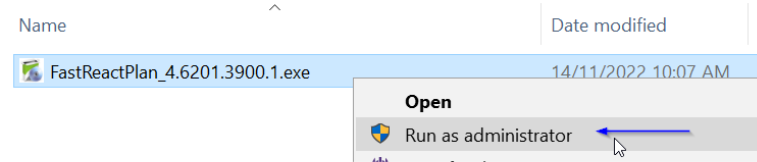
Once downloaded, right-click on the FastReactPlan.exe and select “Run as Administrator”. This will start the installation:
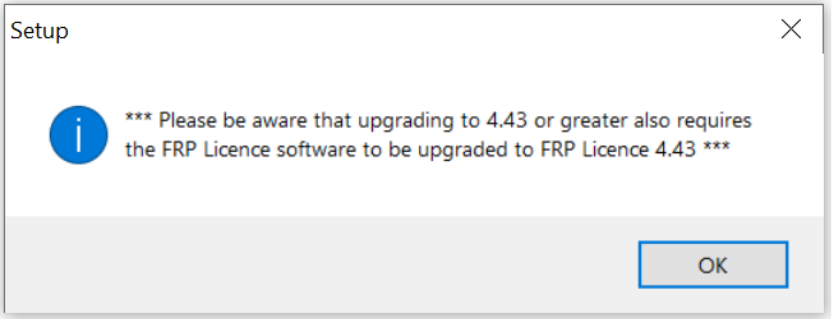
Click “OK”, this message is just advising that FastReactPlan needs to be higher than 4.43 to work with this Licence program.
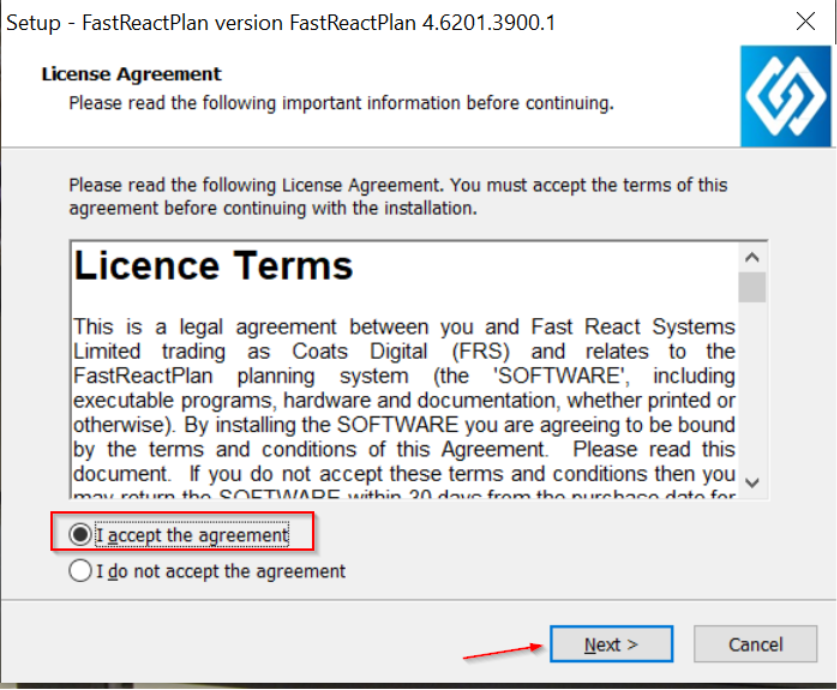
Accept the “agreement” and click on the Next button:
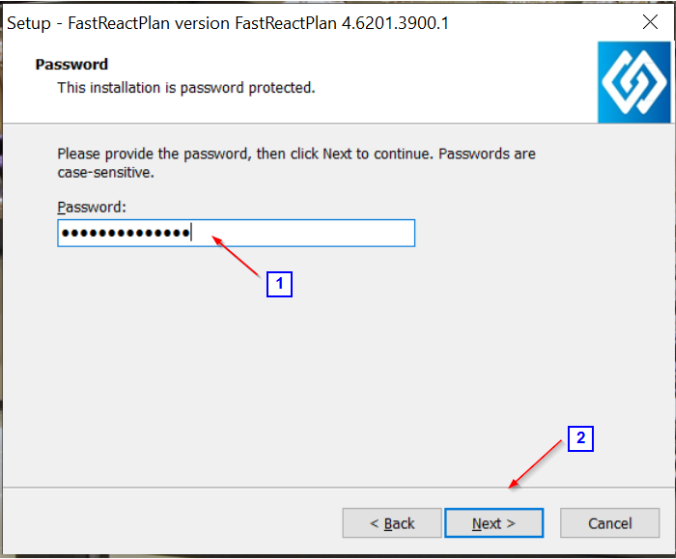
Enter the provided password, which will be provided by the Support Desk, and click the Next button:
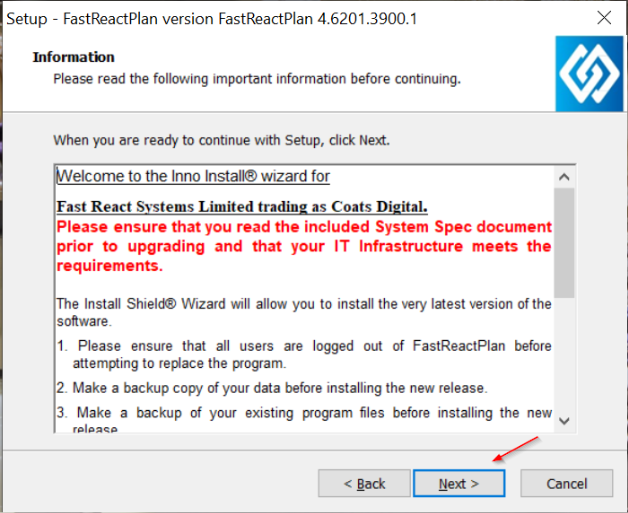
Click the Next button on the Information dialogue:
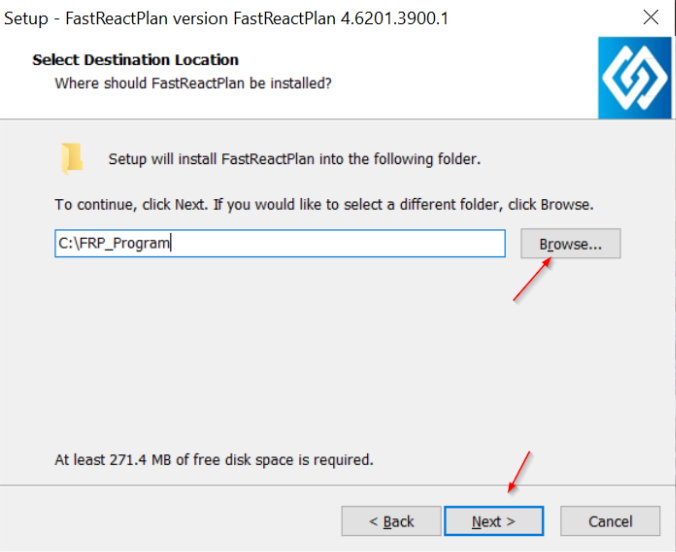
Enter/browse the location of the FRP program installation directory, this can be changed, and click the Next button:
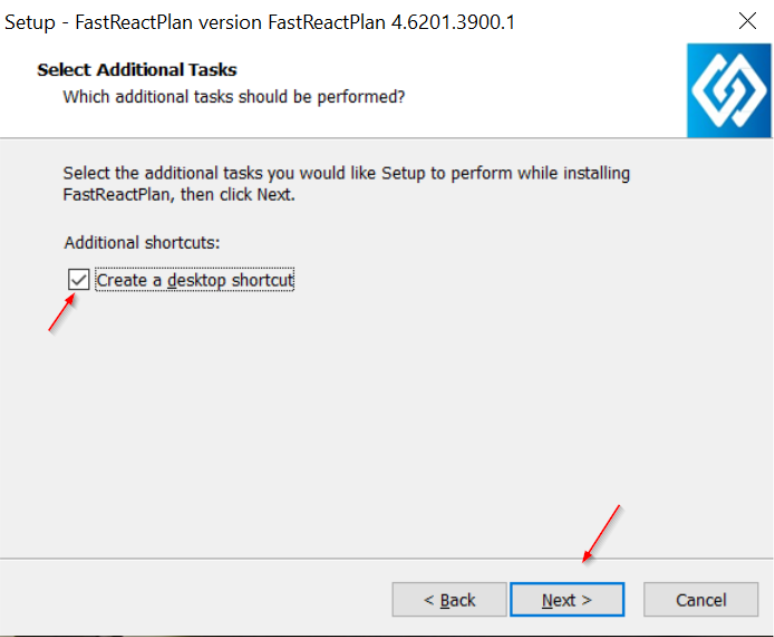
Select "Create a desktop shortcut", if required, and click the Next button:
Review the Installation setup, and if happy, click the Install button:
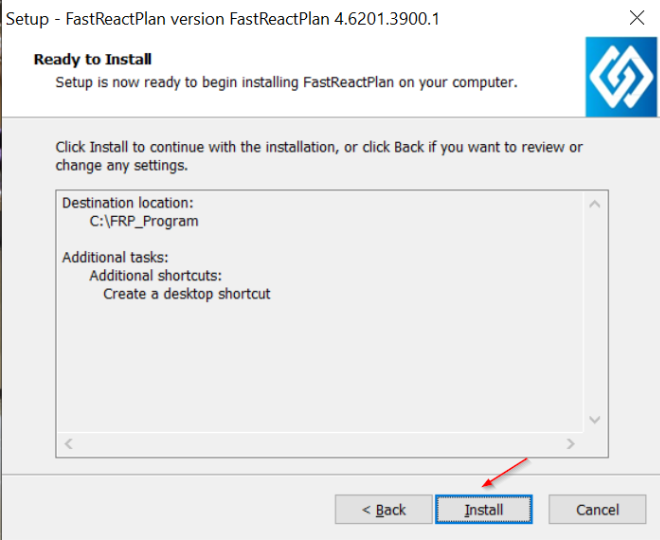
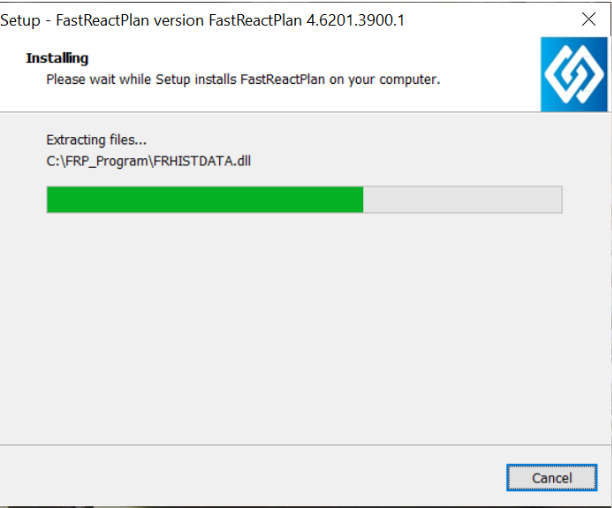
The Installation will now start, please wait until this finishes:
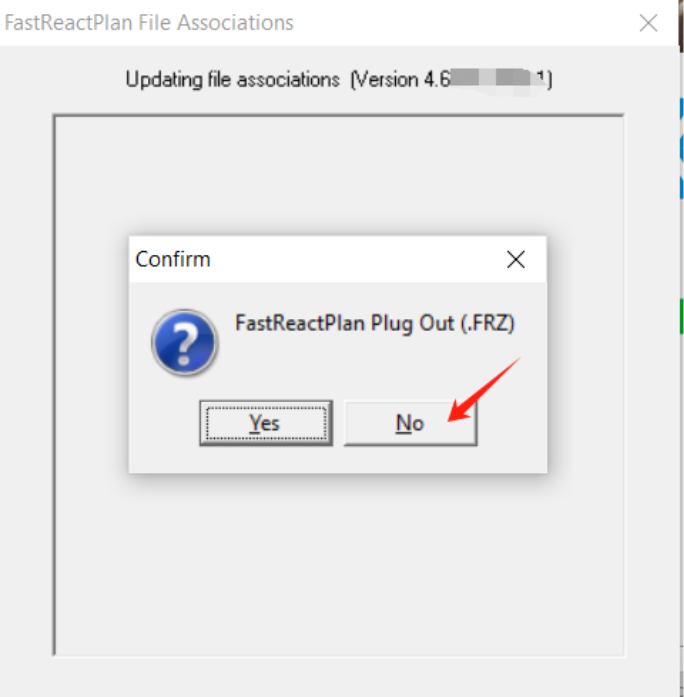
Choose "No" for the below screenshot (if any)
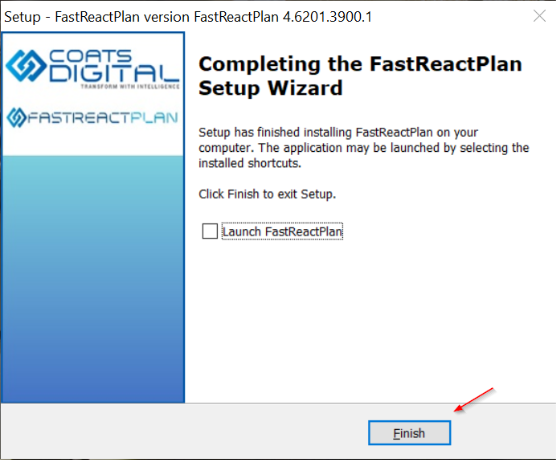
Once it is finished you will be presented with the following screen
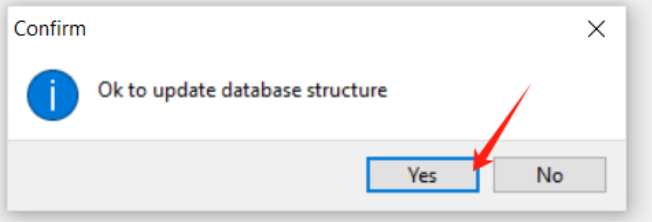
After above upgrade done, please login FRP and if seeing below popup, please select "Yes" and wait for the process done automatically.
Outcome:
FRP is now installed/upgraded and ready for use.
Note:
If this is a new installation the FRP Licencing will also need to be installed