
Article Public Number: KA-01331
Coats Digital Knowledge Article
Product: FastReactPlan
Purpose & Scope:
In case if system has a lot of orders need to be updated event completion date and they cannot update one by one manually then they can create the file with FRP template and import to system.
Solution:
Create a file called EVENTS.txt or EVENTS.csv and import to system
Instructions:
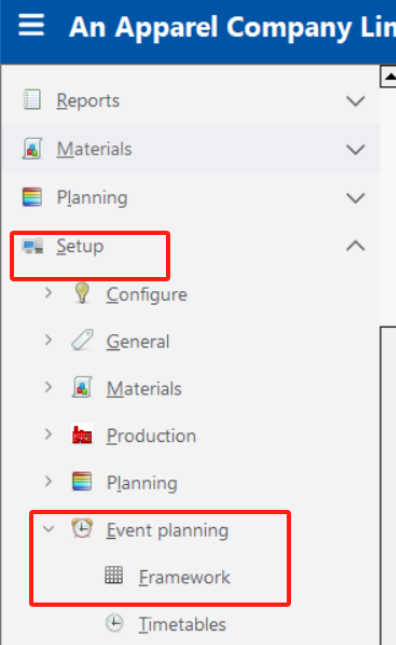
Step 1: Go to Setup - Event planning - Framework
Step 2: Check external reference of event that you want to update
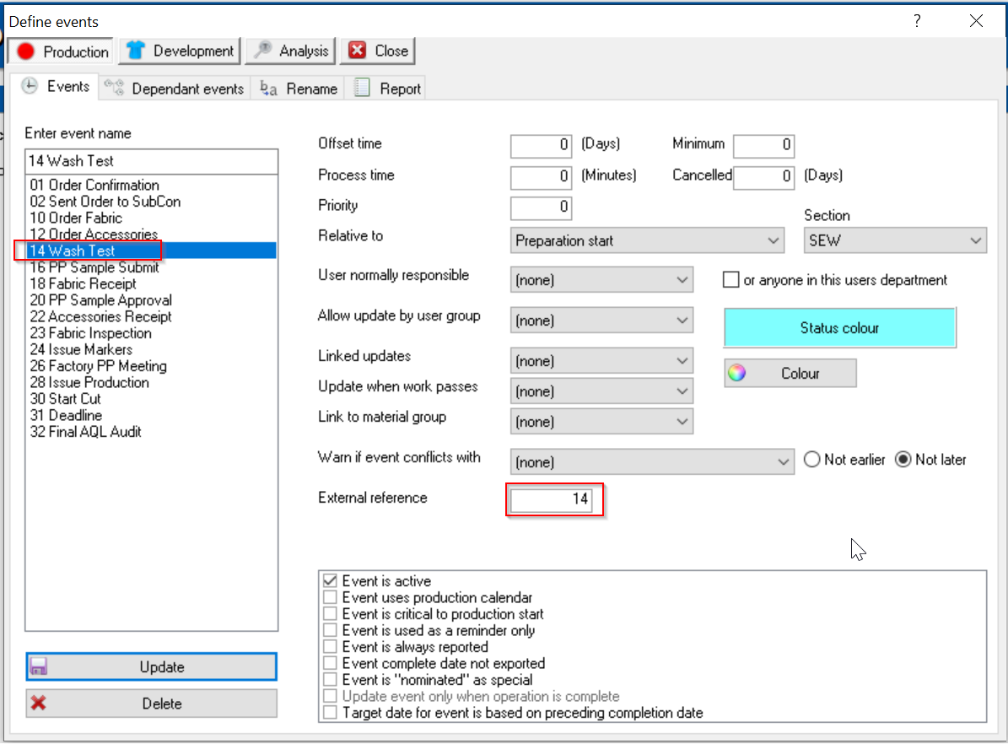
Step 3: Example if user wants to update event "Wash test" for order "Order 1"
Create a file called EVENTS.txt or EVENTS.csv with template as below:
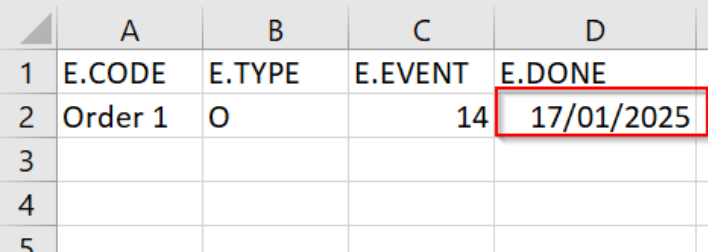
Note: The date format refer to the import setting in FRP
The meaning of each column:
- E.CODE: the reference code for the order
- E.TYPE: key letter "O" because the update event is for order
- E.EVENT: the external reference of the event as defined within FRP
- E.DONE: the date when the event was completed
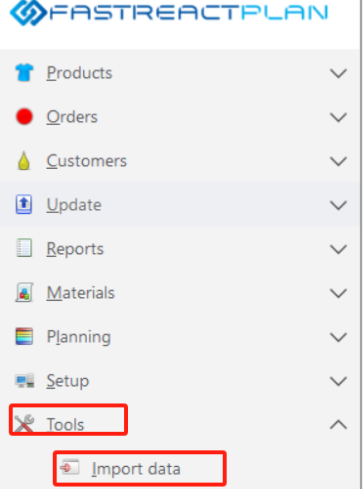
Step 4: Put file EVENTS.txt or EVENTS.csv into import folder then go to Tool àImport data, select import file location, click “Start import”
Outcome:
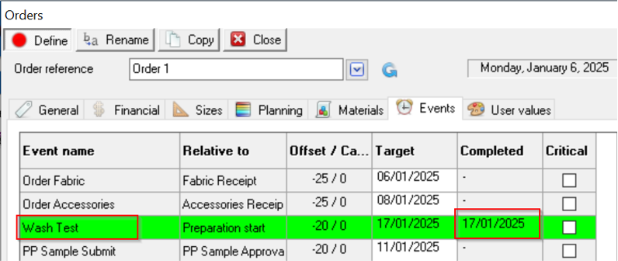
After importing completed without any error, the completed date of event Wash Test was updated successfully as below screenshot.
Further reading: Links to related articles