
Article Public Number: KA-01498
Coats Digital Knowledge Article
Product: FastReactPlan
Purpose & Scope:
This article is going to guide you how to resolve the "List index out of bound" when preview the report in FRP.
Solution:
To add one more column in the report layout as @splitpart([Report field])
Instructions:
Step 1: Sometimes for a specified report that has applied formual like @splitpart, then the report to be previewed will have error as below pop up
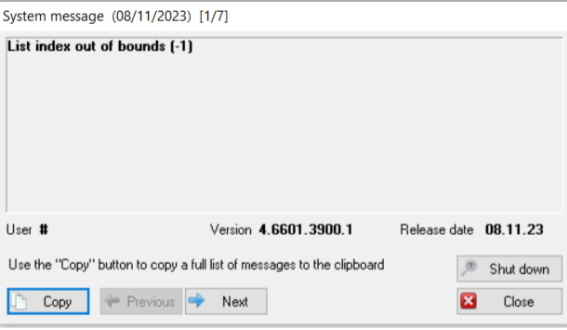
Click the "Copy" in above dialog and paste it, you will see the detail
.........................................................................
Message for user # on 12.12.23 21:23:21
List index out of bounds (-1)
function TReportData.GetColFormula
procedure TReportData.EvaluateFunctions
function ParseString
procedure TReportData.ResolveFormula (row=0, col=13)
procedure TFormReports.ApplySortAndFormulae in "List Index Out of Bound "
procedure TFormReports.PageControlChange
Version 4.6601.3900.1 Release date 08.11.23
.........................................................................
Step 2: Go to the report layout, you will see column 4 that has applied the @splitpart formula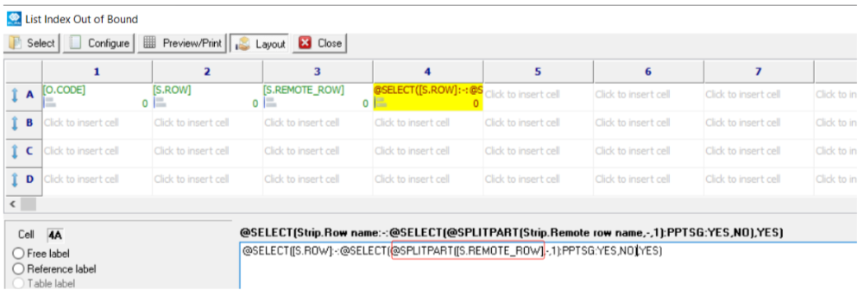
Step 3: Regarding to above formula, if we add one more column (before column 4) to apply the formula @splitpart there as below.
PS: Make its width as 0 as you don't want it to show in the report when preview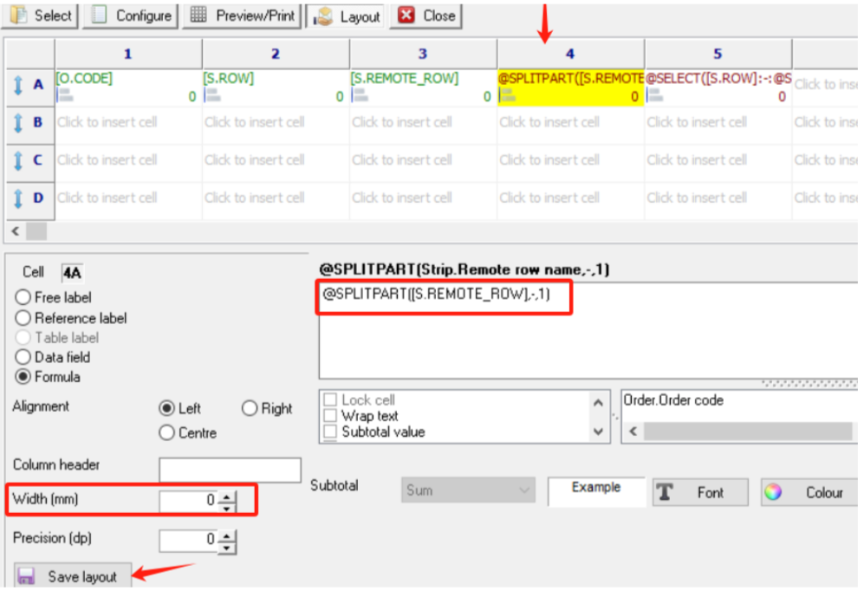
Step 4: After above done and save, then to preview the report again, you will see the report was previewed successfully.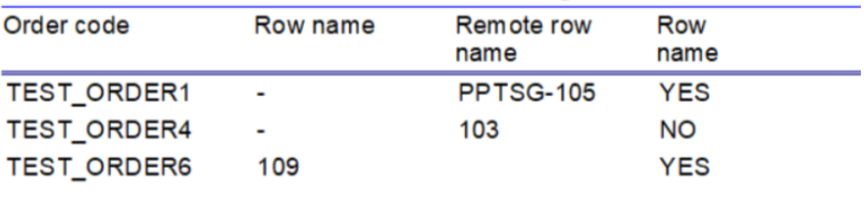
Outcome:
Follow above to add one more column to carry the @splitpart formula that applied in the target column, then the error gone.
Further reading:
Links to related articles