
Article Public Number: KA-01206
Coats Digital Knowledge Article
Product: FastReactPlan
Purpose & Scope:
To identify the invisible tab in the collaborative files.
Solution:
For temp solution is to manually using Excel to combine 2 columns into one to get the correct data and "user local files" to process the package files. For long term, inform client to check from their ERP system to avoid the tab appear in Order code and etc..
Instructions:
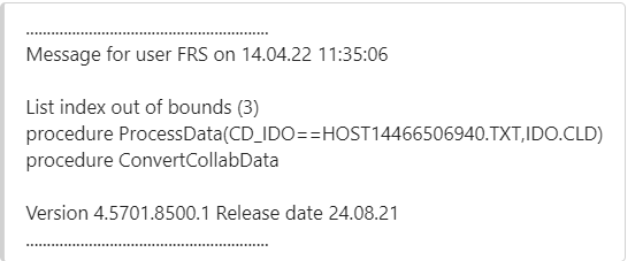
Step 1: List index out of bounds warning as below when trying to receive collaborative package
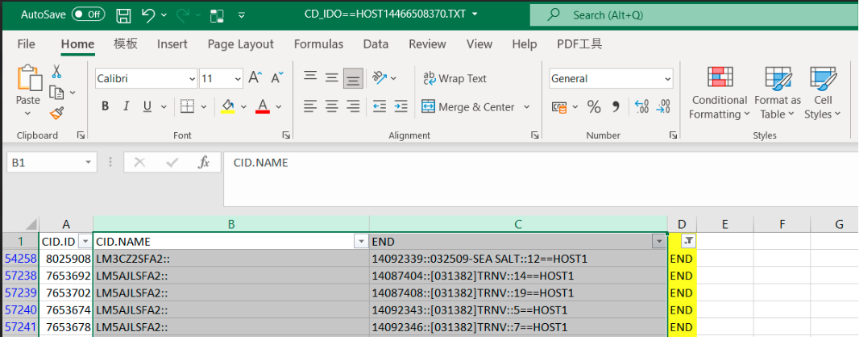
Step 2: Open the "CD_IDO==xxxxxxxx.TXT" file to check and found there are 4 columns, which actually should be 3. Seen from below, there are some order code have been splitted into another column due to "tab" appear in the collaborative files that in TXT format.
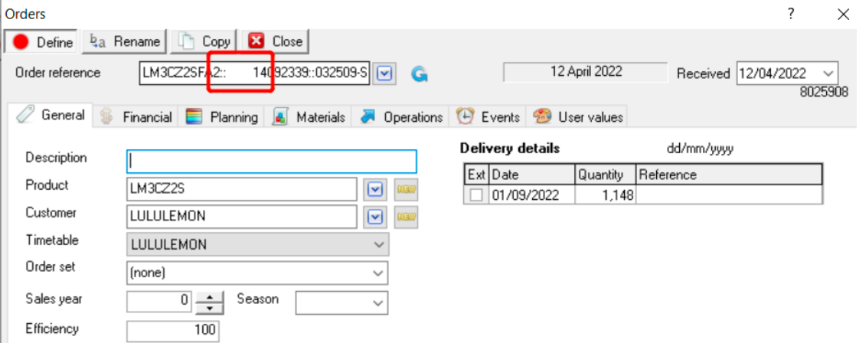
Step 3: Check in the collaborative site that sending the package, we can see there are some blank space appear between :: and order code part 2. Which actually it is "Tab" there lead to the collaborative data that build in TXT format are separated into another column.
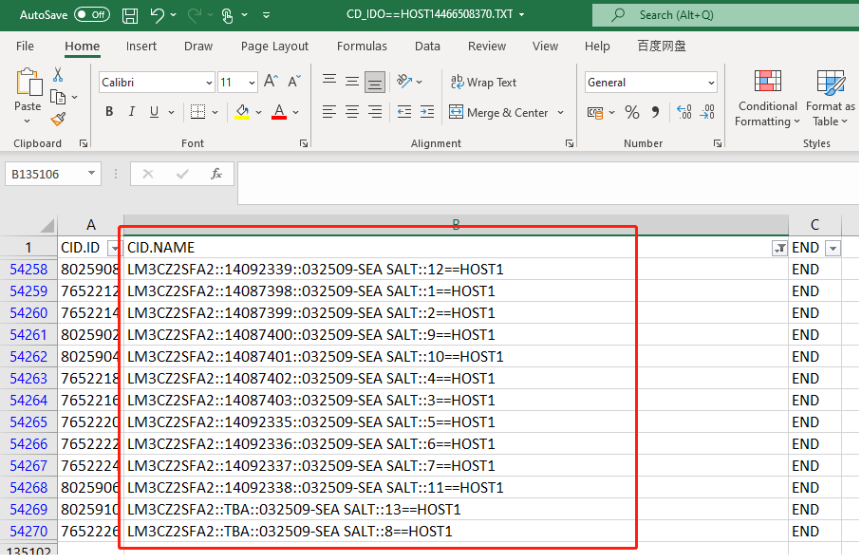
Step 4: In order to get this resolved for temp, you can open the file CD_IDO==HOSTxxxxxx.TXT in excel to combine column B&C together for those problem orders and save it
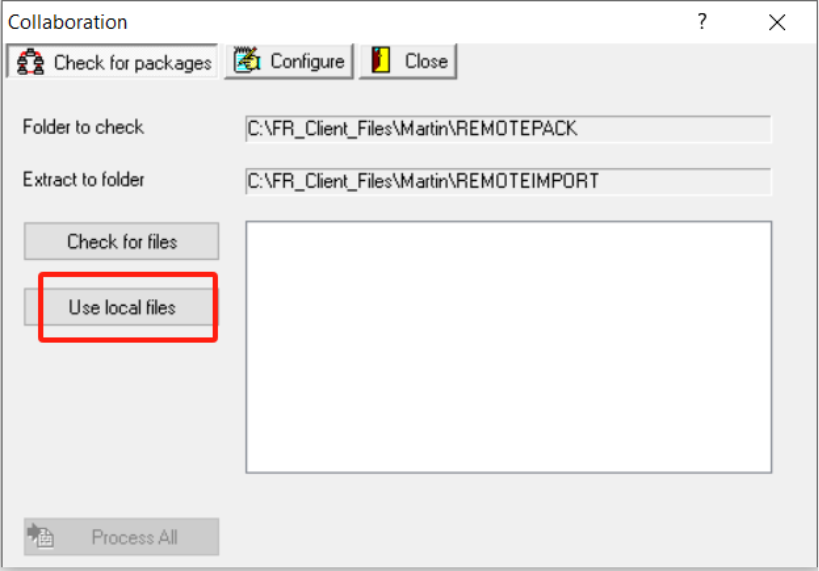
Step 5: Go to Tools - Receive collaboative package, click the "Use local files"
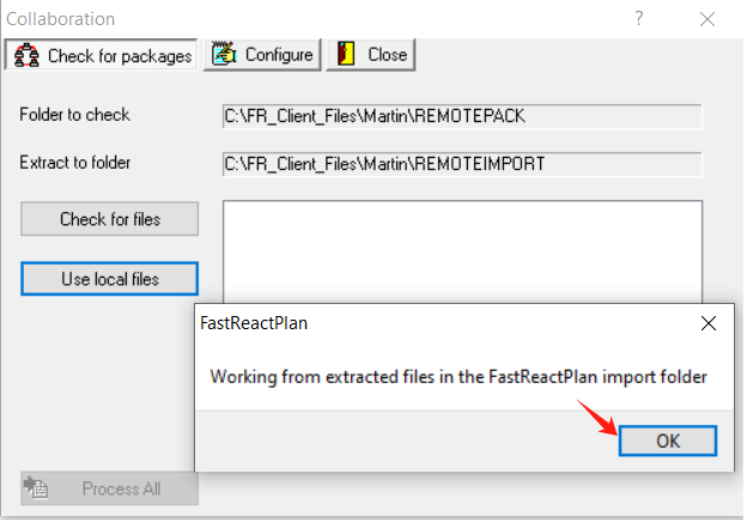
Step 6: Click OK
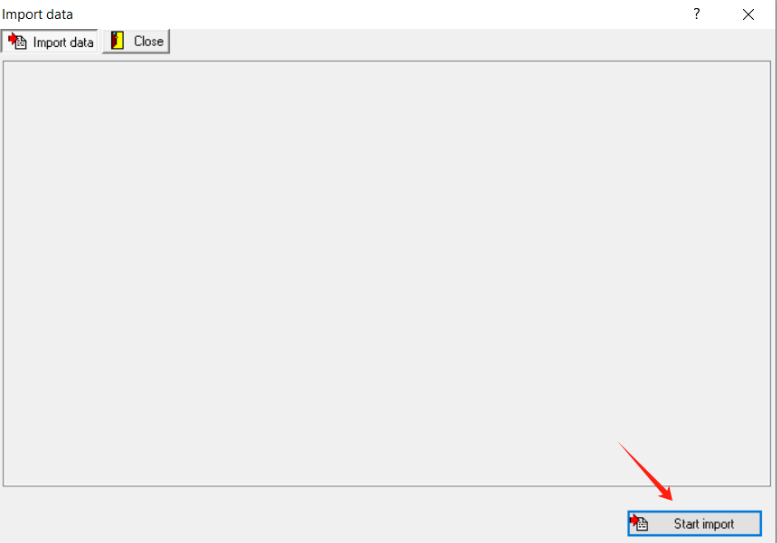
Step 7: Click "Start Import", then the package files will be processed
Outcome:
Manually correct the order code that have problem in the collaborative files, process the receiving package again will work. And for long term will need to inform client to avoid keying in any "tab" in the order code.