
Article Public Number: KA-01391
Coats Digital Knowledge ArticleProduct: FastReactPlan
Purpose & Scope:
Lock strips and not allowed them to be JIT on High Level planning board.
Solution:
Single/Multiple select them and "Lock selection" before JIT.
Instructions:
Step 1 : Using find function or using left click and Ctrl to find out those strips you don't want them to be JIT, right click the on the left of HL board, select below option "Select orders for multiple update"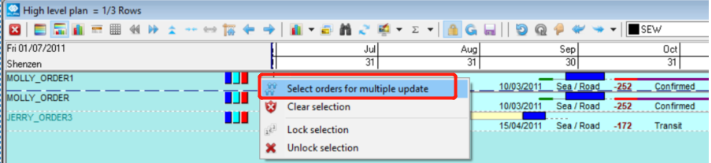
Step 2: Those strips will display indicator as below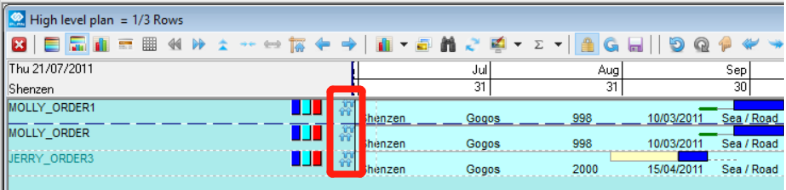
Step 3: Right click and select "Lock selection"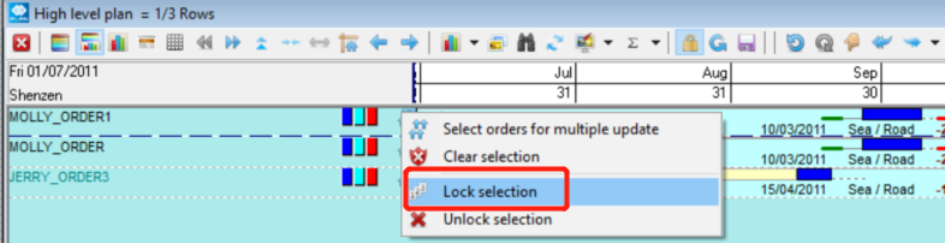
Step 4: Indicator as below will show for those strips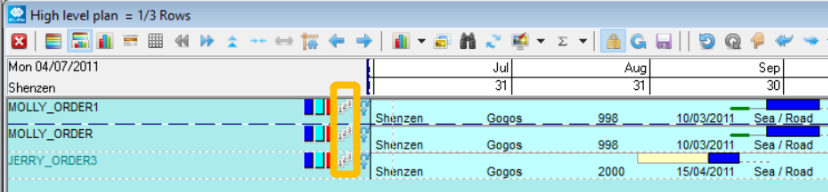
Step 5: Do the JIT as below
Step 6: System will show you "No valid strips to move"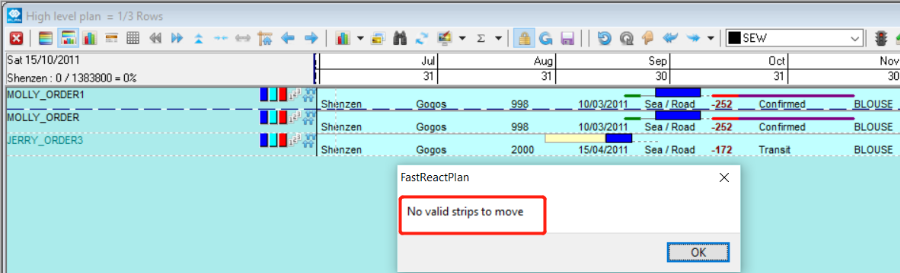
Step 7: But if we "Unlock selection"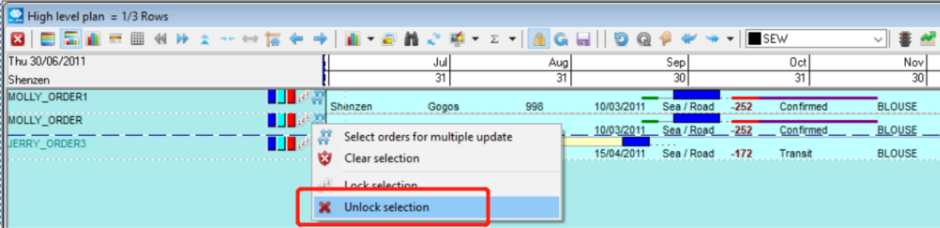
Step 8: And do the JIT again, we can see there is a pop up dialog saying "OK to JIT replan 3 strips"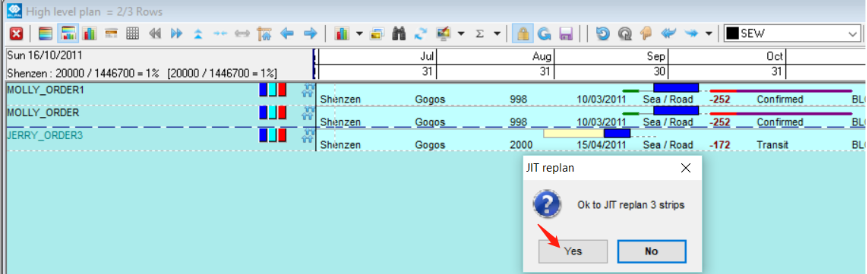
Outcome:
If you don't want the strip to be JIT, then please "Lock selection" before you do the JIT for other strips.
Further reading:
Links to related articles