
Article Public Number: KA-01095
Coats Digital Knowledge Article
Product: FastReactPlan
Purpose & Scope:
In some cases, materials may be consumed on future planned strips leaving earlier strips with a deficit or requirement to Buy, for example:
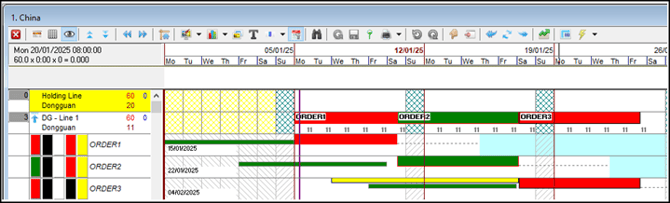
On the Material rotation on the Low-Level Planning Board, it appears that the Material calculation is incorrect as ORDER2 is receiving all the Materials even though ORDER1 is planned first.
Solution:
This is actually correct.
Let us work through this example:
Each Order has almost the same materials assigned to it, ORDERS 2 and 3, however, have one extra material, ZIP 4:
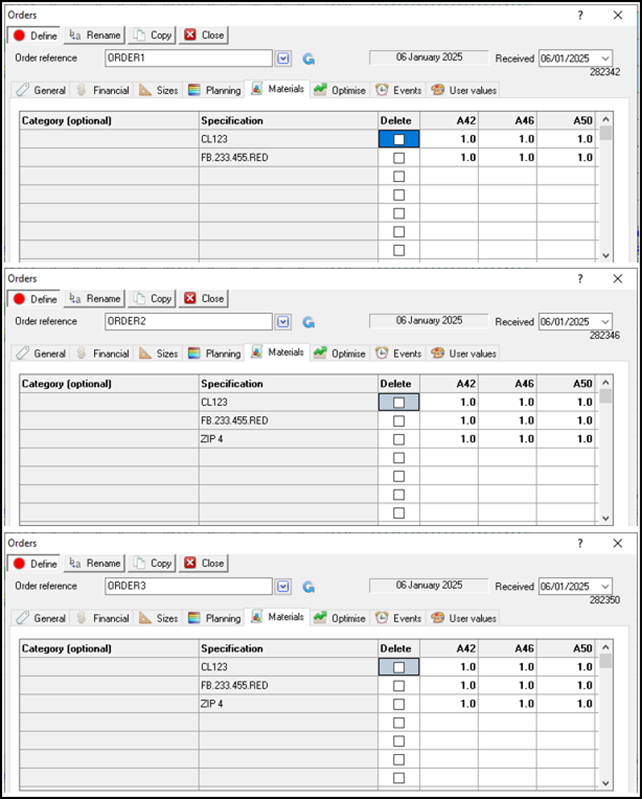
The Material stocks for each material are detailed below:
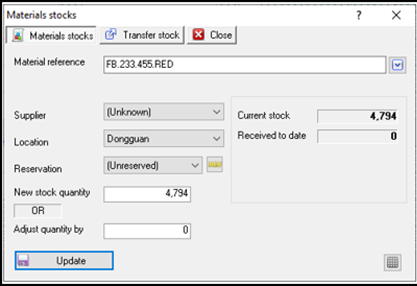
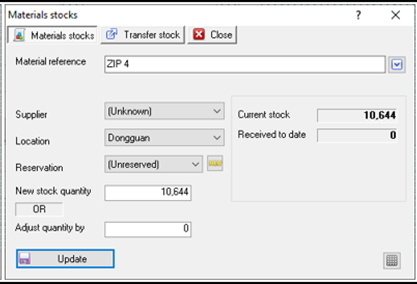
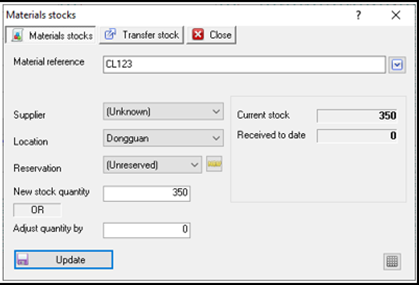
There is plenty of stock available for FB.233.455.RED and ZIP 4 and only 350 available for CL123. After running the Material Calculation we are left with the below scenario:
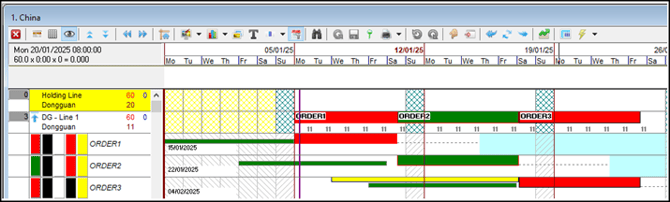
ORDER2 has been allocated all the materials, it's green (coming from stock) whereas ORDER1 is red, (purchase material).
Looking at the MRP results for each Order:
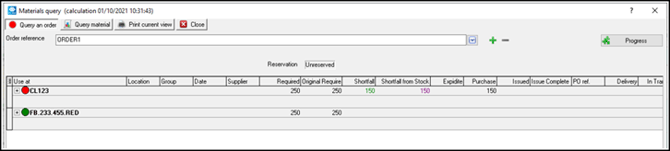
ORDER1 has only been allocated 100 of the total stock for Material CL123, and FRP is advising that we need to Purchase the remaining 150! But if there was 350 in stock where has this gone?
Looking at ORDER2 tells us this:
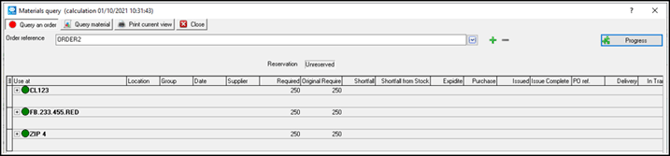
It has been allocated to ORDER2!
Just for completeness lets look at ORDER3 now:
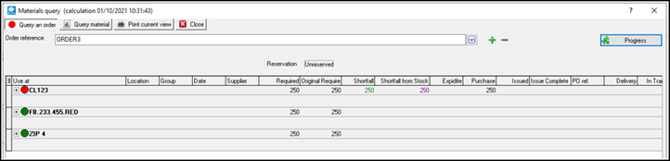
Material CL123 for ORDER3 need to be Purchased.
So, we can see that each order requires 250 of each Material, with there being plenty of stock for FB.233.455.RED and ZIP 4 these two Materials are not affecting the Material Calculation and strip colours directly, but with only 350 in stock for CL123 only ONE Order can get the full Material from stock.
Expected results:
ORDER1 --> CL123 - coming from Stock, FB.233.4455.RED coming from Stock. This would give you a GREEN strip on the Planning Board.
ORDER2 --> CL123 - 100 coming from Stock and 150 needs to be Purchased, FB.233.4455.RED - coming from Stock, ZIP 4 - coming from Stock. This would give you a RED strip on the Planning Board.
ORDER3 --> CL123 - 250 needs to be Purchased, FB.233.4455.RED coming from Stock ZIP 4 coming from Stock. This would give you a RED strip on the Planning Board.
Based on how the strips are planned it would be logical to assume that ORDER1 would take up this allocation, however, this is NOT the case, as we can see.
So why does ORDER2 get the full allocation and ORDER1 only get a partial allocation of CL123?
This is where the Material ZIP 4 comes into play.
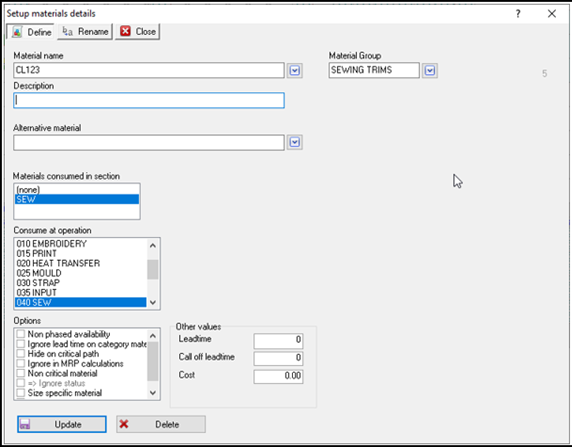
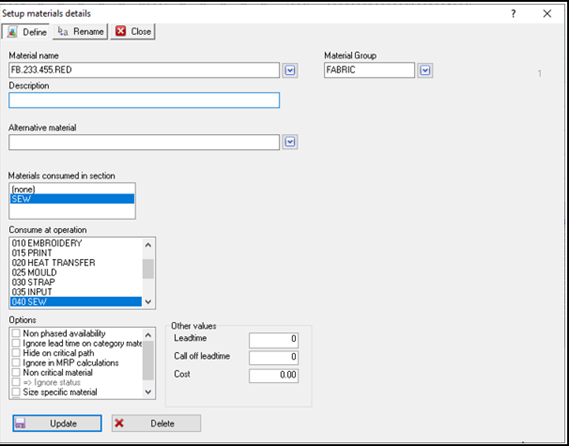
In the Material setup dialogue, CL123 and FB.233.4455.RED are both consumed at the same OPERATION, in this case, SEW:
However, the ZIP 4 Material is consumed at a different Operation, ISSUE MATERIAL:
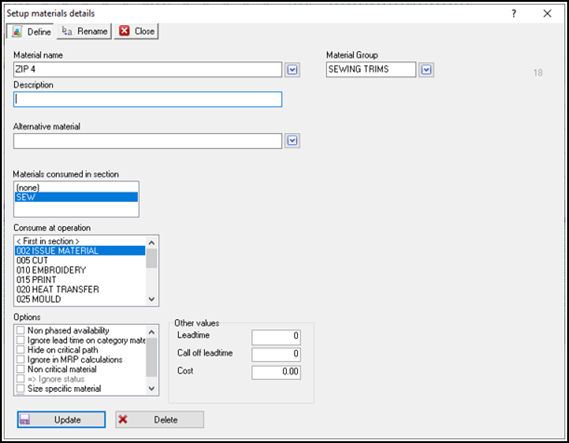
This is the first clue as to what is happening here.
A quick look at the Operation sequence for each of these Orders tells us that ISSUE MATERIAL happens before SEW, you can see this on the PRODUCT screen or simply via the STANDING TIME screen. So looking at each Standing Time dialogue for each Order we can see that
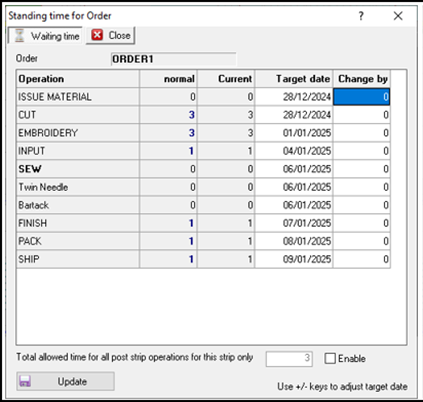
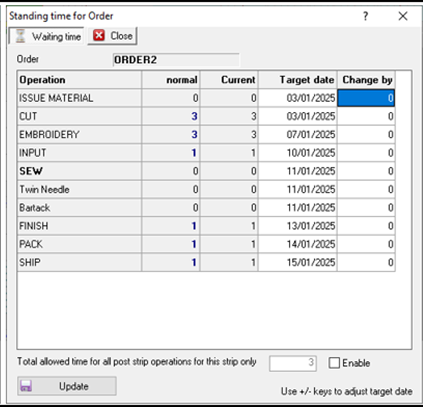
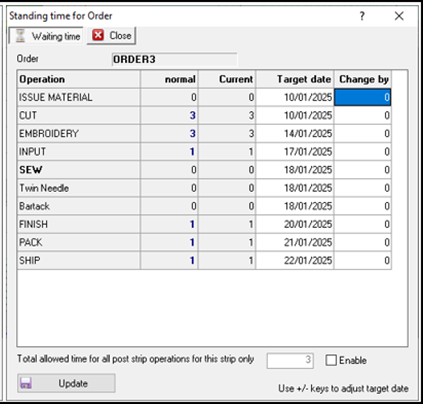
The important thing to note here is the date when the FIRST Materials are required:
ORDER1
CL123 and FB.233.4455.RED are required for the SEW operation = 06/01/2025
ORDER2
CL123 and FB.233.4455.RED are required for the SEW operation = 11/01/2025
ZIP 4 is required for the ISSUE MATERIAL operation = 03/01/2025
ORDER3
CL123 and FB.233.4455.RED are required for the SEW operation = 18/01/2025
ZIP 4 is required for the ISSUE MATERIAL operation = 10/01/2025
So across these three Orders, the FIRST material required date is 03/01/2025 for ZIP 4 for ORDER2.
This means that all the materials need to be assigned to ORDER2 before ORDER1.
Outcome:
FastReactPlan, when running MRP calculation looks to see when the first material requirement is and based upon that assigns ALL materials that that Order requires to the matching Order.
This may result in situations where materials appear to have been assigned out of synch with the plan, however, this is correct.