
Article Public Number: KA-01229
Coats Digital Knowledge Article
Product: FastReactPlan
Purpose & Scope:
Moving the strip to specified row via selecting the row name from the right click "Move strips to row" function, which is quite useful if there are lots of planning rows and a long range forward planning running low level planning board.
Solution:
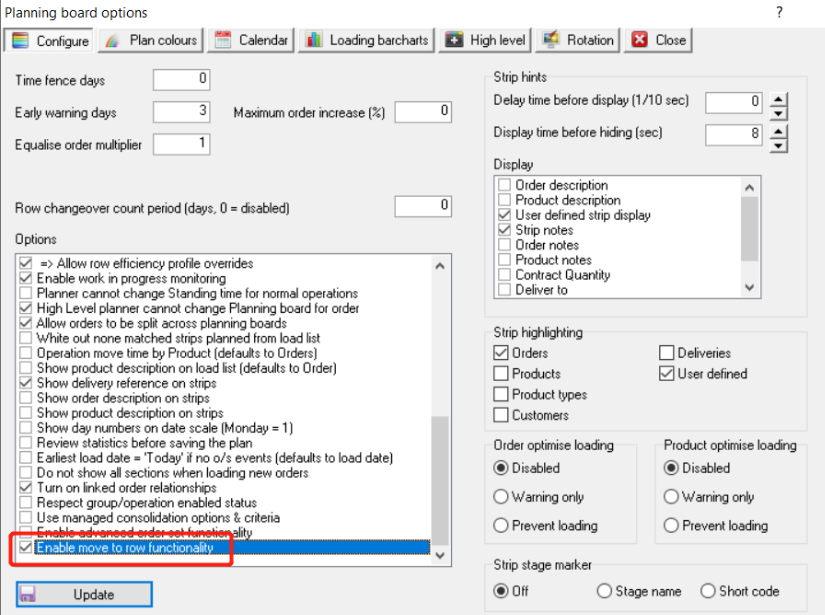
Go to Setup --> Configure --> Planning to enable the option "Enable move to row functionality"
Instructions:
Step 1: Go to Setup --> Configure --> Planning below to enable the option "Enable move to row functionality", click Update
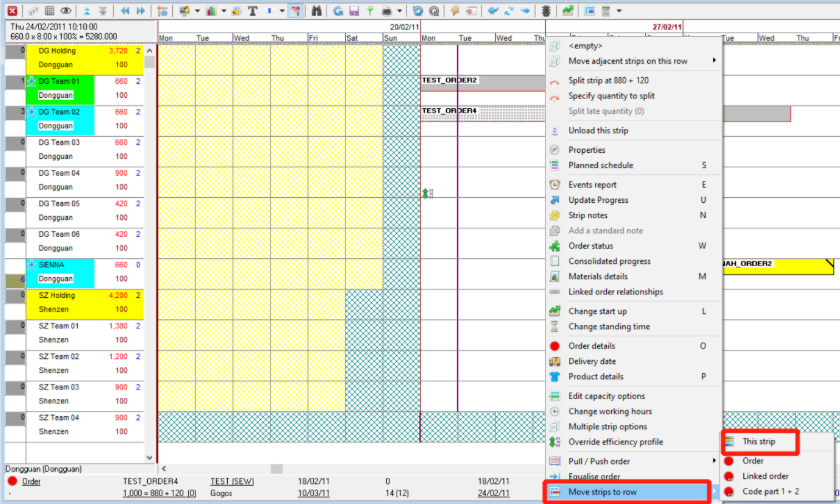
Step 2: Right click on the strip that you want to move to other planning row, select the "Move Strip to row"
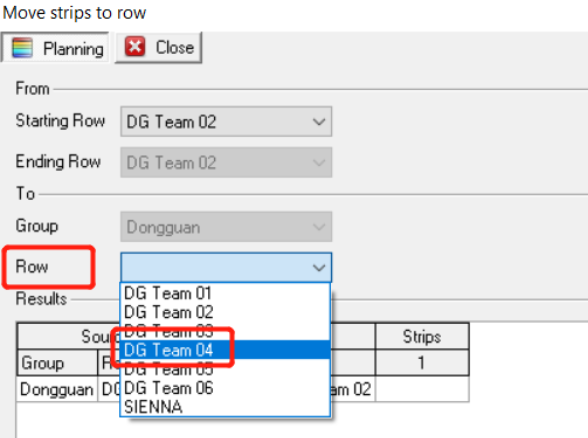
Step 3: Select the target planning row that you want the strip moving to
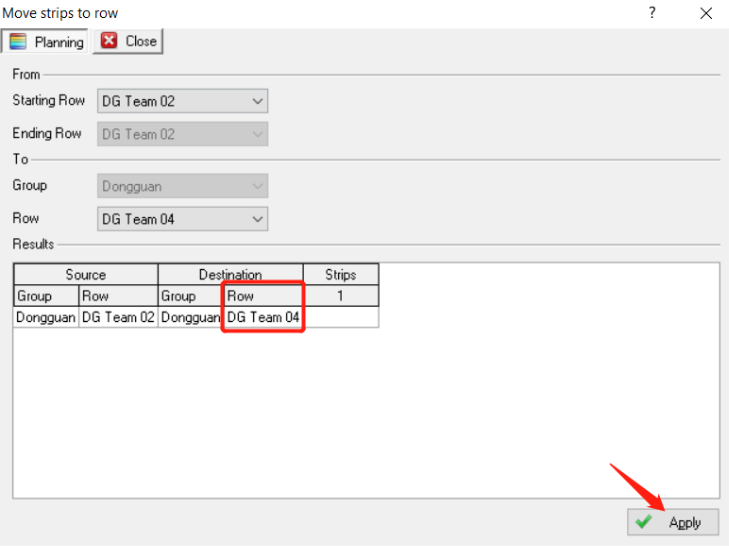
Step 4: As above we select DG Team 04, clicking "Apply"
Step 5: You now seeing the strip was moved to DG Team 04 as your selection above.
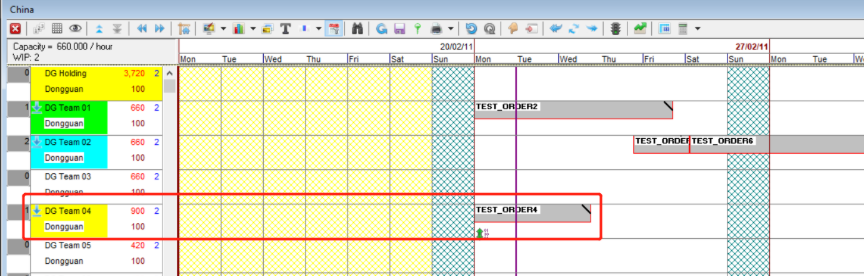
Outcome:
Via selecting the target line that you expect to move it to, which compare with dragging the strip and move across lots of planning rows on the low level planning board to drop it is much more user friendly.
Further reading:
Links to related articles