
Article Public Number: KA-01377
Coats Digital Knowledge Article
Product: FastReactPlan
Purpose & Scope:
Loading barchart is somewhere to show the secondary operation loading vs capacity, however, sometimes users found there are some operations missing from the loading chart. To check that, firstly we will need to check if this operation has been ignored in the setup.
Solution:
Go to Setup - General - Operation, disable the option "Ignore operation in loading barcharts"
Instructions:
Step 1: Go to Setup - General - Operation, select the operation at the left, check at the right and see if its option "Ignore operation in loading barcharts" is enabled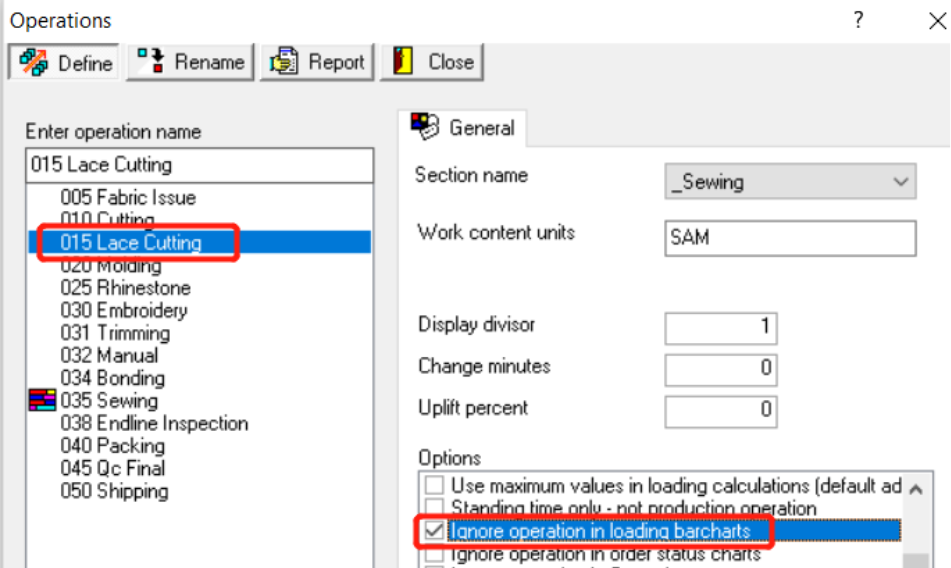
Step 2: If it is enabled above, you will not see it in loading barchart below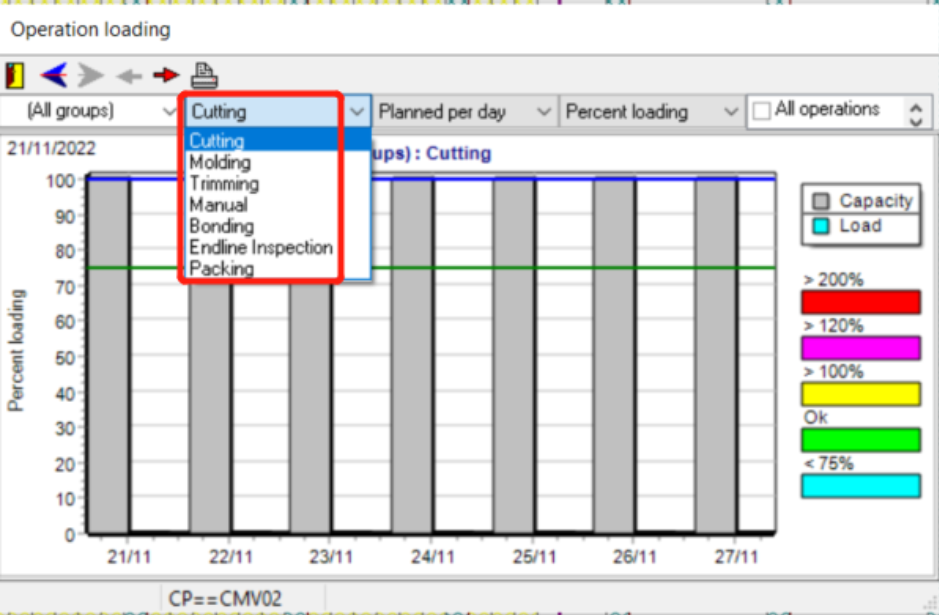
Outcome:
Remove the tick for the option "Ignore operation in loading barcharts" for the operation, you will then see it show in the list within the loading barchart dialog.
Further reading:
Links to related articles