
Article Public Number: KA-01295
Coats Digital Knowledge Article
Product: FastReactPlan
Purpose & Scope:
To show operation in the barchart within dialog of "Order Status", which allowing users to click inside to check detail output update.
Solution:
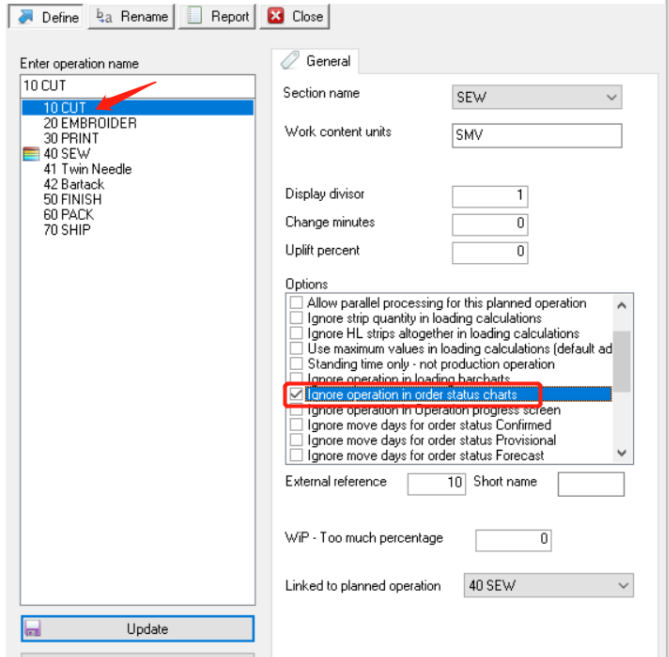
Go to Setup--General--Operations, remove the tick in the checkbox for "Ignore operation in order status charts"
Instructions:
Step 1: Go to Setup--General--Operations, select the operation in left-hand side, to the Options at the right-hand side, scroll down and remove the tick in the checkbox for "Ignore operation in order status charts"
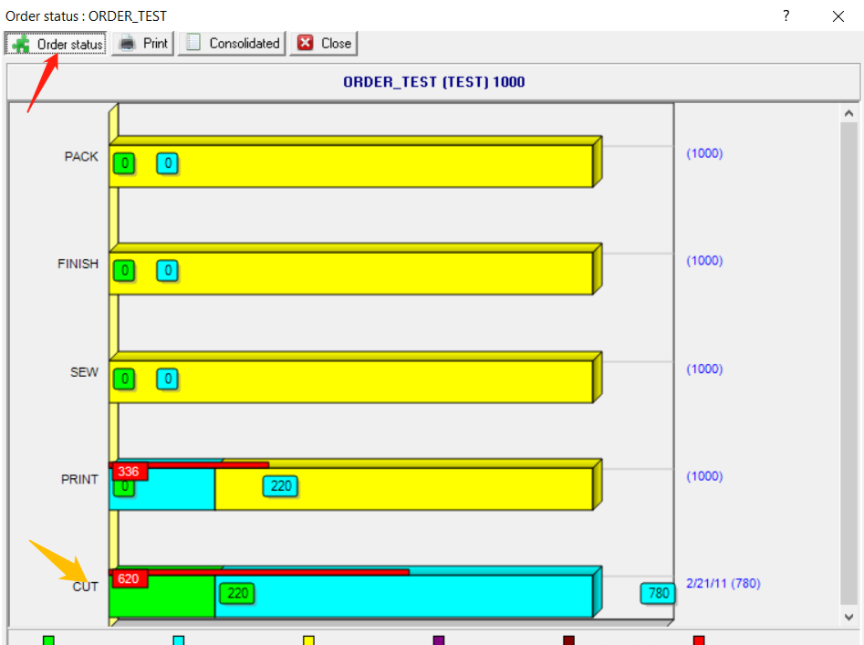
Step 2: We can now see the "Cut" operation appear in the Order Status Barchart
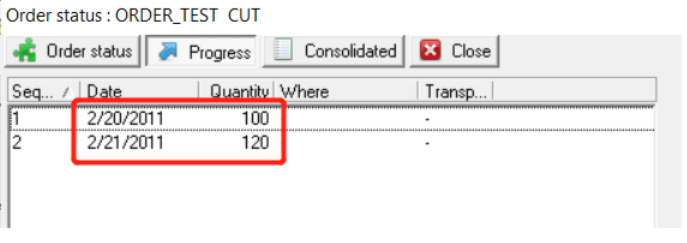
Step 3 : Click into the Bartchart above for Cut operation, we can now seeing the daily output update for this operation as below.
Outcome:
Users can check the detail output update for the operations within Order Status dialog.