
Article Public Number: KA-01373
Coats Digital Knowledge Article
Product: FastReactPlan
Purpose & Scope:
Sometimes FRP users will come and ask why the operation has been set in FRP, but can not be found "Update Progress" to allow its output update. The thing we will need to check is if this operation has been set as ignore in operation progress screen.
Solution:
Go to Setup - General- Operations, select the operation, and disable the option of "Ignore operation on operation progress screen"
Instructions:
Step 1 : Go to setup - General - Operations, enable the option below will lead to it not display in "Update Progress" dialog. If you want it to show, then remove the Tick and update.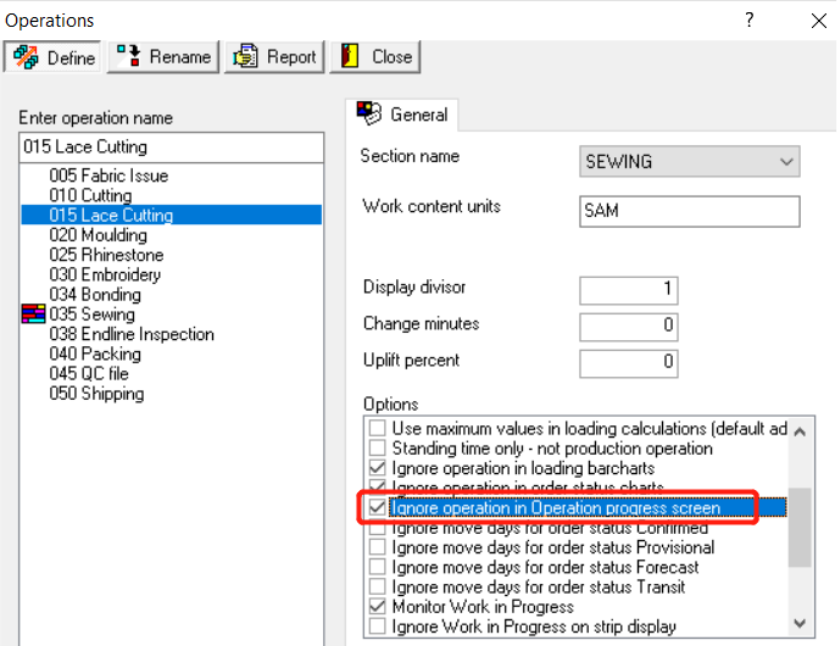
Step 2: If above option is selected for operation "Lace Cutting", then it will not be shown in the Update operation progress screen below.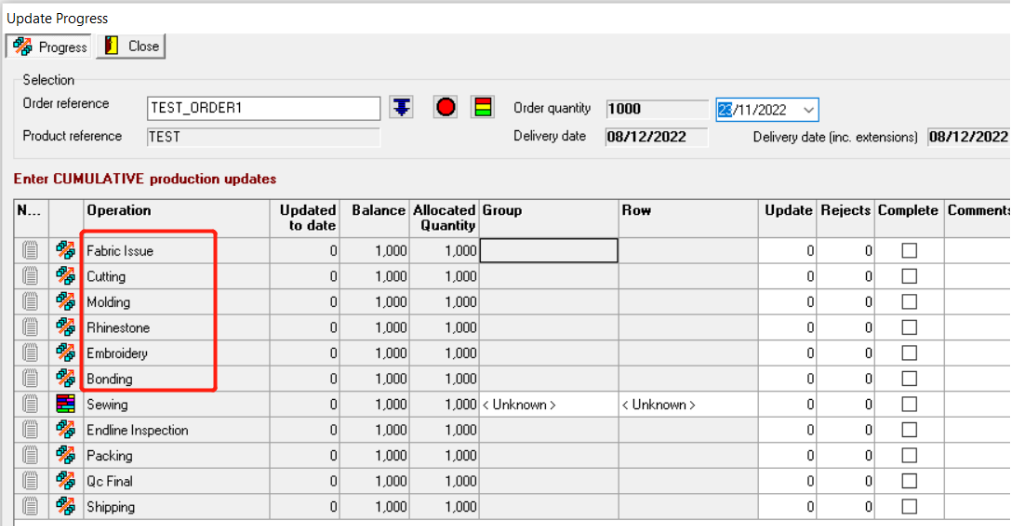
Outcome:
Once you have remove the tick for the option "Ignore operaion on operation progress screen", the operation will show in "Update Progress" screen as expected.
Further reading:
Links to related articles