
Article Public Number: KA-01378
Coats Digital Knowledge Article
Product: FastReactPlan
Purpose & Scope:
Standing time was setting by plan group when we setup the system, and FRP allows users to change the standing time by specified order/product for different cases. However, sometimes users found they are unable to change the standing time for strips when they tried to update them via strip right click on planning board.
Solution:
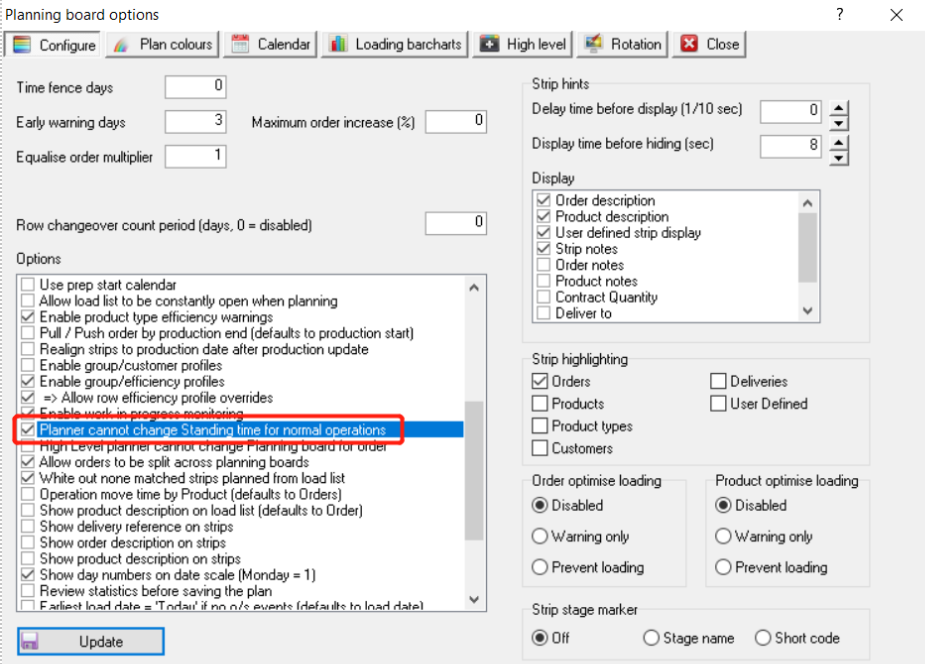
Go to Setup - Configure - Planning - Configure, disable the option "Planner cannot change standing time for normal operations".
Instructions:
Step 1: Normally if we right click on the strip, and select "change standing time"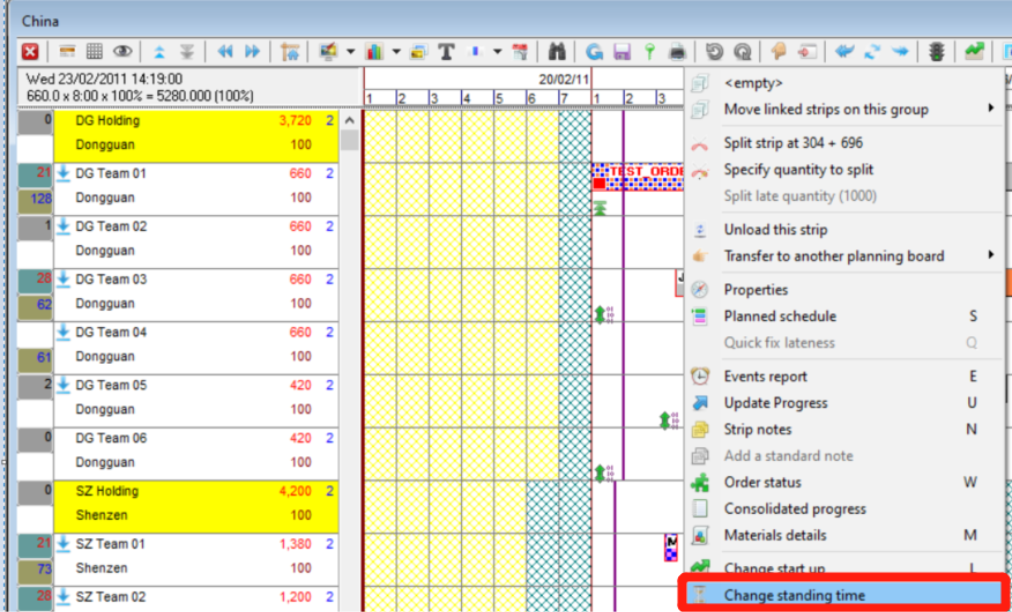
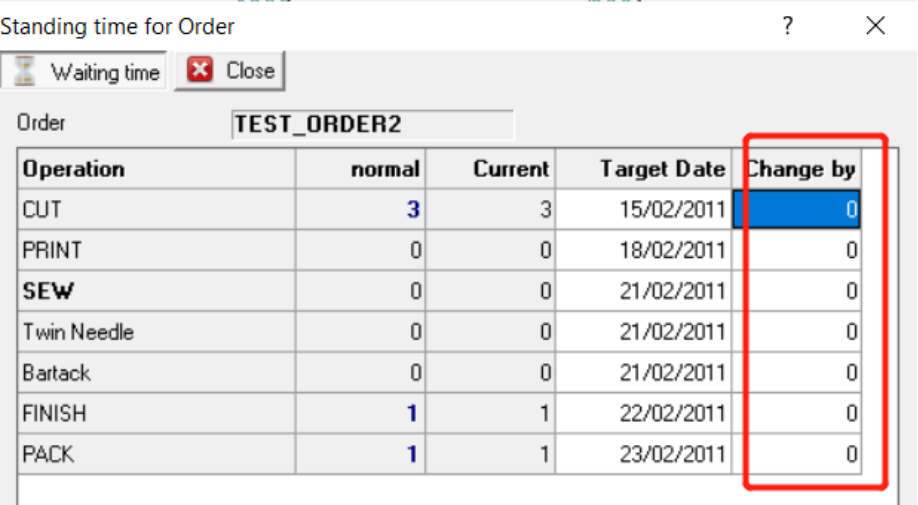
Step 2: There should be change standing time dialog as below that allow us to update the standing time
Step 3: However, sometimes when user try to do as Step 1, below warning throw out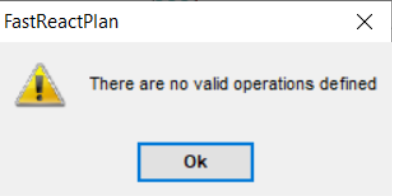
Step 4: When we go to Setup - Configure - Planning - Configure, found the option "Planner cannot change standing time for normal operations" is enabled which led to the case above in Step 3.
So, to avoid this, please remove the tick for this option and try again.
Outcome:
Disable this and go back to planning board, you will find the change standing time dialog coming out as expected.