
Article Public Number: KA-01274
Coats Digital Knowledge Article
Product: FastReactPlan
Purpose & Scope:
There are only 4 order status, confirmed, provisional, speculative and transit in FRP. Which is not enough for some clients, then we will need some extended order status to help.
Solution:
To enable the extended order status, we will need to enable it via frs account.
Instructions:
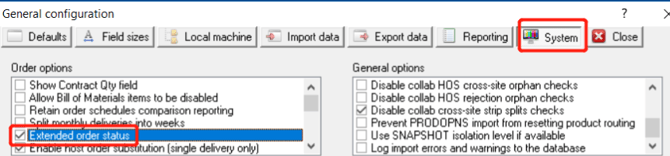
Step 1: Log in with frs account to FRP system as below to enable "Extended order status"
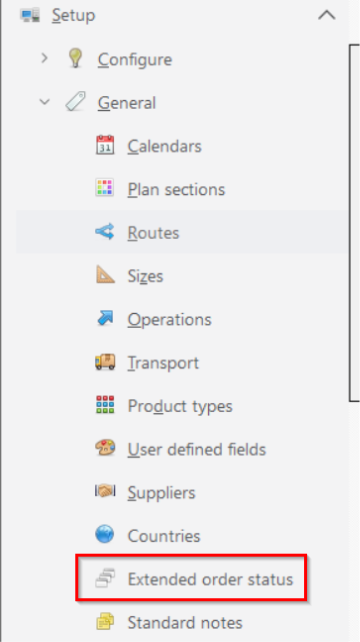
Step 2: With this enable, we can find it as below Setup - General - Extended order status
Step 3: Name it and select the colour as you want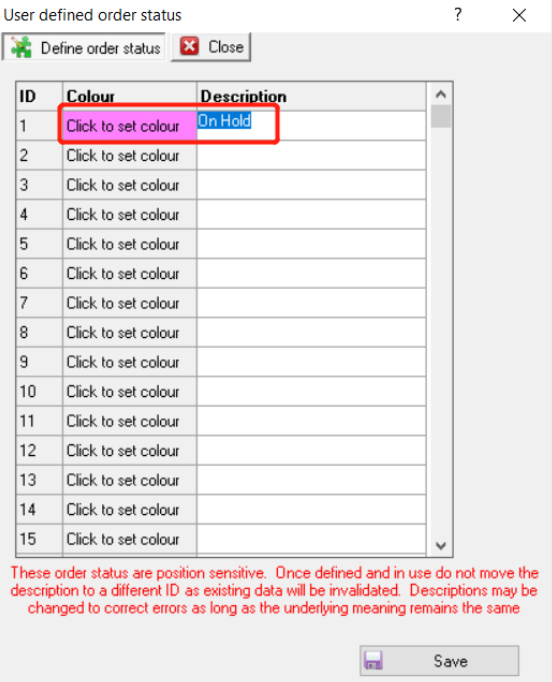
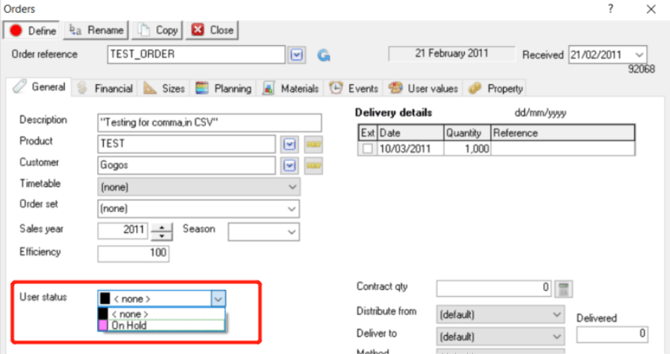
Step 4: When you go to Orders dialog, you will find it available from the drop down below
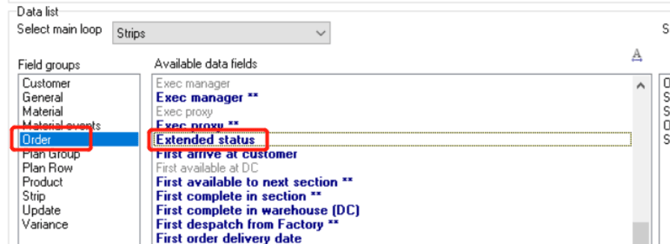
Step 5: There is report field "Extended status" for it as below as well
Outcome:
With this extended order status enable, user can create any status they expect to have and run for the orders.