
Article Public Number: KA-01277
Coats Digital Knowledge Article
Product: FastReactPlan
Purpose & Scope:
There is row property setting against plan row, and client would like to know if possible that property can be set upon order, then system can limit which plan row the specific order plan on.
Solution:
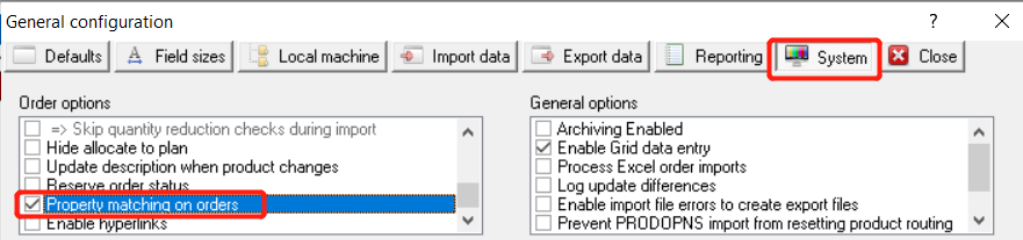
Enable the "Property matching on orders" via FRP frs account.
Instructions:
Step 1: Login with FRS account and enable the option "Property matching on orders"
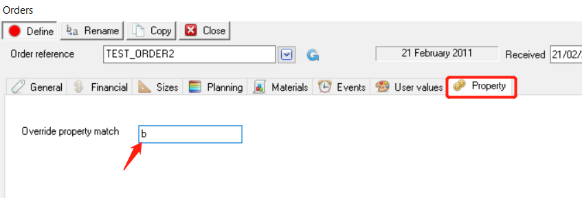
Step 2: Property can then be updated upon orders as below, take TEST_ORDER2 as example, set its property as b
Step 3: Go to planning board, right click on any plan row at the left and select "Sort rows" to make it sort "By property".
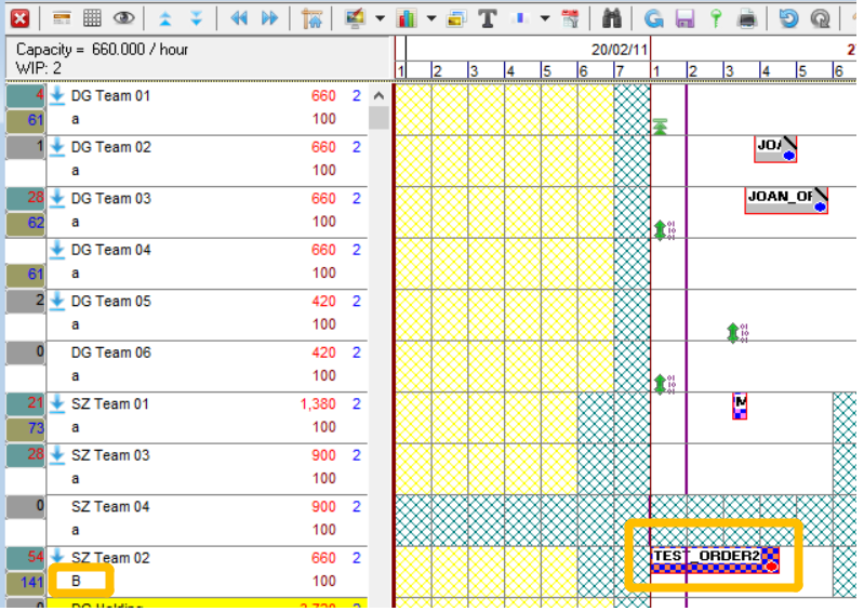
From below we can see except plan row "SZ Team 02", all other planning rows property is "a"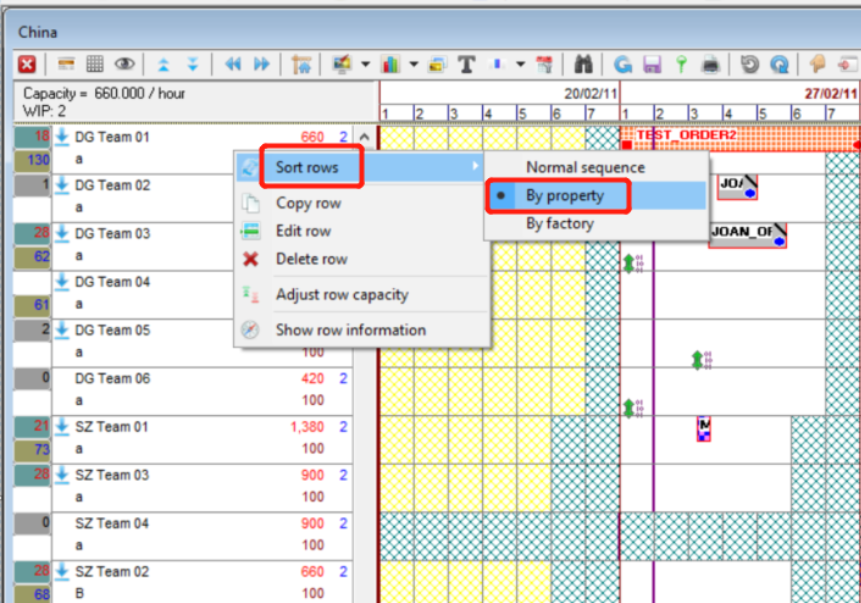
Step 4: When we try to plan TEST_ORDER2, whose order property is "b". Therefore, it can only be planned on "SZ Team 02".
And when try to plan on other plan rows, there will be warning on the right corner as "Property mismatch between this product and this row"
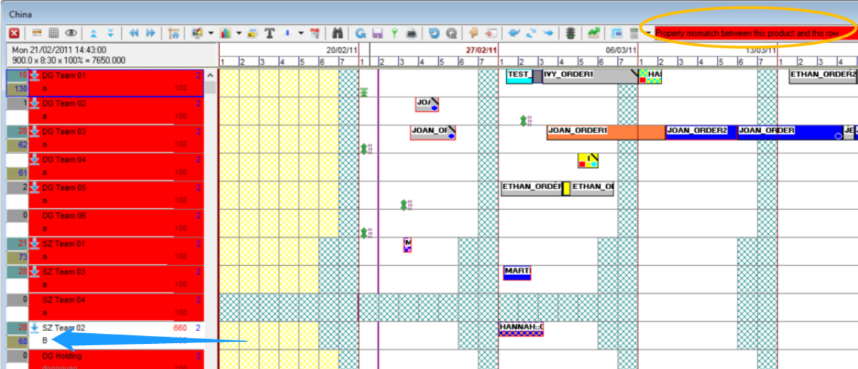
Step 5: TEST_ORDER2 planned on SZ Team 02 with the property match as "b"(not case sensitive)
Outcome:
If property of orders not match the property set on plan row, system will not allow them to be planned there.
Further reading:
Links to related articles