
Article Public Number: KA-01177
Coats Digital Knowledge ArticleProduct: FastReactPlan
Purpose & Scope:
Allows the user to split an order across Low Level planning boards.
Solution:
Enable the option from .frl file first and then go to Setup - Configure - Planning to enable the "Allow orders to be split across planning boards "
Instructions:
Step 1 : Using FRLICENCE.exe to open the .FRL file and have the option "Allow orders to be split across boards" below to be "On"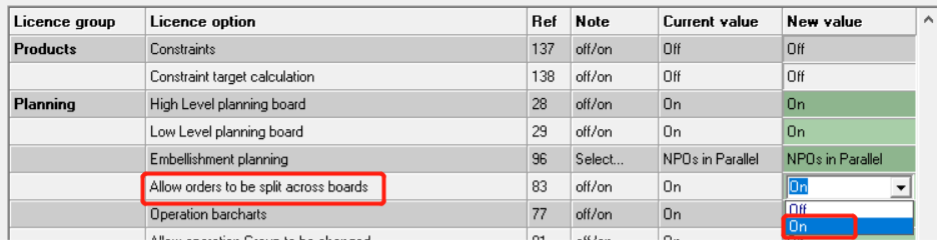
Step 2 : Load the .FRL that modified above to FRS as below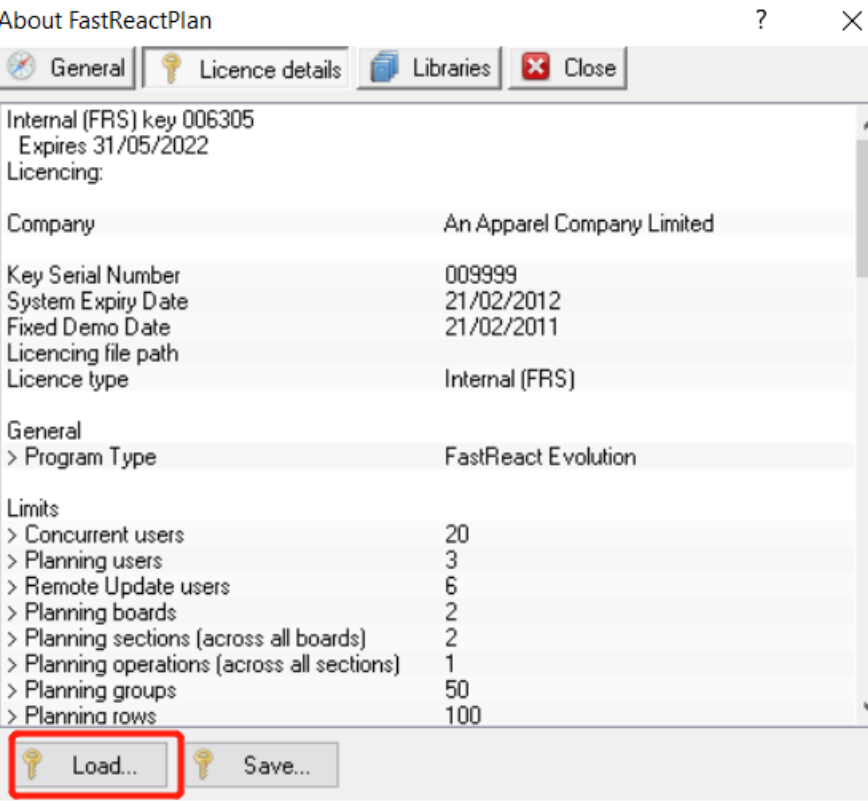
Step 3 : Go to Setup - Configure - Planning, enable option below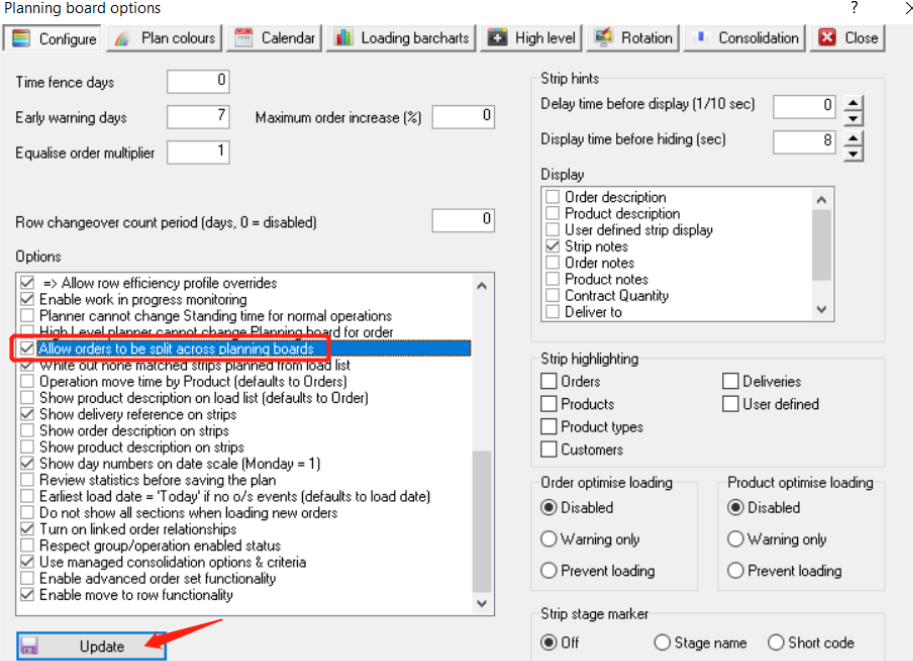
Steps 4 : Once above option enable, you can transfer the order from loadlist via right click on the order to select "Transfer to another planning board" as below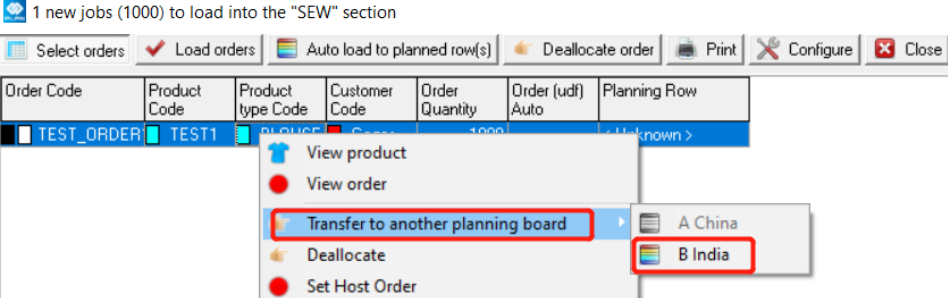
Or right click on the strip from the planning board, and select the "Transfer to another planning board" as below to transfer the order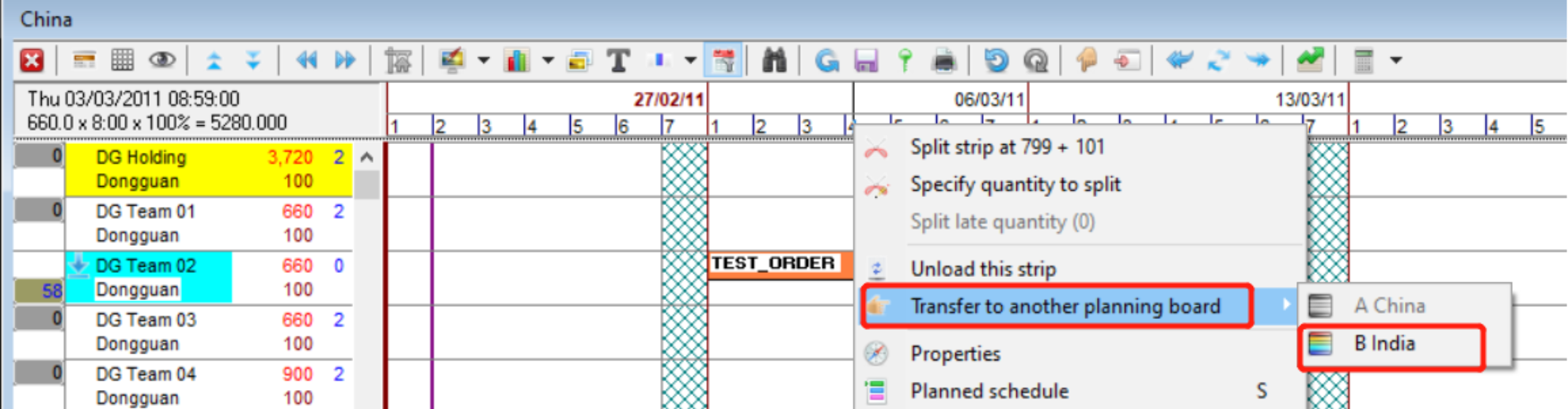
Step 5 : After above done, save the planning board. Then you can find it in Green background within the accept list on the target planning board that you have transferred to as below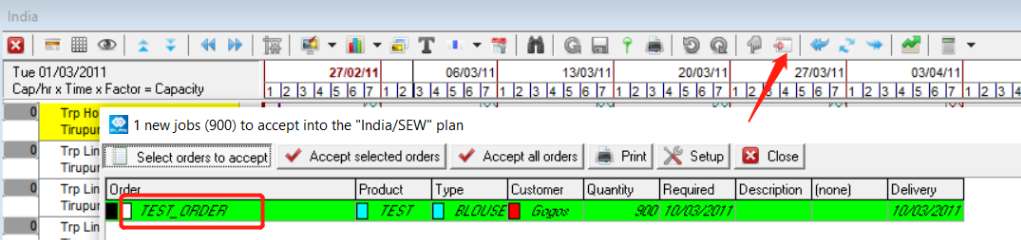
Step 6 : Once it has been accepted to the loadlist and then can allow planner to plan it to production lines on the planning board
Outcome:
Once those options mentioned above are enabled, FRS now can allow planners to transfer orders between planning boards.
Further reading:
Links to related articles