
Article Public Number: KA-01297
Coats Digital Knowledge Article
Product: FastReactPlan
Purpose & Scope:
Normally for FRP planning, there is only one strip plan at same start time on one planning row. However, sometimes at client site, there might be chance that 2 or multiple strips were planned to be produced at same time on same production line.
Solution:
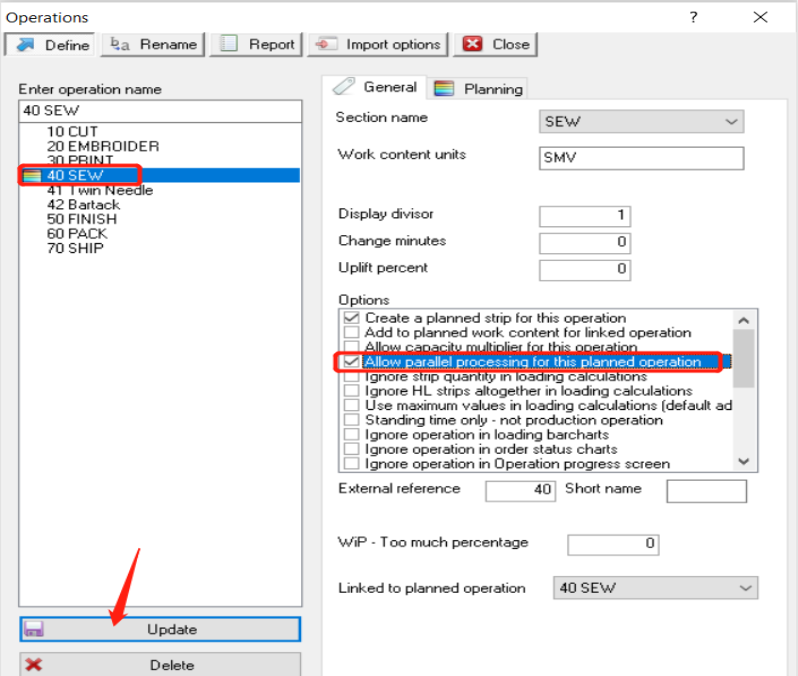
To achieve this, we can enable the option "Allow parallel processing for this planned operation"
Instructions:
Step 1 : Go to Setup - General - Operations, enable option for SEW operation as below, click Update
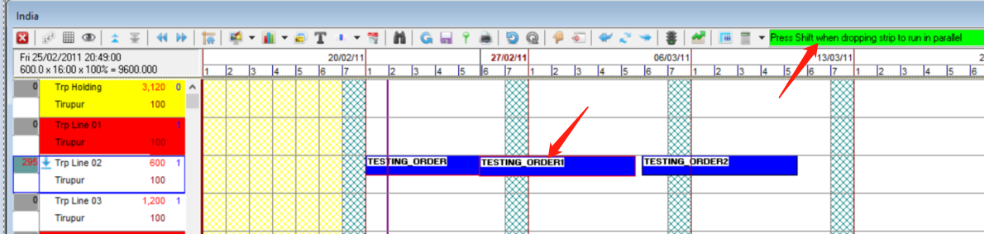
Step 2 : Go to planning board, when we try to pick TESTING_ORDER1 and put it on strip TESTING_ORDER. We can see there is a message at the right corner saying "Press Shift when dropping strip to run in parallel"
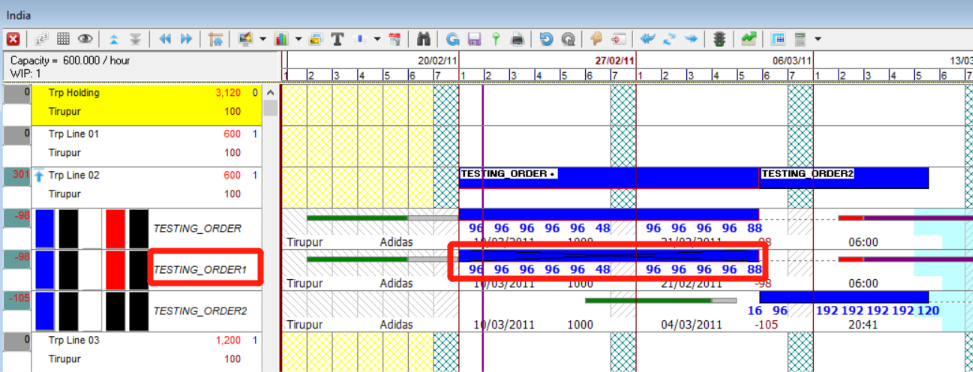
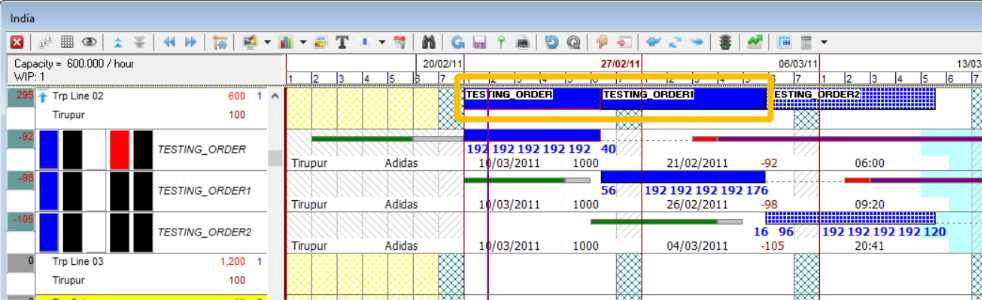
Step 3 : Once we press Shift together as mouse left click above, we can see 2 strips combine into one as below.
And strip TESTING_ORDER1 display as below in plan row drop down
Step 4: If we want to separate it into individual strip, right click on the parallel strip TESTING_ORDER1 and select "Separate parallel strip"
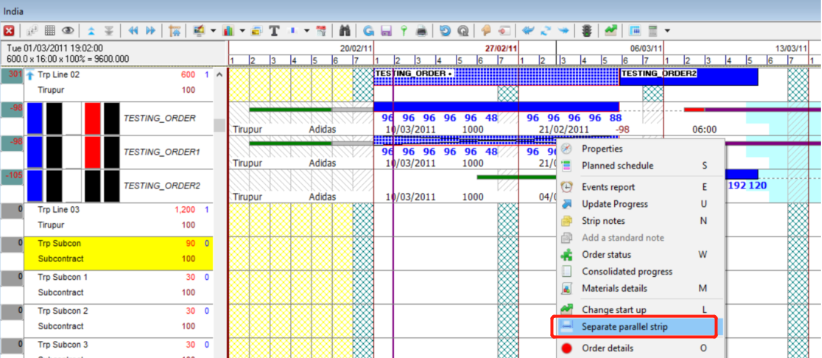
Step 5: Parallel strip has been separate into individual strip
Outcome:
With the option "Allow parallel processing for this planned operation" enabled, system will allow multiple strips to be planned and start to produce at same time on the same production line(plan row).
Further reading:
Links to related articles