
Article Public Number: KA-01515
Coats Digital Knowledge Article
Product: FastReactPlan
Purpose & Scope:
This article is going to show you how to maintain the capacity for plan group.
Solution:
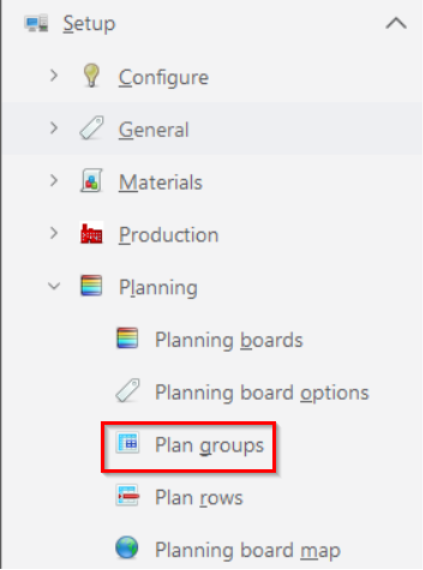
To update this, you will need to access Setup->Planning->Planning Groups
Instructions:
Step 1: Go to Setup - Planning - Planning Groups
Step 2: Select Tab "Operations"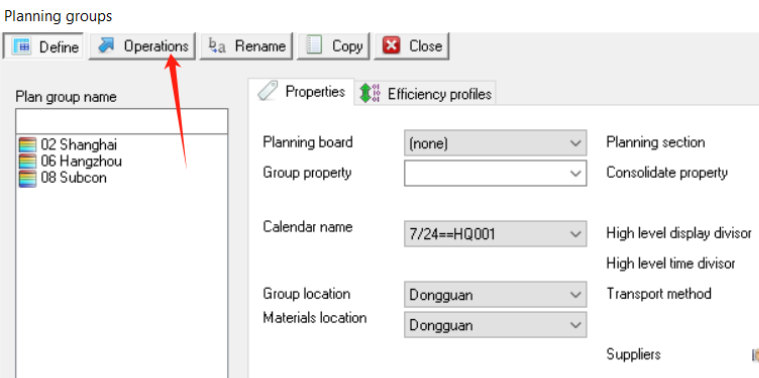
Step 3: It will take you to below, then select the plan group that you want to update the capacity for.
Input the capacity for the operation that you want to maintain, click "Update" when done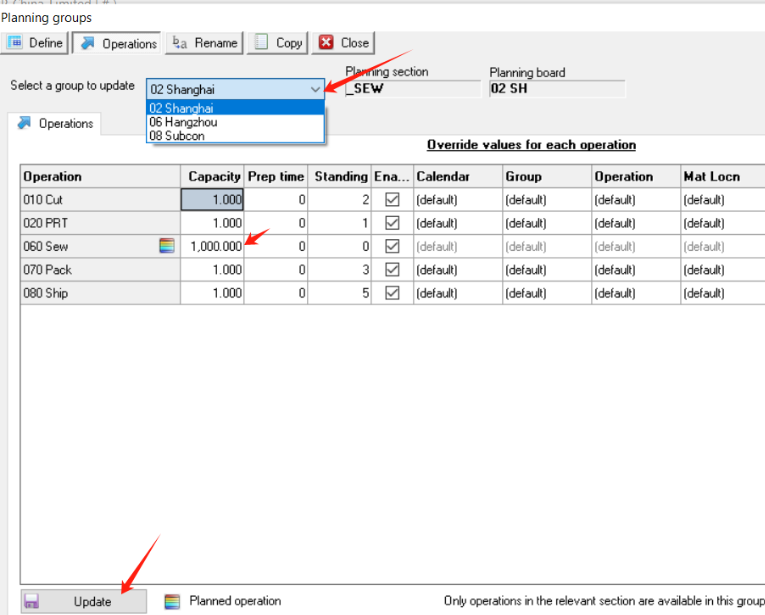
Outcome:
Plan group capacity will be updated through above and reflecting on the High Level planning board as expected.
Further reading:
Links to related articles