
Article Public Number: KA-01039
Coats Digital Knowledge Article
Product: FastReactPlan
Purpose & Scope:
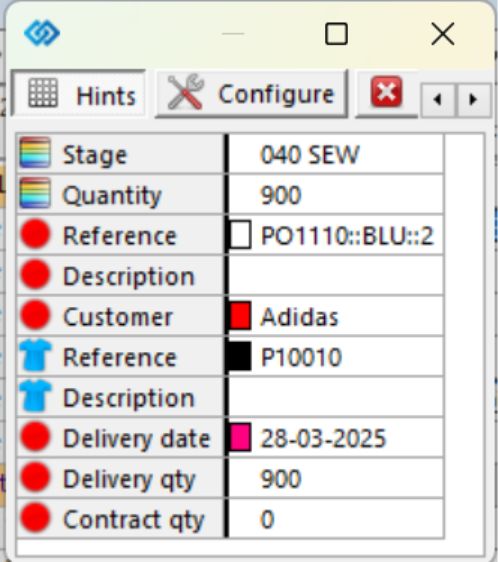
Functionality exists in FastReactPlan to greatly enhance the Strip display hints within both the High and Low-level Planning Boards. This Pop Out Strip Hint functionality allows users to configure the data that they wish to be displayed on their view of the Planning boards.
Solution:
This option needs to be configured first:
Instructions:
1. Go to the Planning Board, either High or Low level as the Pop Out will be the same on both Planning Boards for the User being set up.
There will be a new icon on the Planning Board menu bar:
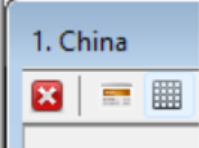
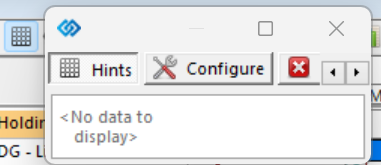
2. This is the Pop Out Strip Hint configuration button. Click on this button and the Pop Out Strip Hint dialogue will appear. When it is first used the dialogue will be empty and require User configuration:
3. Click on the Configure button to view the available hints. This screen will show the available hints on the left and the selected hints, (what the user sees when hovering over a strip), on the right:
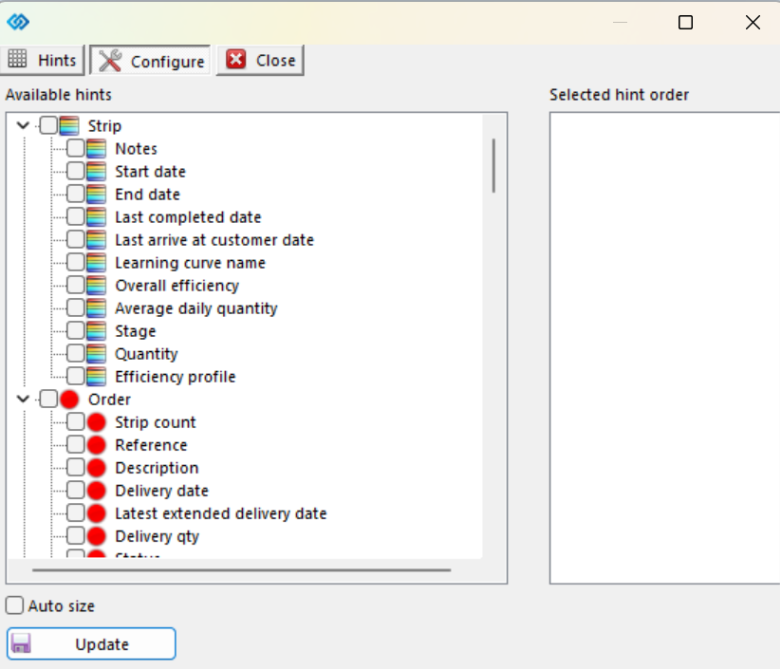
4. The User can now select the data that they wish to see when they hover over strips on the Planning Board:
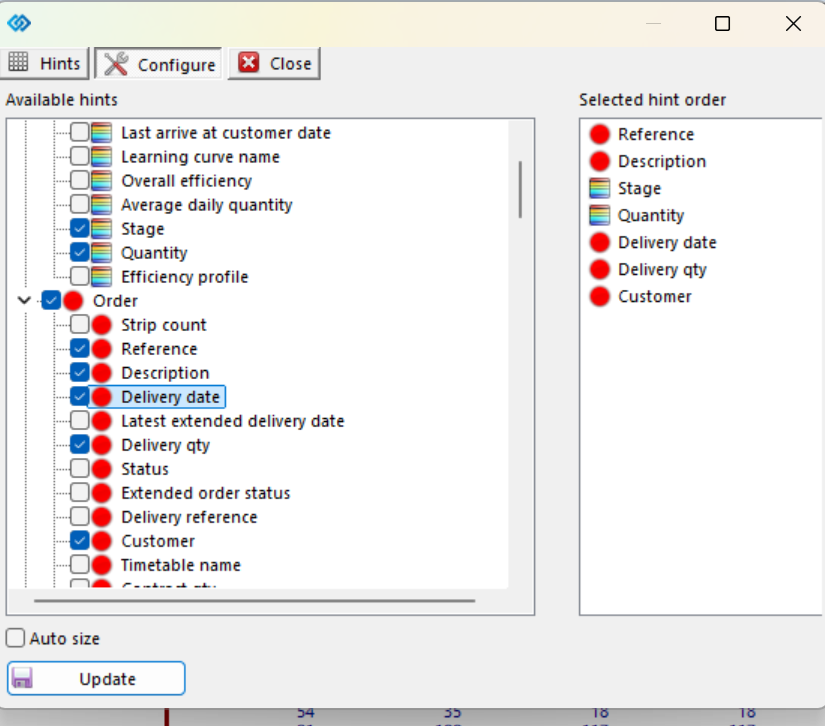
Selecting the Auto size option will allow the Pop Out dialogue to resize with the data displayed.
This User configuration will need to be done for all FastReactPlan Users. But it will allow the User to see data that is pertinent to them
Outcome:
Now on the Planning Board the User will see the data on the Pop Out Strip Hint that they have configured whenever they hover over a strip:
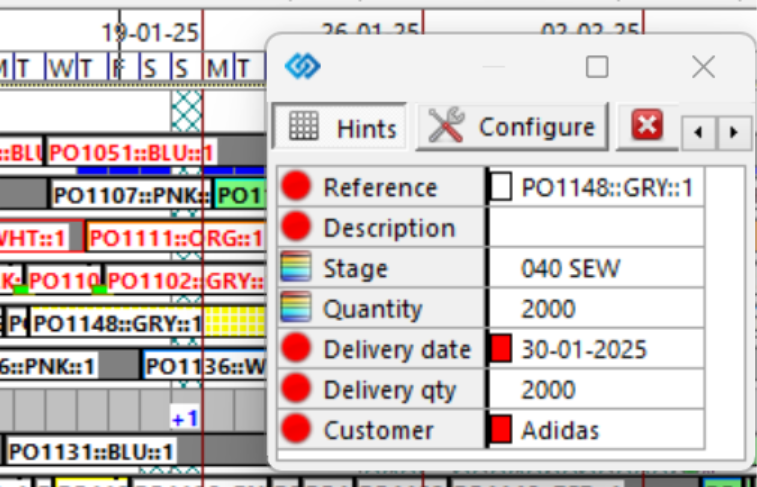
Pop Out Strip Hints v Strip Hints
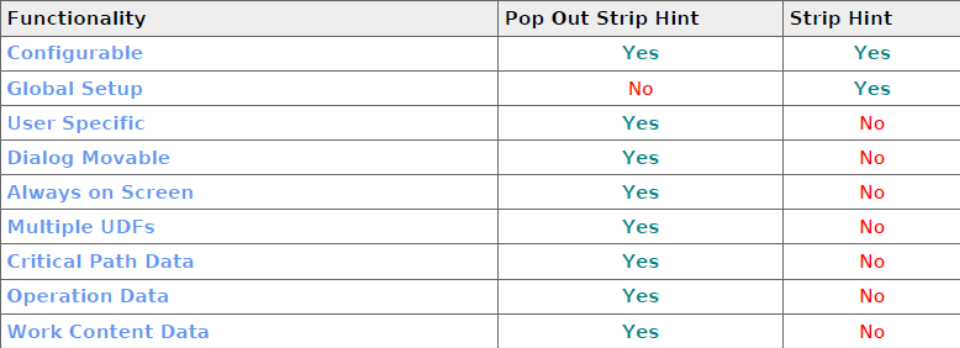
Further reading:
Links to related articles