
Article Public Number: KA-01536
Coats Digital Knowledge Article
Product: FastReactPlan
Purpose & Scope:
Brief explanation of how the functionality of "Pull Forward - Limit by Critical Events" works
Solution: Go to Low Level Planning Board - Pull Forward menu - Select the Entire Plan option, move to the mouse position. and limit by critical events.
Instructions:
Step 1: Check the line DG - Line 3 as shown below. The orders are planned from 17-02-2025

Step 2: Go to Low Level Planning Board - Pull Forward menu - Select the Entire Plan option, move to the mouse position. and limit by critical events - Save & Apply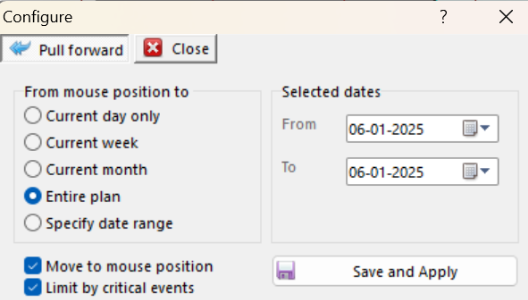
Step 3: Keep the mouse position on 06-01-2025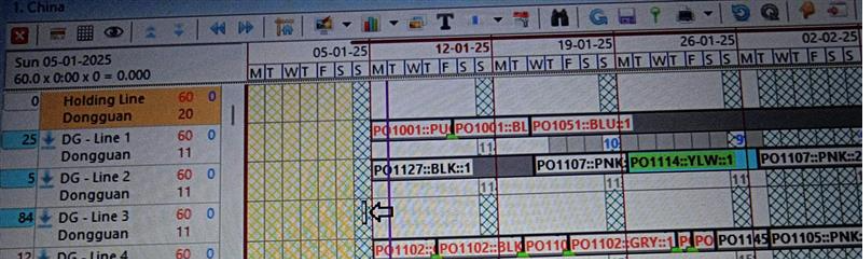
Step 4: Some strips are pulled forward up to 20-01-2025 as shown below, though the mouse position is 06-01-2025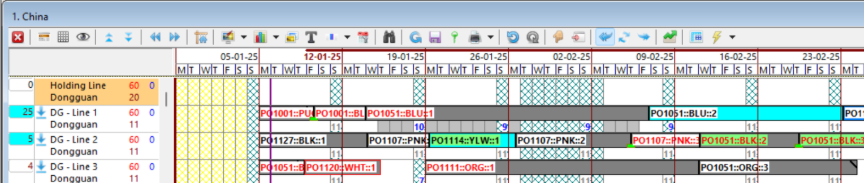
Step 5: This is because if the strip is pulled to 18-01-2025, the strip turns orange due to critical event failure as shown below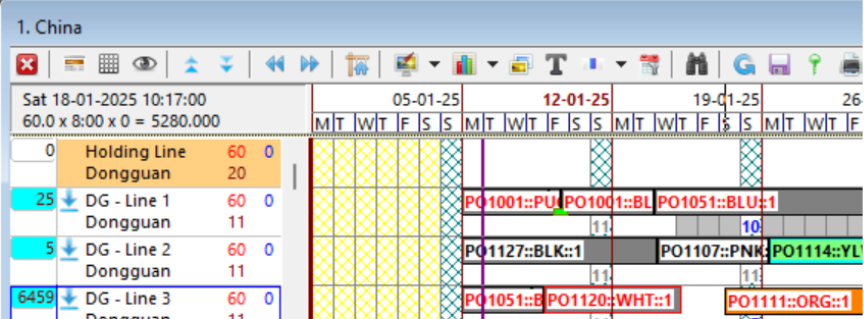
Outcome:
You will be able to understand as to how the functionality of "Pull Forward - Limit by Critical Events" works