
Article Public Number: KA-01400
Coats Digital Knowledge ArticleProduct: FastReactPlan
Purpose & Scope:
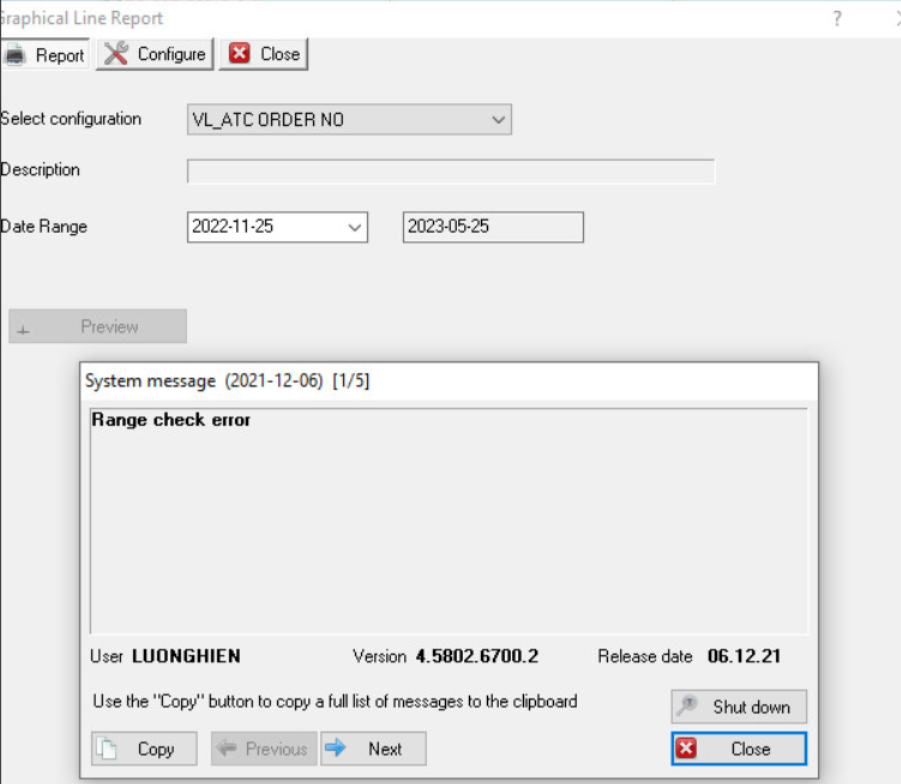
When user try to Preview Graphical Line Report, the below error message popup:
"Range check error
FGColour
TFormGraphicalLineReportPreview.GenerateReport
ShowFormGraphicalLineReportPreview
TFormGraphicalLineReport.bnReplicateClick"
Solution:
Setup color for customer that haven't been used yet.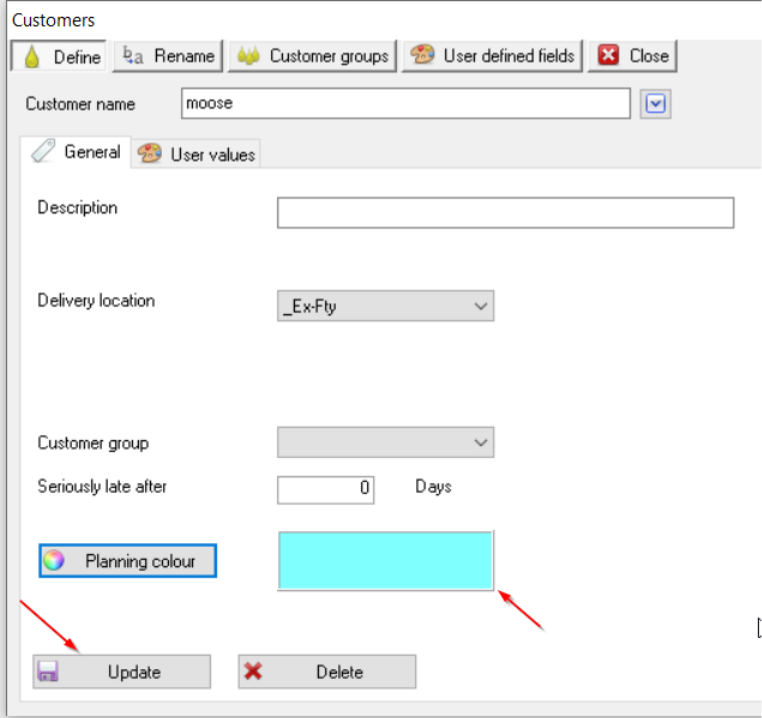
Instructions:
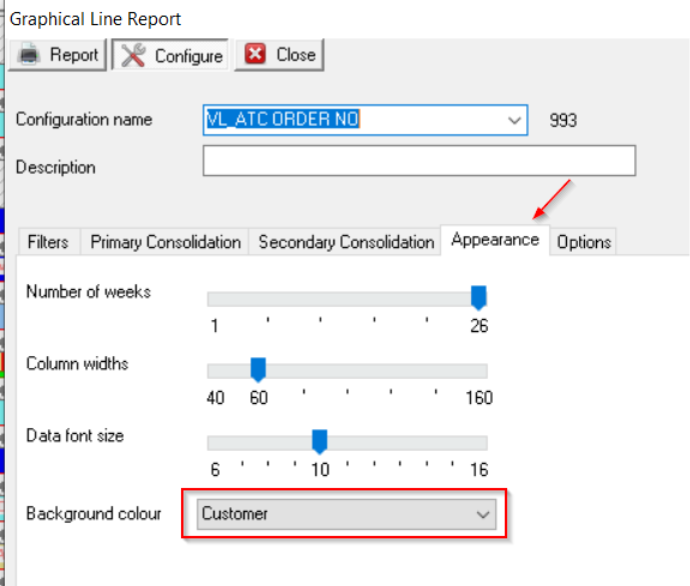
Step 1: Go to Graphical Line Report dialog and to [Configure] and see the Background color of report is chosen Customer
Step 2: Go to the Customer dialog and see customer "moose" & "LANDS' END" haven't been setup Planning color yet
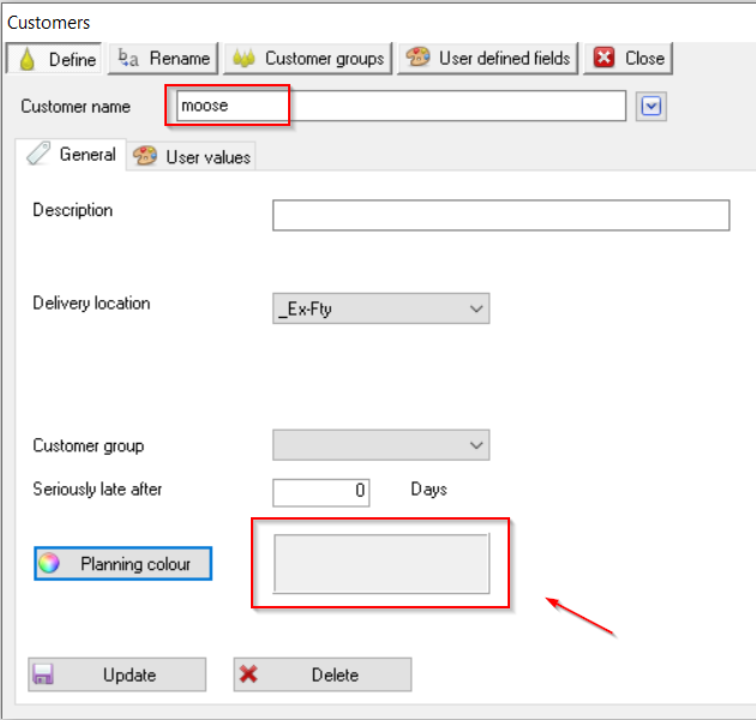
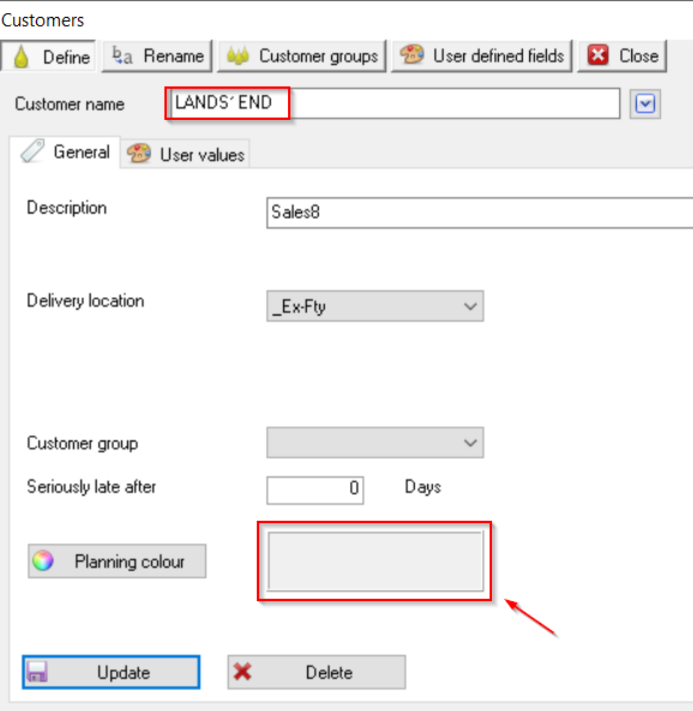
Or go to database and run script "select * from _CUSTOMERS" to see if any customer has the Strip_Colour value are less than -1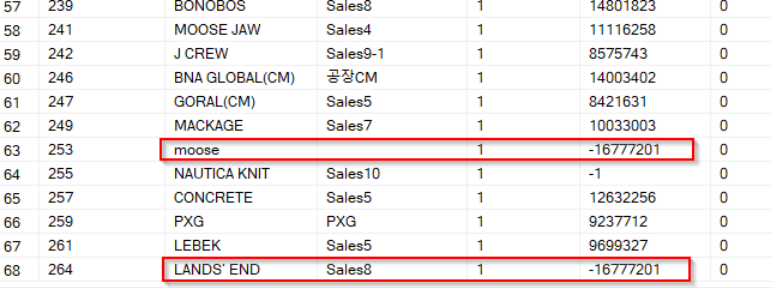
Step 3: Setup color for these customers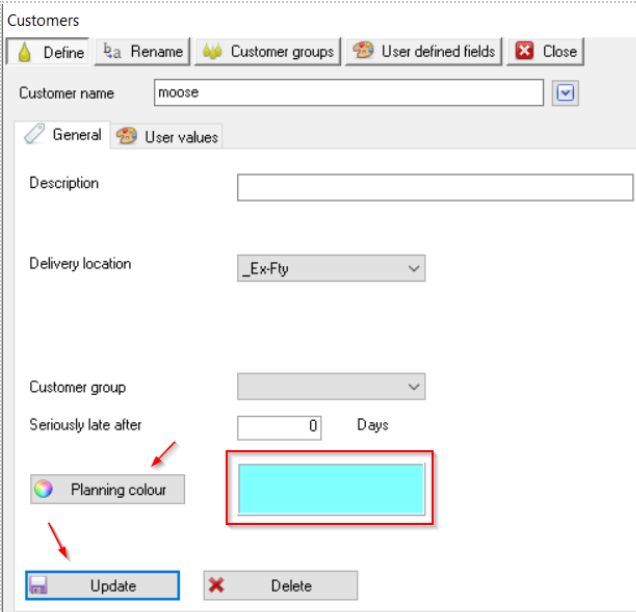
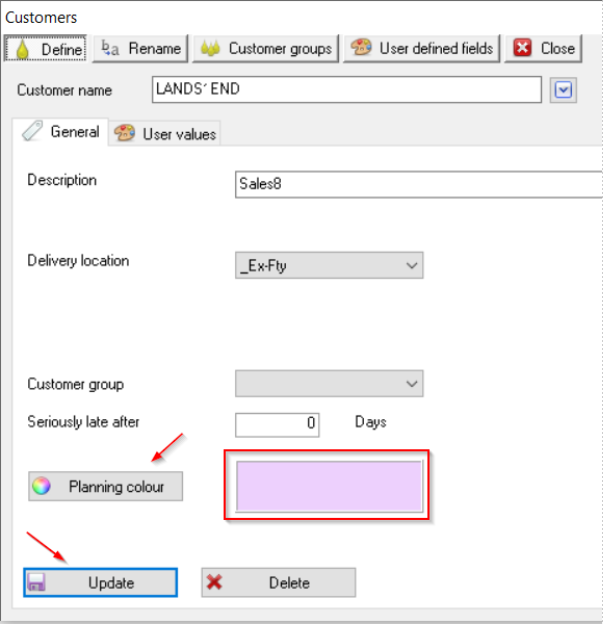
Outcome:
Check again in database and run script "select * from _CUSTOMERS" to see these customers were updated the Strip_Colour and the report can be print out without FGColor error anymore