
Article Public Number: KA-01307
Coats Digital Knowledge Article
Product: FastReactPlan
Purpose & Scope:
Brief description of solving [Range Check Error: function FloatX1000] when importing PRODUCTS file.
Solution:
Found the abnormal value in the PRODUCTS file and adjust it to the normal value.
Instructions:
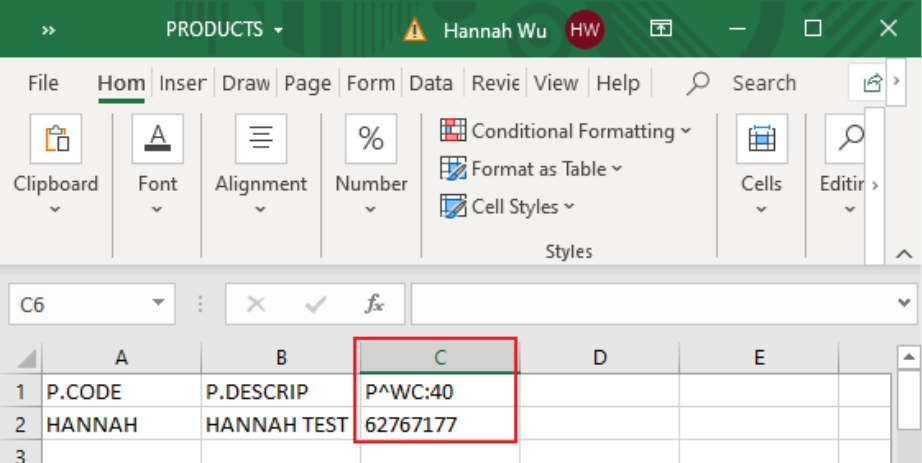
Step 1: Import the PRODUCTS file as below.
Step 2 : Found import error as below.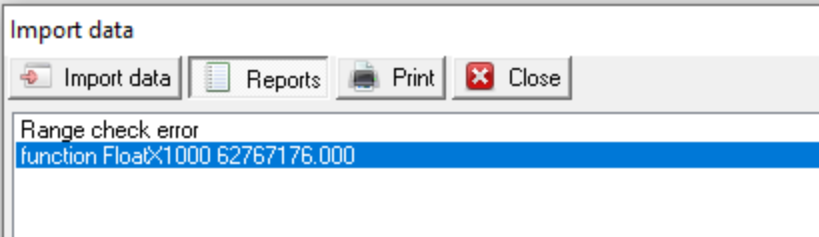
Step 3 : Correct the abnormal SMV value(eg: 62767177) in the PRODUCTS file.
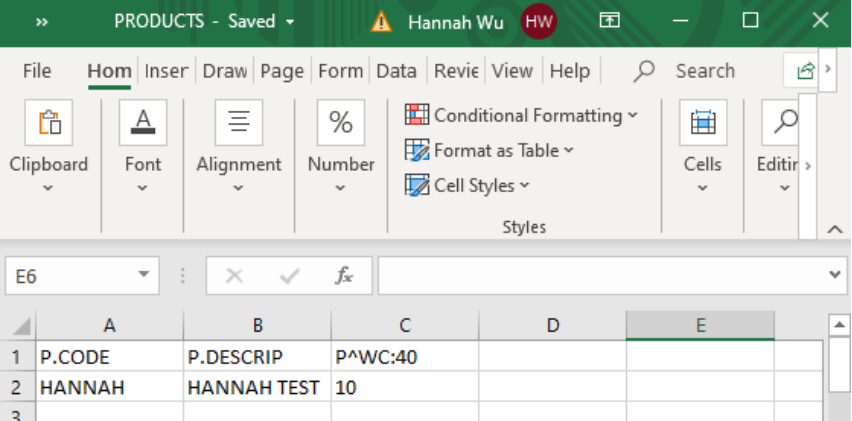
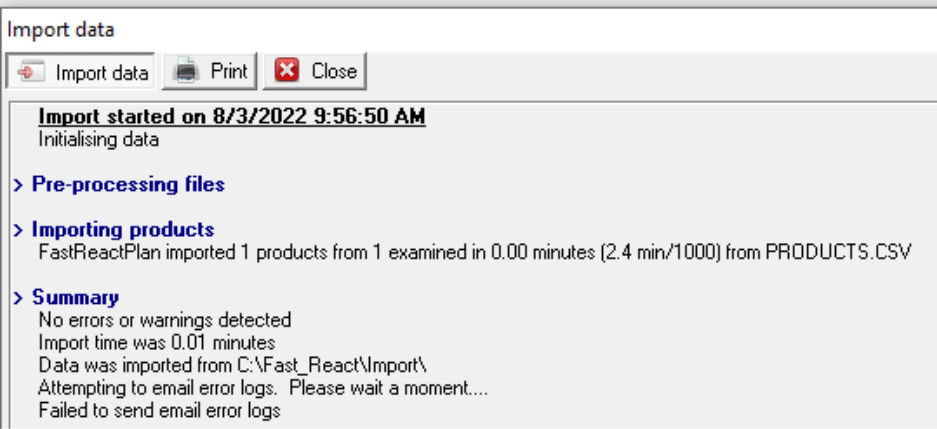
Step 4: PRODUCTS file could be imported after correcting the abnormal SMV values.
Outcome:
PRODUCTS file could be imported after correcting the abnormal SMV values in the file.
Further reading:
Links to related articles