
Article Public Number: KA-01230
Coats Digital Knowledge Article
Product: FastReactPlan
Purpose & Scope:
With the global setting for efficiency profile that applied on the planning row, which is not flexible for production lines to run with different product types in different time period. With the override efficiency profile function enable, planning rows can be allowed to produce different product types as expected.
Solution:
Allow the row efficiency profile to be overridden by period of time.
Instructions:
Step 1: Go to Setup --> Configure --> Planning, enable the option below
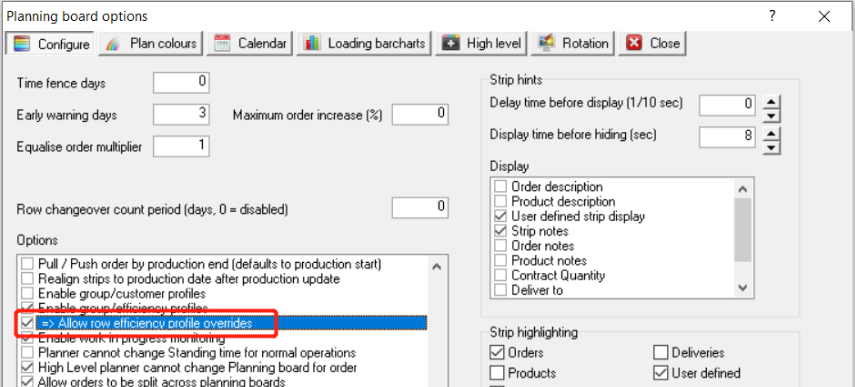
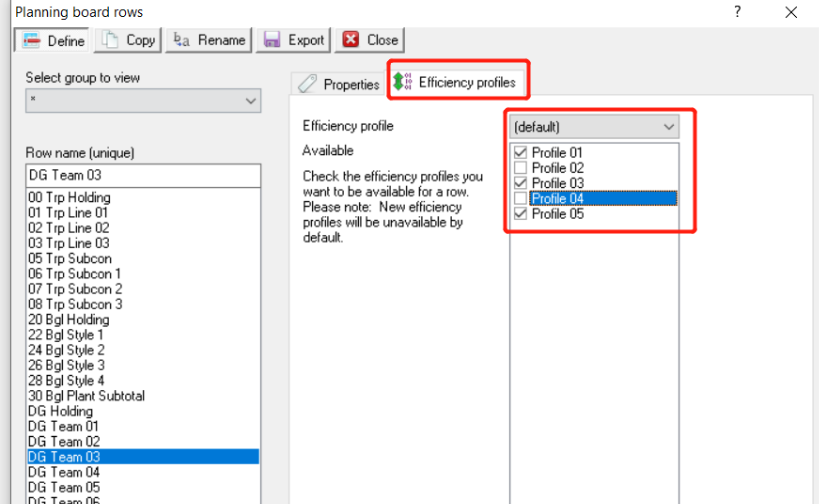
Step 2: Go to the plan rows and select the efficiency profile that you want them to show in the available list for this production line.
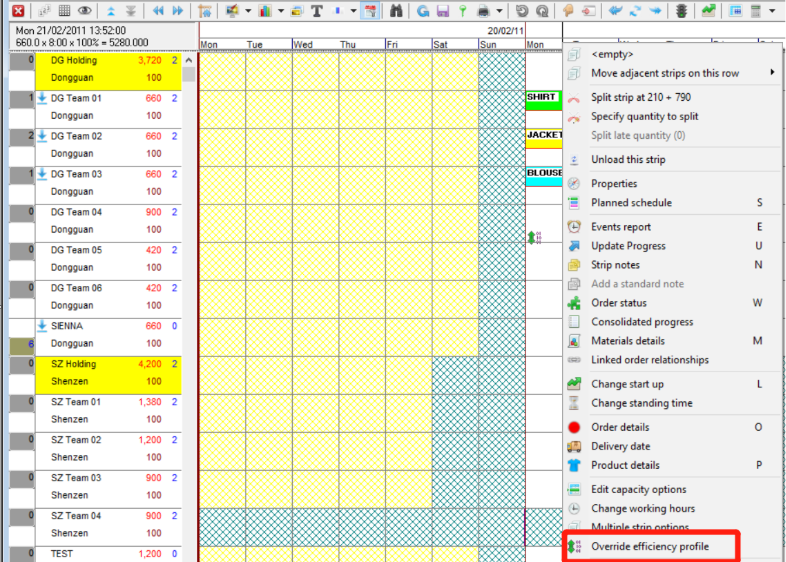
Step 3: When you would like override the efficiency profile for this production line, right click on the planning board and select the option "Override efficiency profile".
Step 4: Select the profile that you want to apply from the list that are available, Click Update
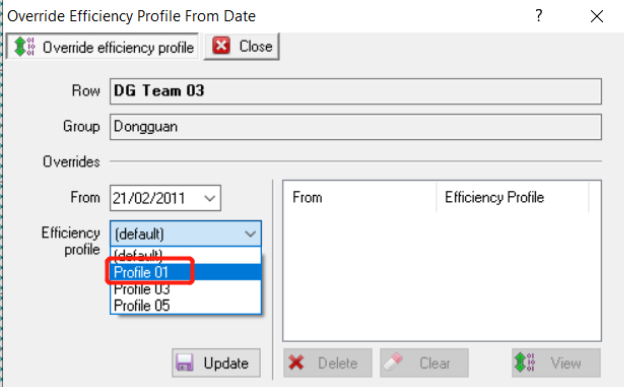
Step 5: Click the View, you will then see the detail efficiency of each product type in the profile that you applied. Seen from below, Blouse in this profile is 0%
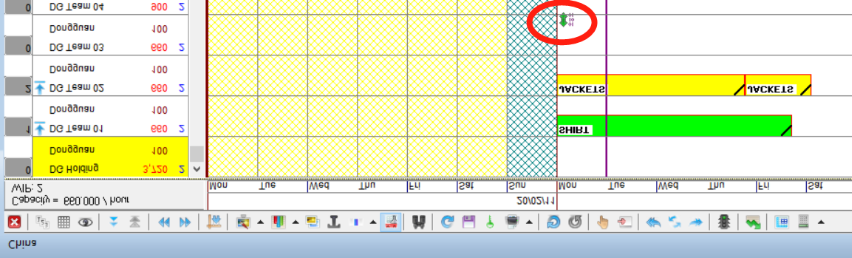
Step 6: So when you back to planning board, you will see the Blouse strip gone from the production line and an indicator as below to show you there is override happen from this date.
Outcome:
With this function enable, planners can run the production lines flexible than before, especially for handing the peak season production line adjustment.
Further reading:
Links to related articles