
Article Public Number: KA-01454
Coats Digital Knowledge Article
Product: FastReactPlan
Purpose & Scope:
To avoid user need to find and tick one by one size when create new product, user can build up the size set in Sizes required when create new product.
Solution:
Create size set and then user can select size set and all sizes in size set can be ticked all.
Instructions:
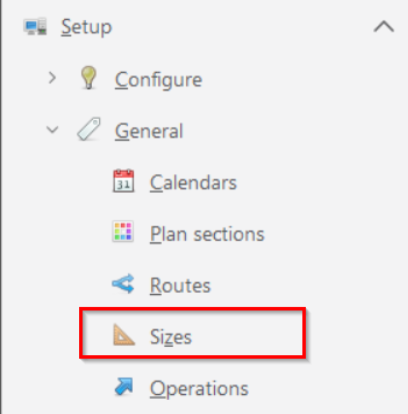
Step 1: Go to Setup -> General -> Sizes
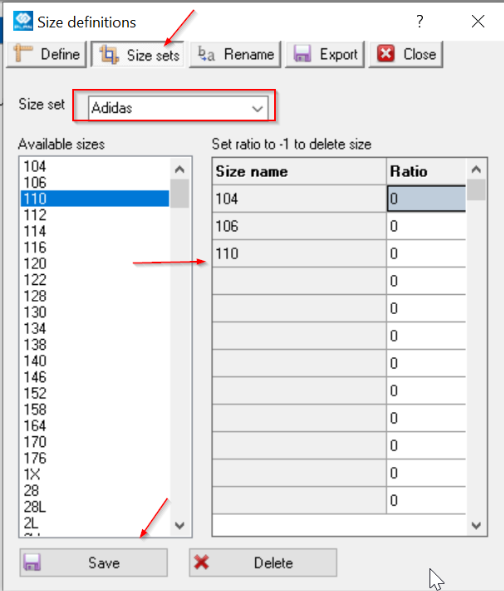
Step 2: Go to tab Size sets, create Size set, drag and drop size name (from left side to right side) -> click Save
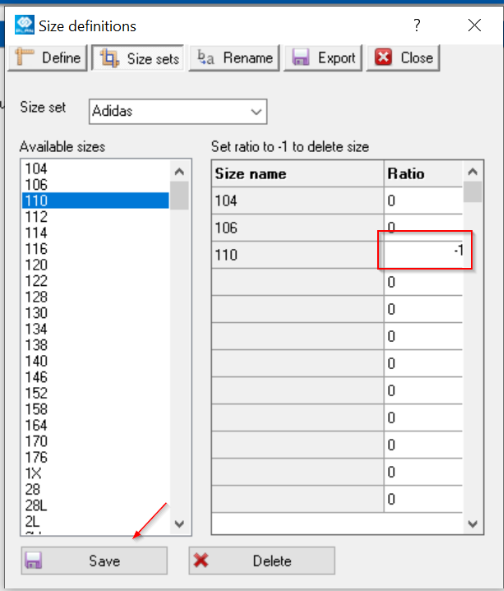
Step 3: Set ratio -1 if you want to delete size -> click Save
Outcome:
When create new product and select size set "Adidas", all size are ticked.