
Article Public Number: KA-01499
Coats Digital Knowledge Article
Product: FastReactPlan
Purpose & Scope:
This article is going to take you through how to convert the SAH planning to be SMV planning in FRP system.
Solution:
1. Update the capacity for planning rows to be minutes instead of hour
2. Update the product work content from hour to minutes
3. Update product type work content from hour to minutes
Instructions:
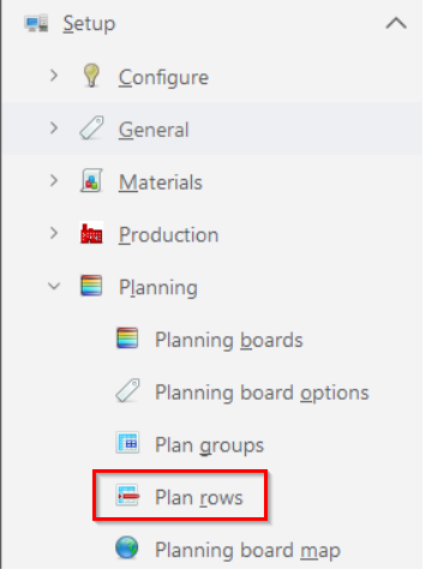
Step 1: Go to Setup - Planning - Plan rows
Step 2: Follow below to update the capacity from hour to minutes
- Select the plan row you want to update
- Change capacity from current 1 to 60
- Click Update
- Find out the product that you want to update its work content
- Convert it from hour to minutes via multiply 60(take below for example, update 0.766 to be 45.96(0.766*60) )
- Click update
Do above to all planning rows.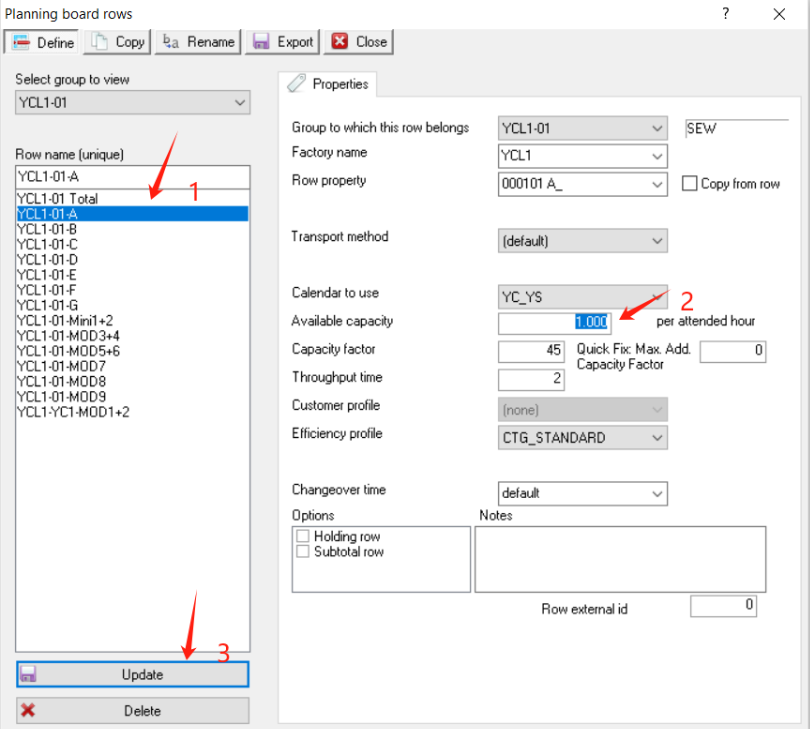
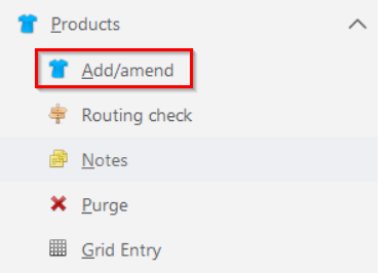
Step 3: Go to Products - Add/amend
Step 4: Above is update manually, if you want all products to be updated via importing Products file, please follow Step 5 below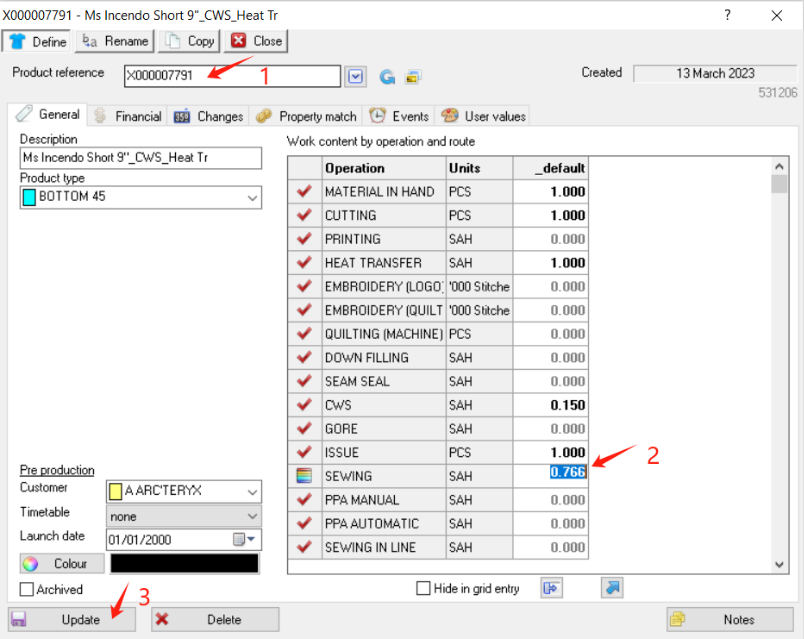
Step 5: In the Products file, format as below, and take sewing operation as example. Current plan hour for it is 0.766, convert it to be minutes. It become 45.96. Save it and import to FRP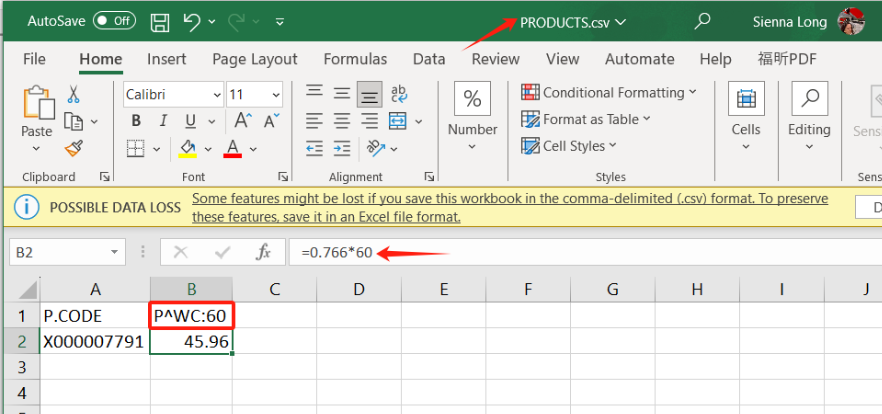
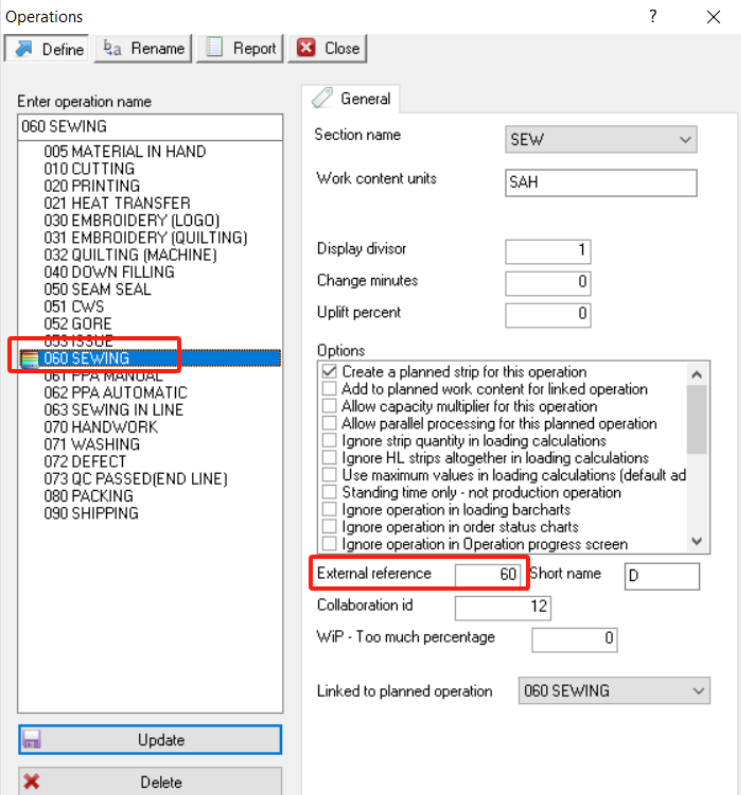
If you don't know what number should be put at the end for header in column B above, please follow below to check.
Go to Setup - General - Operations
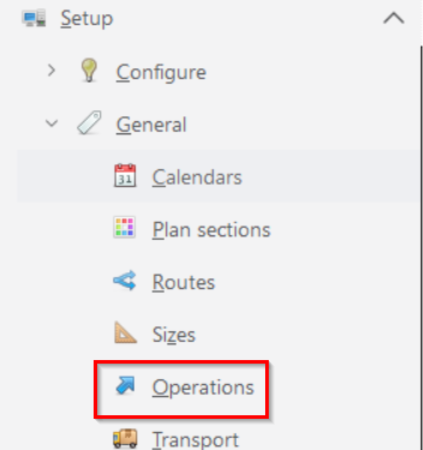
Take sewing for example
Note: If you want the products file to include all the products in FRP system, you will need to create a report to include all products in the system with its sewing work content together.
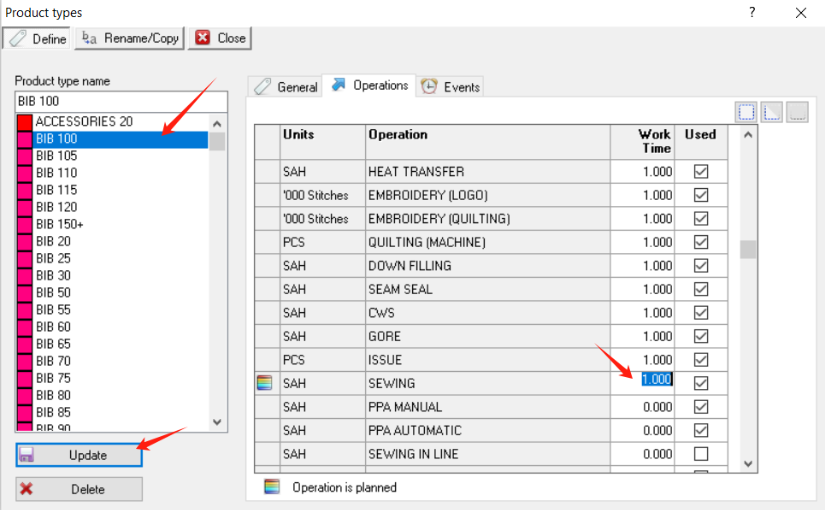
Step 6: For product type work content update, please go to Setup - General - Product types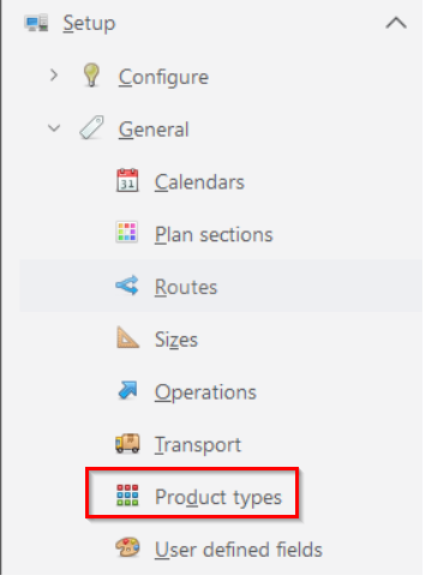
Step 7: Select the product type that you want to update, change its Work Time from 1 to 60 and click Update
Step 8: Then go to planning board, and you will find the plan was calculate by minutes instead of hour now.
Outcome:
Following above to do corresponding update, you will see what you expected.
Further reading:
Links to related articles