
Article Public Number: KA-01336
Coats Digital Knowledge Article
Product: FastReactPlan
Purpose & Scope:
Sometimes client wish that the color code can be shown in report separately, but if the format of color is number that start with 0 as 001. Once It has been exported in CSV format and opened in Excel, it is displayed as 1 instead of 001. Hence,we can use the @splitpart formula to achieve the requirement.
Solution:
Apply the @SPLITPART formula to get the data.
Instructions:
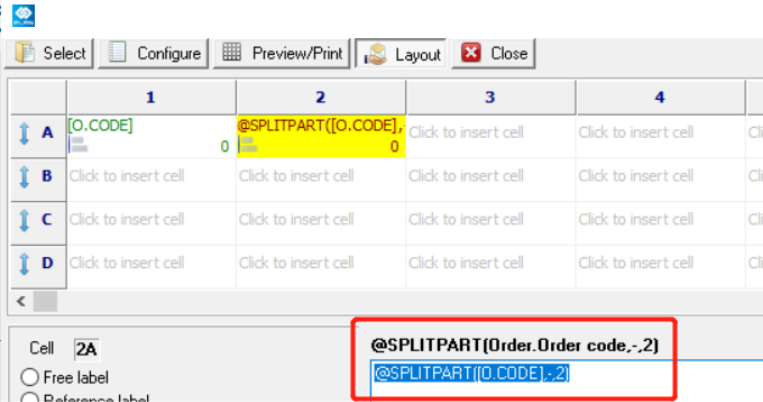
Step 1: Apply the @SplitPart formula as below to get the data within the order code (e.g. 001 in the order name)
Step 2: Export report in TXT format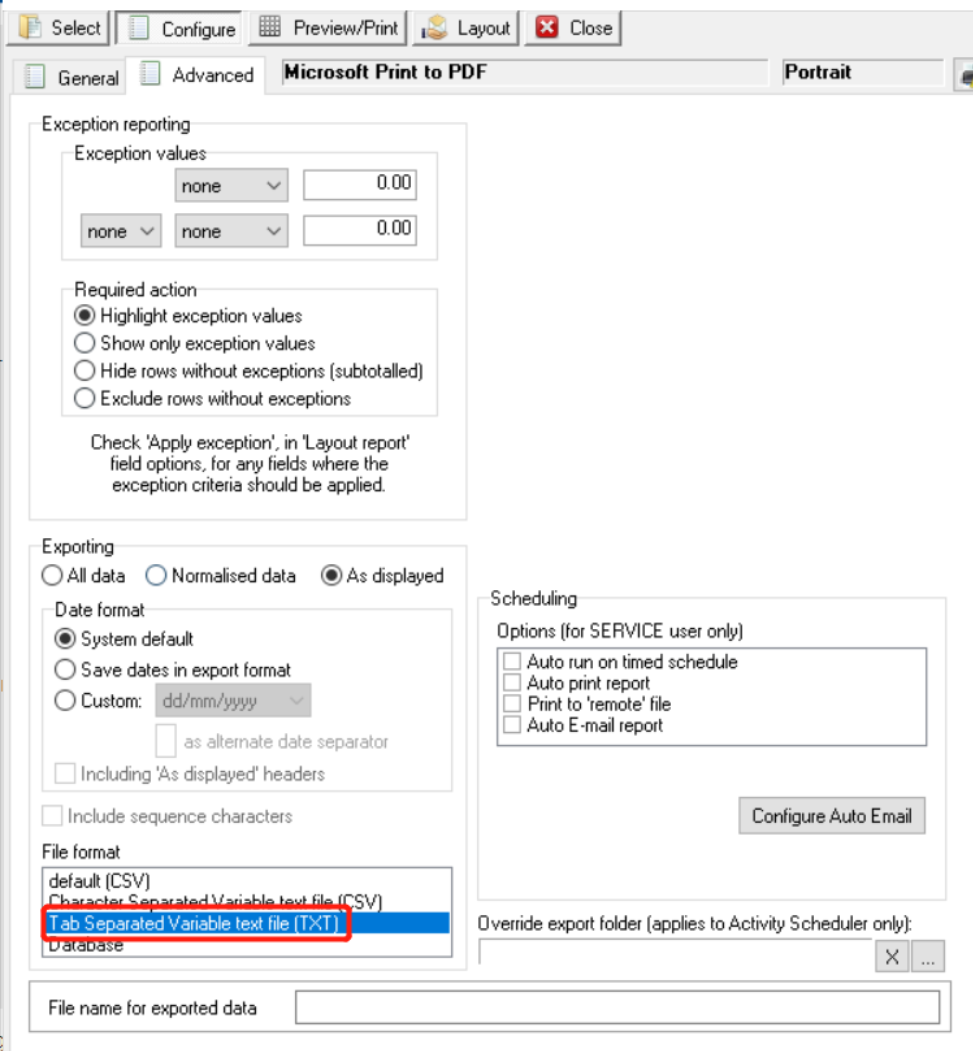
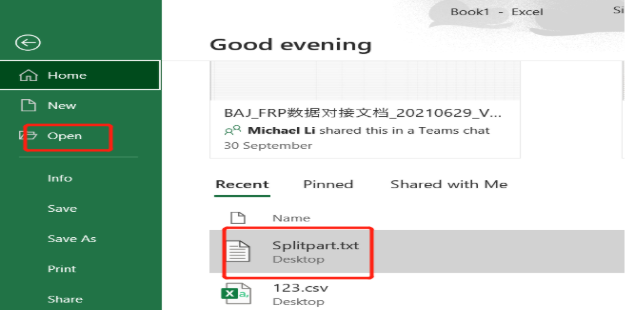
Step 3: Open the TXT file in excel step by step as below
Step 4: Change the column data format into [Text] for color code column
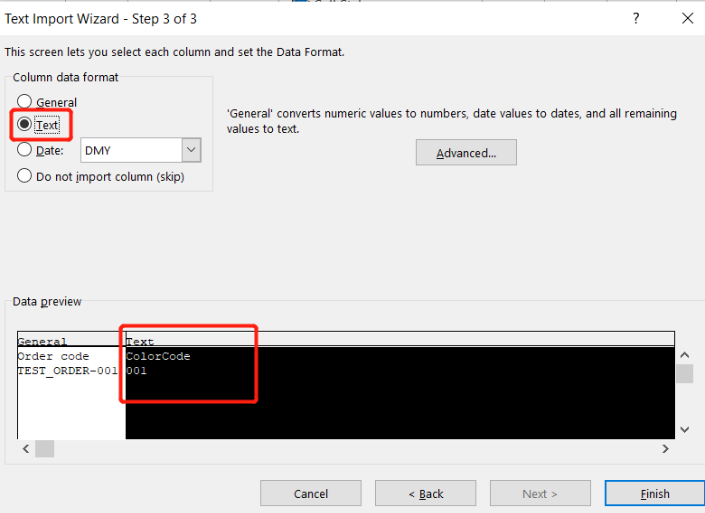
Step 5: We now seeing 009 showing in excel as expected. 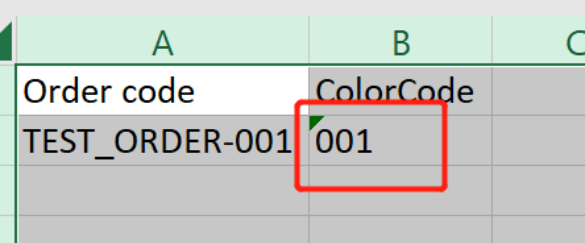
Outcome:
Number that start with 0 still can display in Excel correctly as expected