
Article Public Number: KA-01334
Coats Digital Knowledge Article
Product: FastReactPlan
Purpose & Scope:
To show the strip notes in the strip hint box when putting cursor on the strip.
Solution:
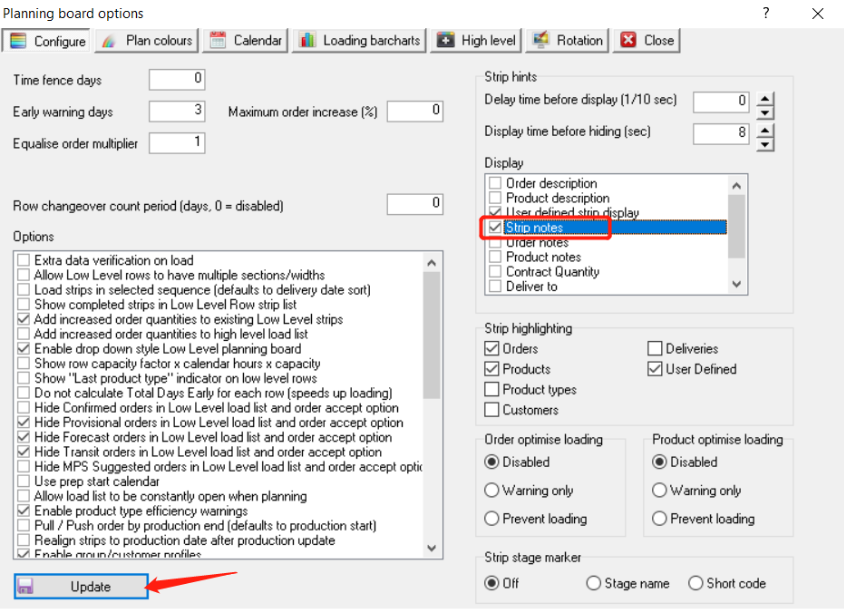
Go to Setup--Configure--General, tick the check box for "Strip notes"
Instructions:
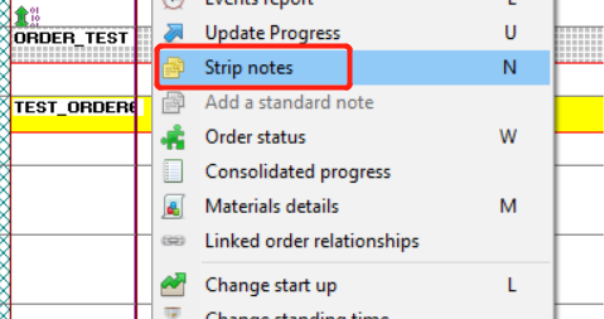
Step 1 : Basically when planner doing the planning on the planning board, they might update some notes against the strip as remarks via right click on the strip as below.
Step 2: Put the notes as below for example, click OK to save it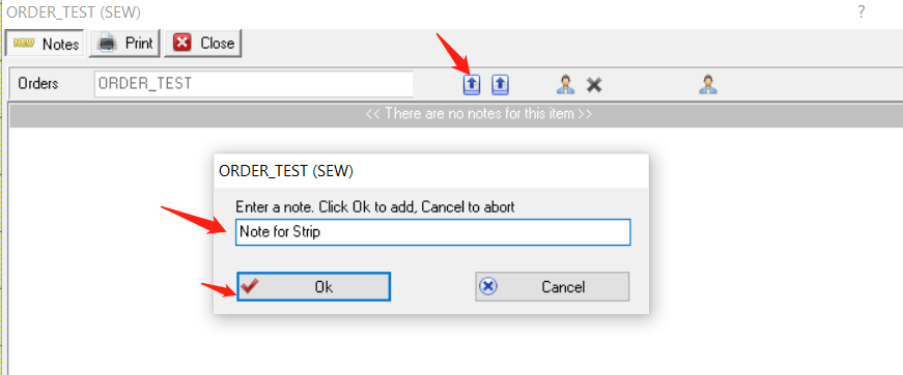
Step 3 : And planner sometimes would like to know easily what notes have been put to the strip when they are doing the plan on planning board, therefore, they expect the note to show in the strip hint box when they put the cursor against the strip.
Then they will need Go to Setup--Configure--General, tick the check box for "Strip notes", click Update to save it.
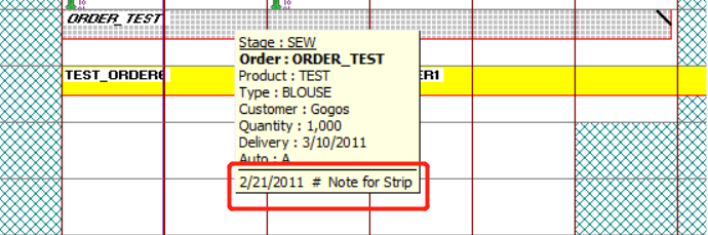
Step 4: Then when you go back to the planning board and move your cursor to the strip, you will now see the strip note display in the Strip hint box as below.
Outcome:
Once this is enabled, strip note will display in the strip hint box, then planner can refer to it and do the plan adjustment if needed.