
Article Public Number: KA-01298
Coats Digital Knowledge Article
Product: FastReactPlan
Purpose & Scope:
Enable the system to record the notes against the products, orders and etc.
Solution:
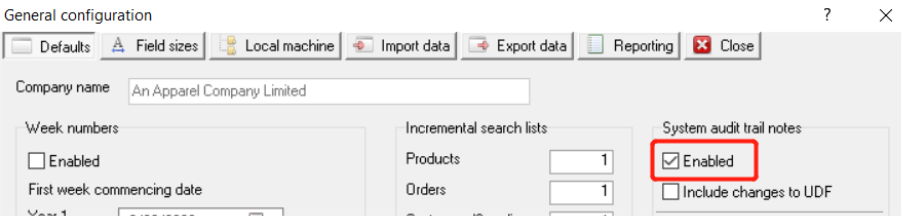
Go to Setup--Configure--General, tick the box under "System audit trail notes" as "Enabled"
Instructions:
Step 1 : Go to Setup--Configure--General, navigate to "Defaults" tab, tick the box "Enabled" which under "System audit trail notes" as below
Step 2 : Once an order was created, clicking to check for "Notes", you will see who and when has done what as below in detail. 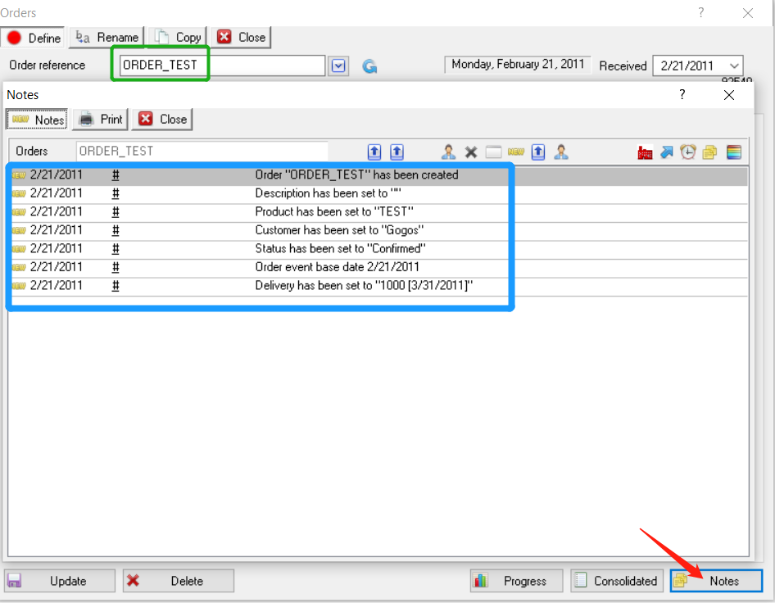
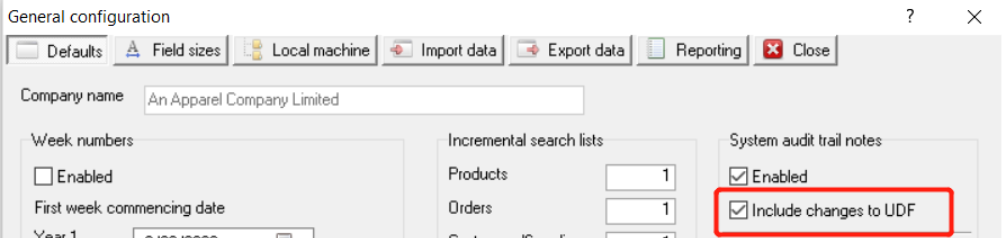
Step 3 : If you want the audit trail of User defined field to be recorded within the Notes as below, you will need to tick the checkbox as below as well.
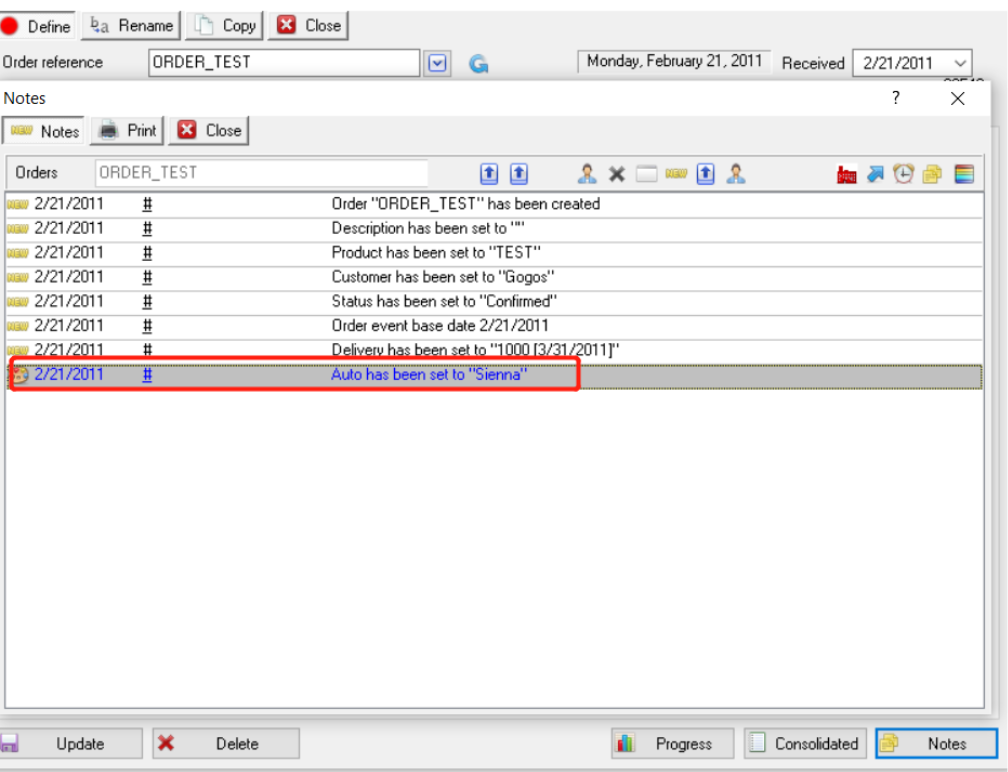
Step 4: When there is any update to the UDF, you will see it has been recorded into the Notes as below
Outcome:
With the audit trail notes enable, we can see all those actions have been done to the order/product and etc. Which allowing us to know exactly who and when that they have performed in the system.
Further reading:
Links to related articles