
Article Public Number: KA-01497
Coats Digital Knowledge Article
Product: FastReactPlan
Purpose & Scope:
This article will take you through how to make the report that exported to the folder that with timestamp, which allowing the report that export daily will not be overridden.
Solution:
Enable the option "Add timestamp to exported file name"
Instructions:
Step 1: Go to Setup - Configure - General
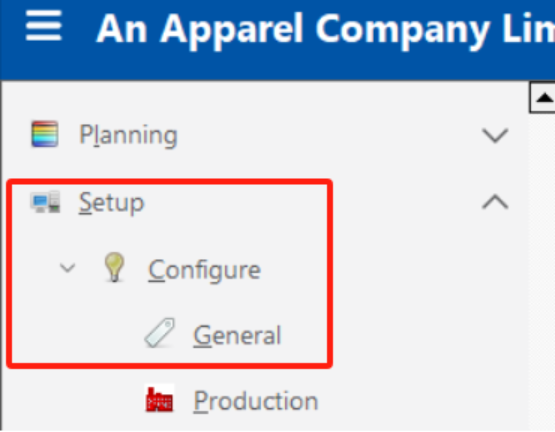
Step 2: Go to tab "Export data", enable the option "Add timestamp to exported file name", press "Update"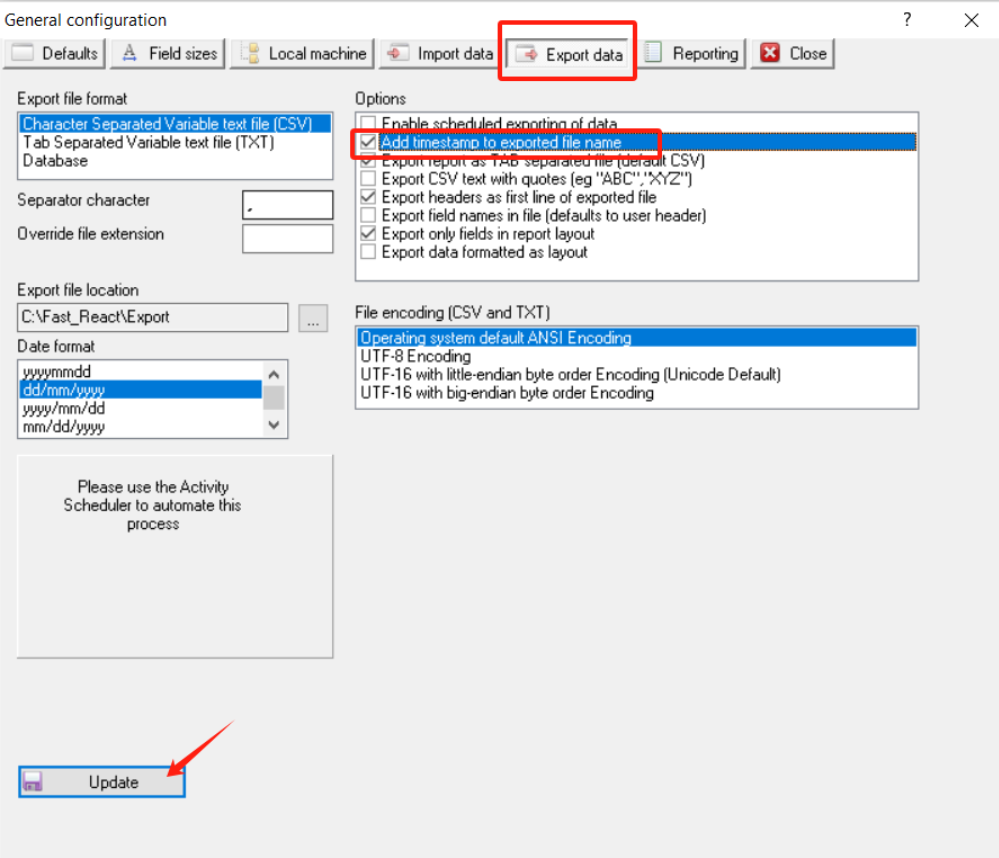
Step 3: Then you will see the report that exported with timestamp as below
Outcome:
With above setting, you will see the report that export will with the timestamp in the file name. Which allowing the report that export daily will not be overwritten