Article Public Number: KA-01250
Coats Digital Knowledge Article
Product: FastReactPlan
This knowledge article will describe how to add, amend or delete all of the components required for transport planning through the following tabs: Routes; Method; Locations; Default; Rename and; Report.
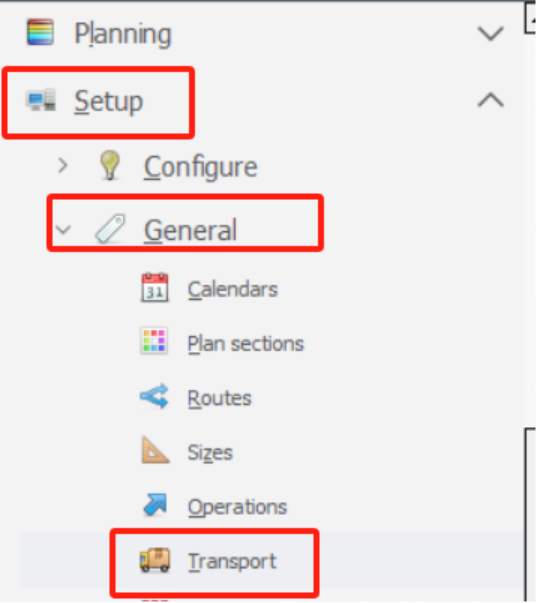
To get to Transport you'll need to go to Setup > General > Transport.
Routes
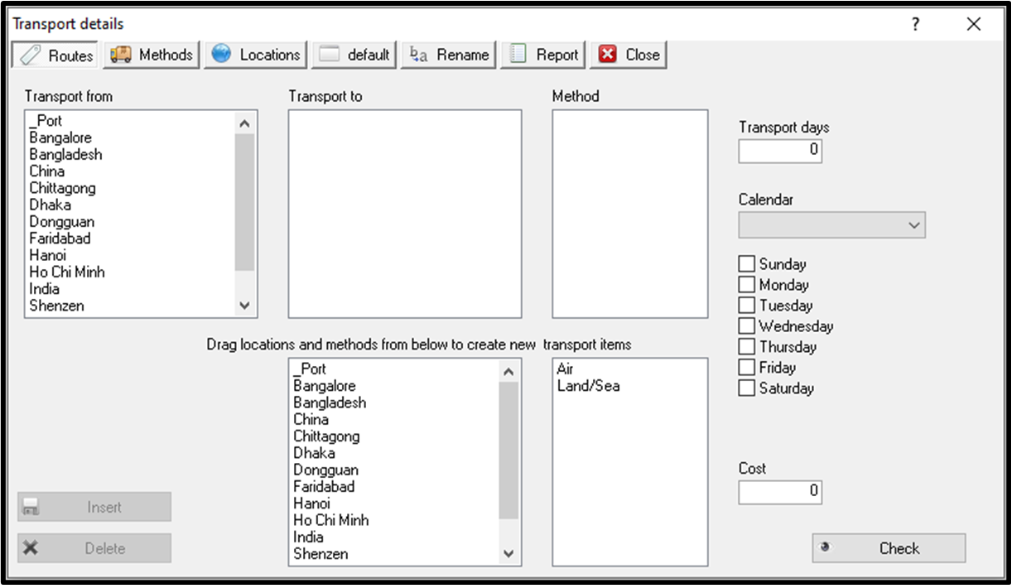
This tab allows the user to create, amend or delete a specific route. At least two locations must be defined and at least one method defined before creating a transport Route. Transport from
This is a list of the locations that have been created.To create a new Route or amend an existing Route first select a location in the 'Transport from' list.
Transport to
Any Routes that have already been defined for the selected
'Transport from' location will be shown in the list.To define a new Route drag one of your pre-defined locations into the
'Transport to' list. To amend an existing Route highlight the required location from the list. Method
Any Routes that have already been specified for the selected
'Transport from' and 'Transport to' will be shown on the list. To define a new Route drag one of the pre-defined methods into the
'Method' list. To amend an existing Route highlight the required method from the list. Transport daysThis field defines the number of working days the selected transport method will take between the selected locations. The limit is three digits. Only whole days may be used. Enter or amend the time required for the specified method and locations in working days.
CalendarSelect the calendar from the drop-down list of previously defined Calendars. In conjunction with the
'Transport days' (working days) entered above, the Calendar will determine the number of elapsed days required for the specified Route.
Day of weekThis list defines which days of the week the specified transport Route leaves the 'Transport from' location. For example, a ship sailing from Thailand to the UK may leave only on a Thursday.
CostThis is an optional field where the cost for the specified Route can be entered. CheckClick this button to view a full list of all the possible combinations of
'Transport from' and 'Transport to' for the list of locations you have specified. Locations that have a defined Route will be ticked while locations with no defined Route will not. Click on the 'Check' button again to return to the main 'Routes' dialog screen.
Methods
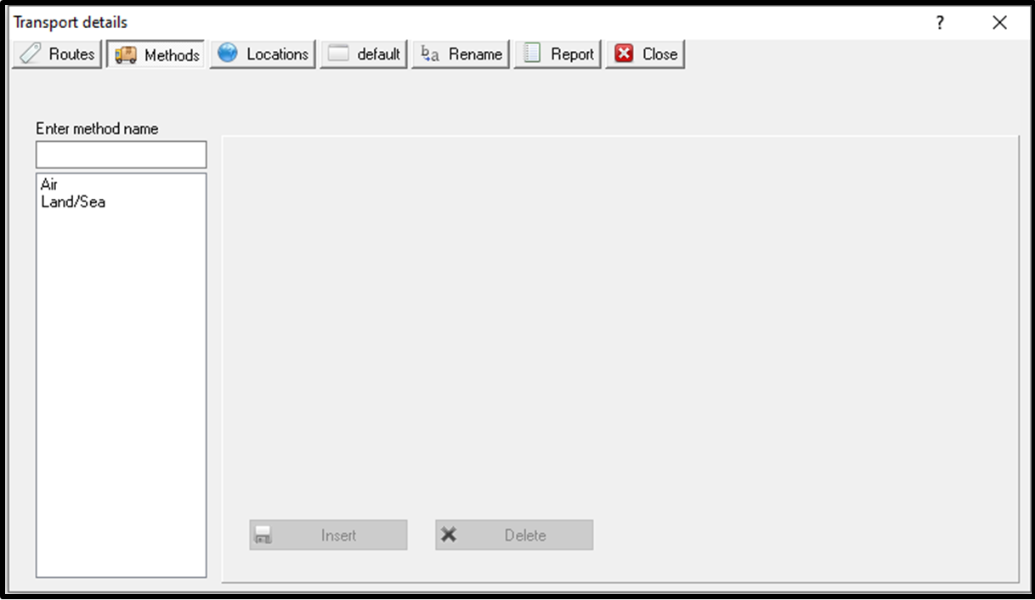
At least one transport method by which goods are moved from location to location or to the customer must be defined. For example 'Air', 'Sea', 'Truck'.
Enter method nameEnter the method of transportation name here. It will then appear in the list below.
Method listThis list holds all the transportation names.
Collaboration referenceWhen Collaboration has been enabled on the system, this option will appear. The methods that will be collaborated between the Host and the Remote systems will have the same ID reference here.
Insert / UpdateThis button will insert a new method of transportation or update an existing one.
DeleteThis button will delete the selected method of transportation.
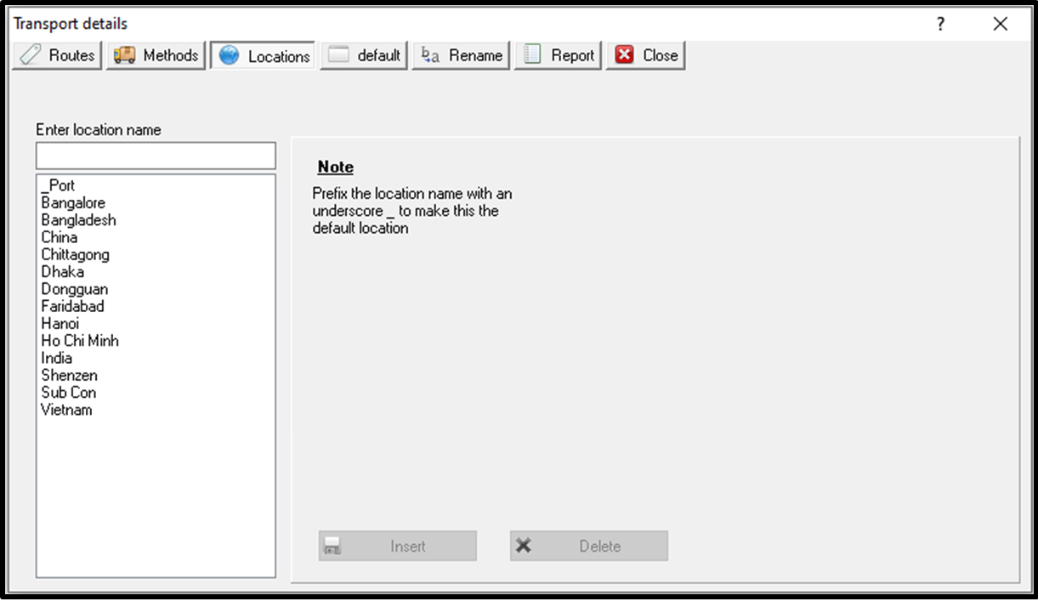
Locations Geographical locations must define the various points on the path between raw materials and finished goods. The locations of the customers' shops or their distribution centres can also be defined. At least two locations (source and destination) must be defined. Enter location name
Enter the location name here. It will then appear in the list below.
Location list
This list holds all the location names.
Delivery address
A delivery address can be entered for each Location.
Collaboration reference
When Collaboration has been enabled on the system, this option will appear. The methods that will be collaborated between the Host and the Remote systems will have the same ID reference here.
Insert / Update
This button will insert a new Location or update an existing one.
Delete
This button will delete the selected location.
Default
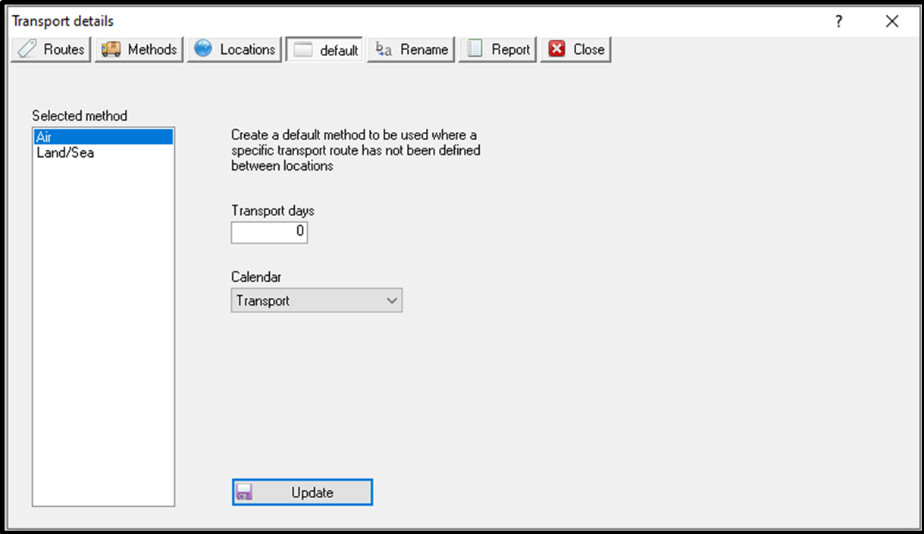
There may be situations where there is a need for transport between two locations but it has not been defined. This tab allows the planner to enter default values for Method, Transport days and Calendar for FastReactPlan to use in these situations. To ensure that such situations do not go unnoticed set the transport days to a very large value (max 255 days) so that any instances where this transport method is used will be obvious.
Selected method
This field will select the default method.
Transport days
This field defines the number of default transport days.
Calendar
This drop-down list defines the default calendar.
Update
Click this button to update the default method.
Rename
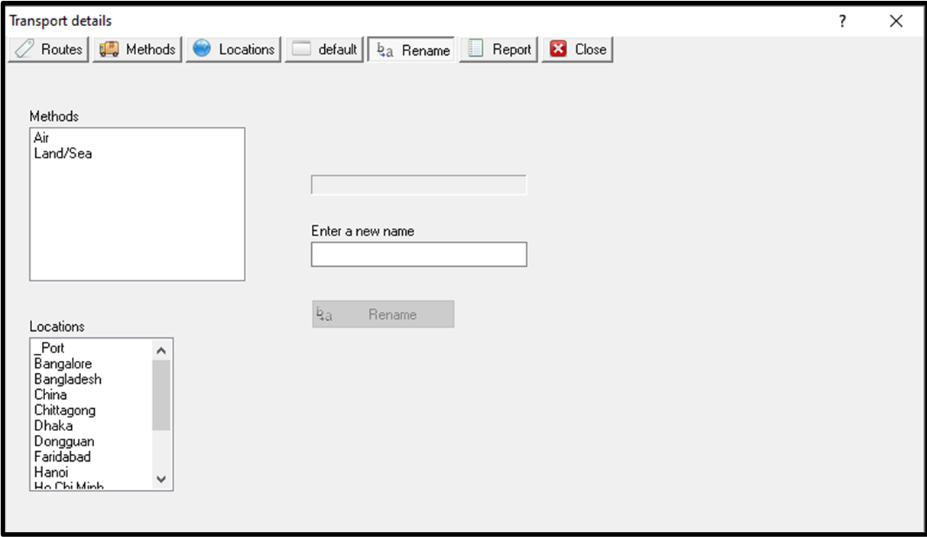
A method or location can be renamed at any time.
Methods
This is a list of methods available for renaming.
Locations
This is a list of locations available for renaming.
Enter a new nameEnter the new method or location name in this field.
Rename
Click this button to rename the method or location.
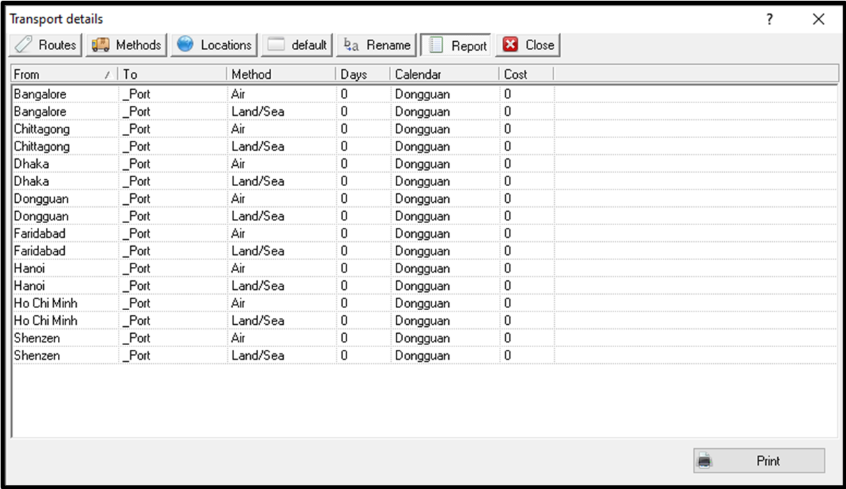
Report This dialog will show all available transport matrixes.
Print
Click this button to print the method or location.