
Article Public Number: KA-01385
Coats Digital Knowledge Article
Product: FastReactPlan
Purpose & Scope:
The TEXT display in plan row drop down mostly depends on what it has been defined in rotation definition. But for UDF rotation, it will depend on how it has been set under planning board options.
Solution:
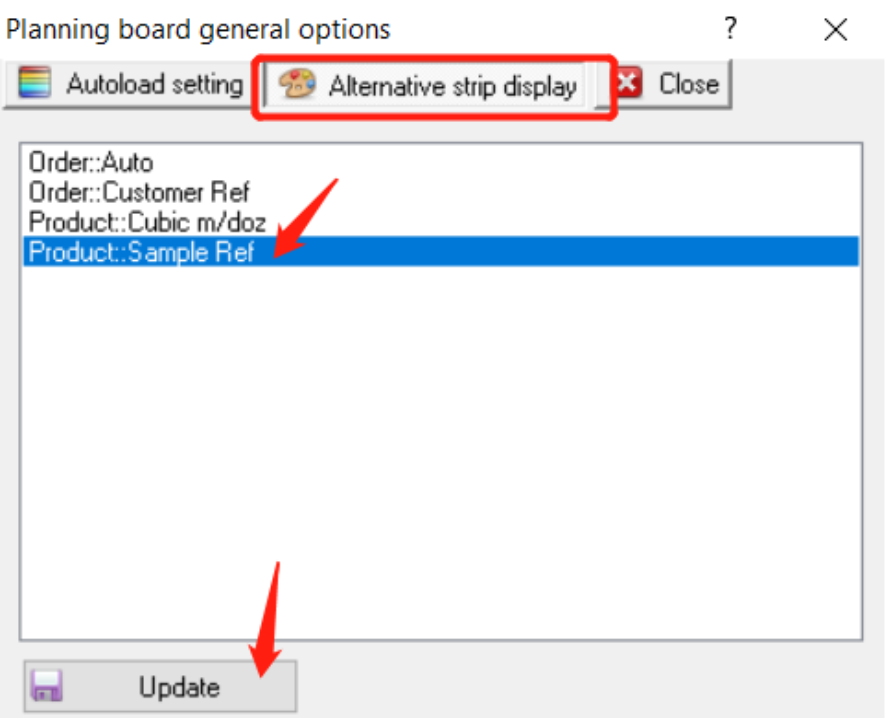
Go to Setup - Planning - Planning board options, navigate to tab "Alternative strip display", select the UDF field that you expect to show in the plan row drop down list.
Instructions:
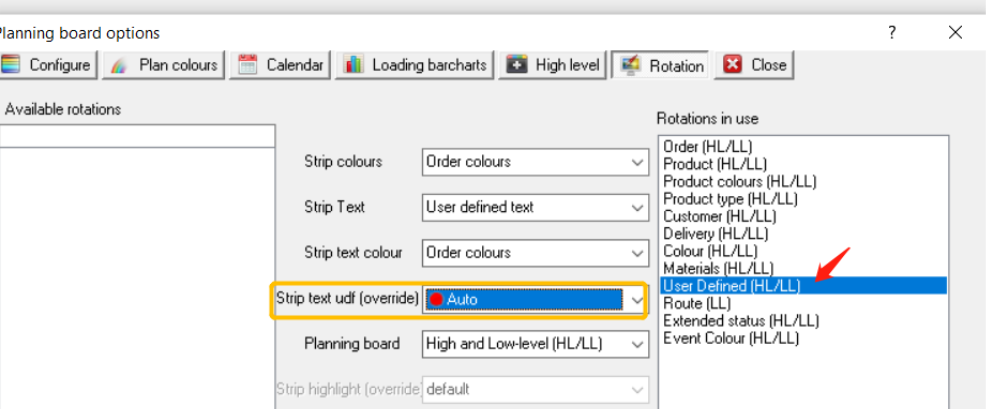
Step 1: The "Strip text udf" set to be "Auto" for User defined rotation below
Step 2: Go to LL planning board and check the UDF rotation, we can see from the plan row drop down, it displays as "SIENNA"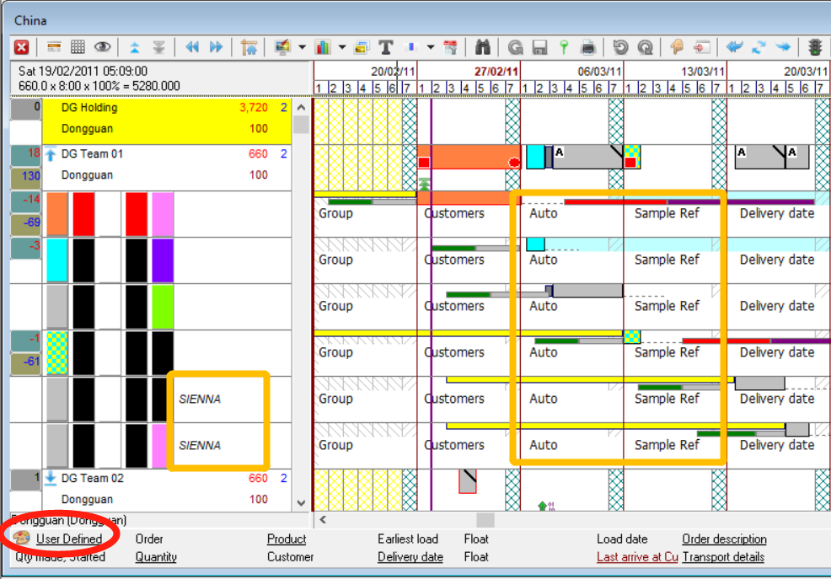
Step 3: From above defined text display, we can know "SIENNA" is the value of UDF "Sample Ref", not "Auto"
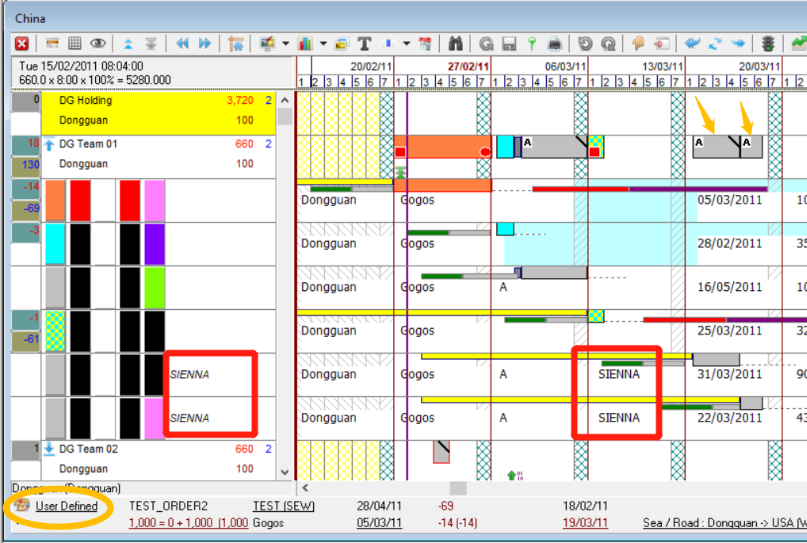
Step 4: Reason why this happen is the TEXT display in the UDF Rotation within plan row drop down depends on below(Setup - Planning - Planning board option - Alternative strip display) set up.
Outcome:
Select the UDF field you want to display, click Update, and then it will show in the plan row drop down as expected
Further reading:
Links to related articles