
Article Public Number: KA-01248
Coats Digital Knowledge Article
Product: FastReactPlan
Purpose & Scope:
Brief description of how to import blank work content value for new products when importing PRODUCTS file to FR
Solution:
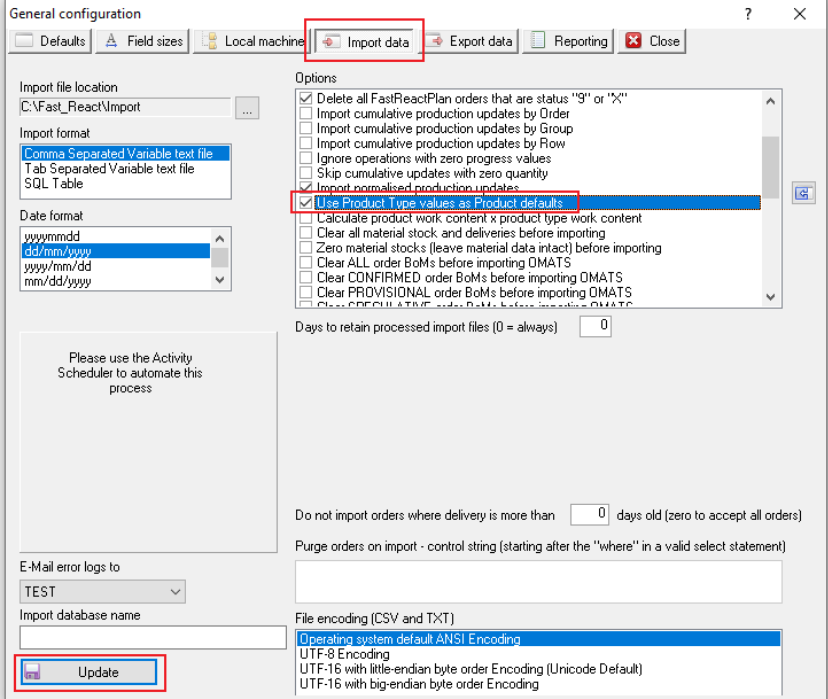
Enable [Use Product Type values as Product defaults] in Setup>Configure>General>Import Data.
Instructions:
Background: Sometimes, operation work content values for some new products were not yet confirmed. And customer need to create these new products in FR while remaining work content values as blank.
In this case, customer could follow below steps to enable one function to allow products to be created via importing even if the work content values were blank in PRODUCTS files. And the work content values for those products would default as Product Types' after enable mentioned function.
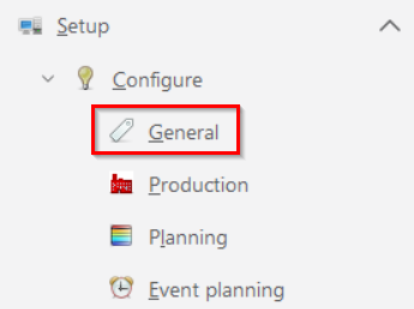
Step 1: Click Setup>Configure>General
Step 2: Click Import Data>Enable [Use Product Type values as Product defaults] >Click Update;
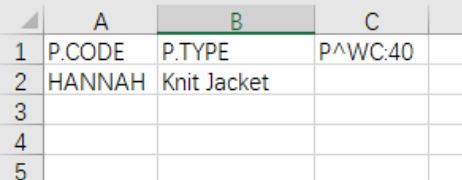
Step 3: Tried imported products with blank sewing SMV via PRODUCTS file
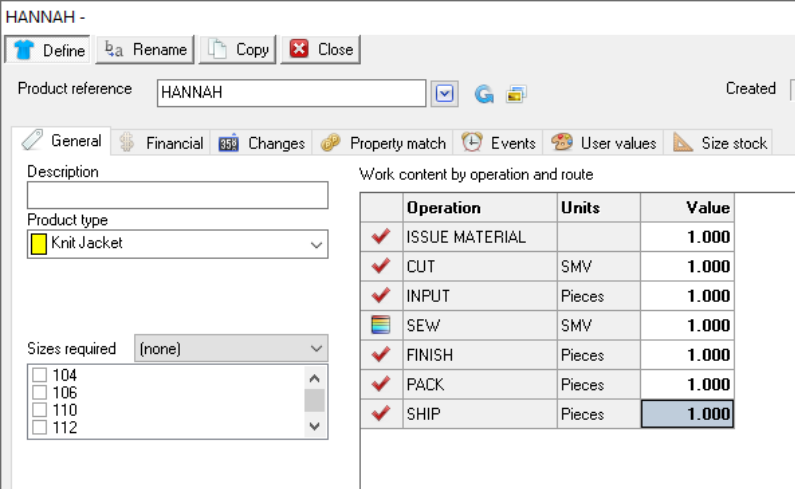
Step 4: Product could be created and sewing SMV values were default as Product Type's SMV
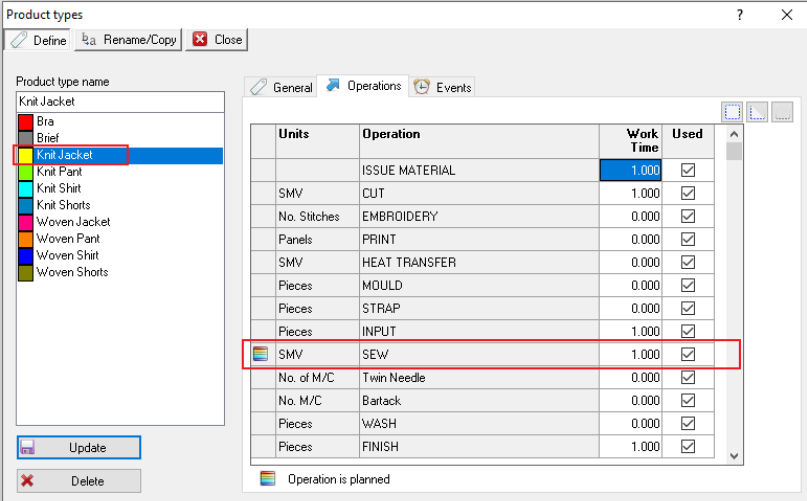
Outcome:
Products could be created via importing PRODUCTS file when work content values were blank after enable above function in setup. And the operation work content would default as pre-defined value in Product Types'.