
Article Public Number: KA-01247
Coats Digital Knowledge ArticleProduct: FastReactPlan
Purpose & Scope:
Sometimes it is a requirement of the Customer that all their SQL logons have a secure connection and password. this document will take you through the process of securing the "fastreact" logon.
Solution:
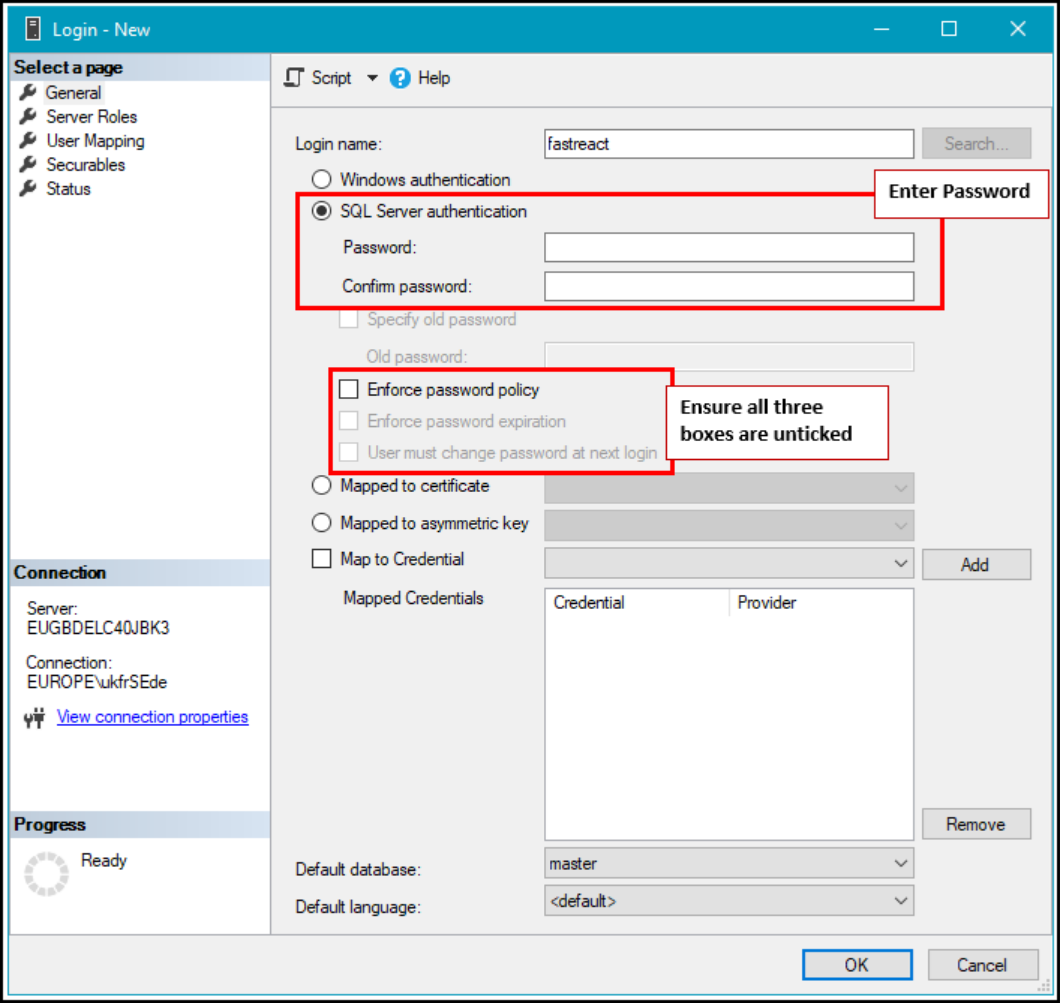
Within MS SQL Server, set a password for the user ‘fastreact’, ensuring that ‘Enforce Password Policy’, ‘Enforce Password Expiration’ and ‘User Must Change Password at Next Logon’ are NOT ticked.
- Within the FastReact program directory, create a zip file called FR_Logon.zip.
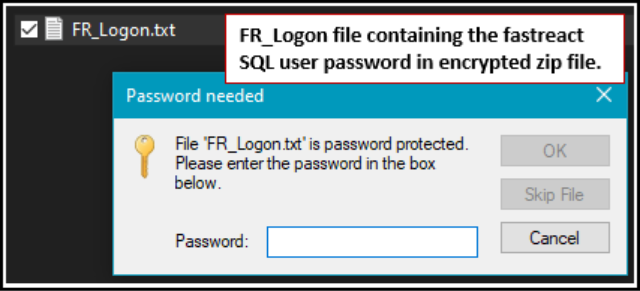
- Password protect the zip file with the password ‘Gvb37aQjs’ (without the quotes, the password is case sensitive).
- Create a .txt file (notepad file) with the ‘fastreact’ SQL user password and save it as FR_Logon.txt.
- Add the text file (FR_Logon.txt) to the password-protected zip file (FR_Logon.zip).
- Log into FastReact as normal.

Outcome:
The "fastreact" SQL user is now password protected and FRP will be able to login using this password.
Further reading:
Links to related articles