Article Public Number: KA-01114
Coats Digital Knowledge Article
Product: FastReactPlan
Purpose & Scope:
Under Tools > Utilities there are many options that can be accessed to assist in day to day management of FastReactPlan.
Utilities can only be accessed with administrative rights in FastReactPlan.
Instruction:
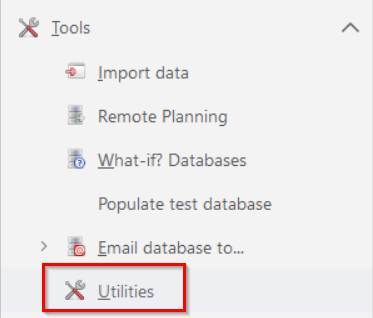
To open Utilities: go to Tools > Utilities:
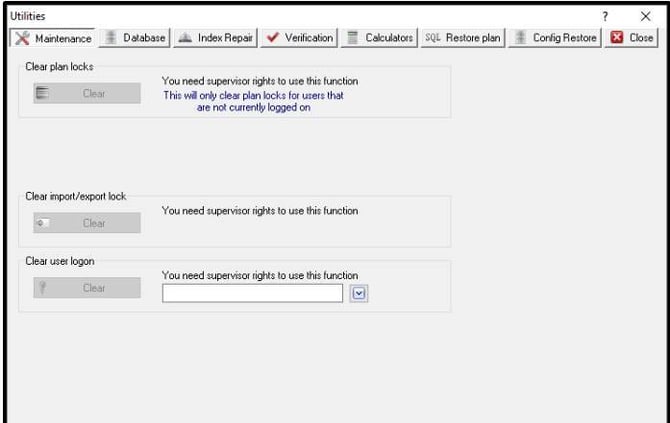
Clear Plan Locks
There may be occasions where there are pending updates and opening and closing the planning board doesn’t force them through or when you open a planning board it says the board is locked by another user. You are able to free up the planning boards by clearing plan locks.
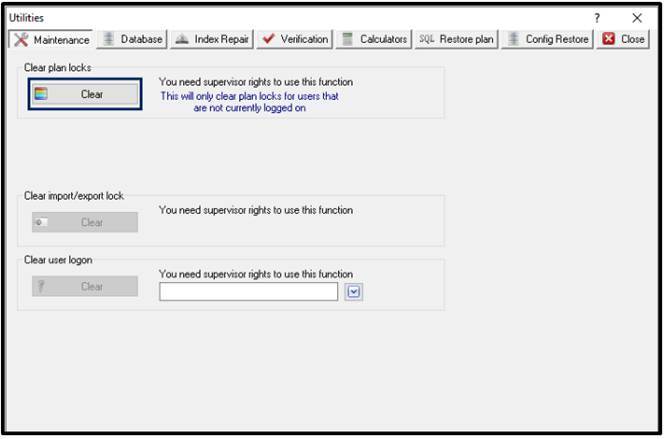
If there are any locks the Clear Plan Lock button will be coloured and to clear plan locks just click on the "Clear" button:
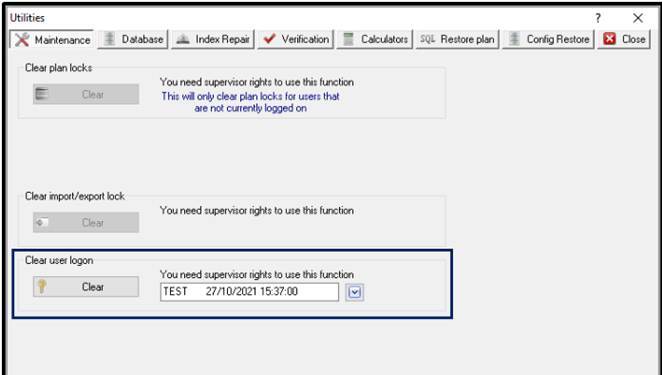
Clear Log on
If a user forgets their password and needs it resetting you can clear their log on. To do this, enter their FULL LOGON NAME in the Clear User Logon window. Once a correct ID is shown, the "Clear" button becomes valid. Click clear and the user's password is reset to "password":
Purge
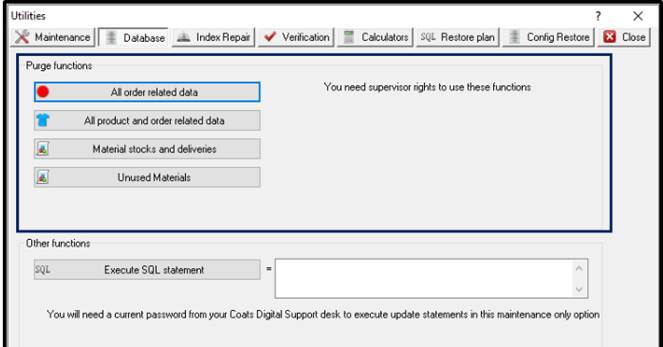
Provided you have supervisor rights you can purge any data as shown under the "database" section. Please note that once this is purged you cannot recover any data unless the latest backup is restored. To purge simply click on the relevant button:
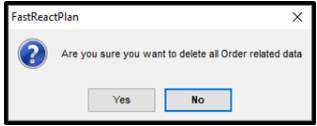
FastReactPlan will double-check that you can delete. Make sure that you are absolutely certain if the answer is "Yes":
Database Script
You may need to run a script within FastReactPlan. To execute you must click on the "database" button and enter the SQL script in the main window:
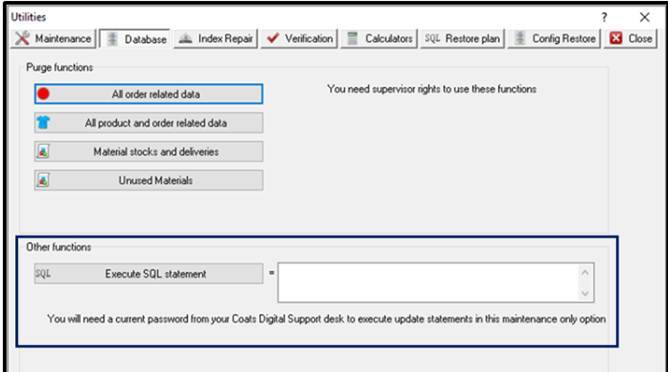
Note that you will NOT be able to execute any script within FastReactPlan unless you have been given a password from Support.Fastreact@coats.com
Analysis
You can perform analysis on the database with regards to the structure and set-up of the database. To do this, go to "Verification" and choose one of the 4 options:
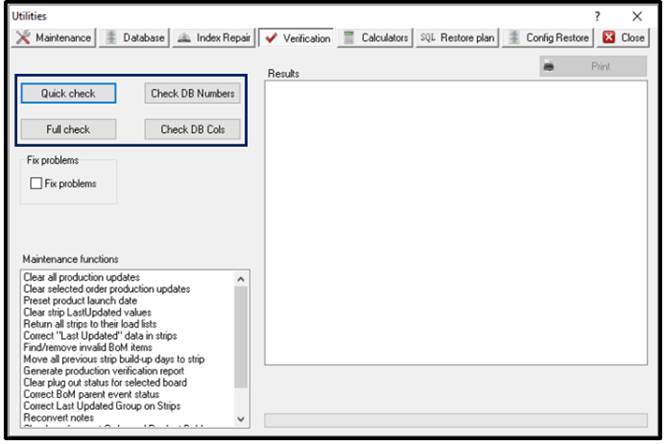
- Quick check: A brief check of the database to ensure there are no errors in the database.
- Full check: A full check of the database providing a detailed investigation of the Db and structure
- Check DB Numbers: Checks that the _NUMBERS table, where unique ids are allocated from, is consistent with the id's that are used.
- Check DB Cols: This verifies that the columns are in the right sequence in all tables.
There is also a "Fix problems" checkbox that provides you with the option of fixing any problems highlighted during the database check.
Maintenance functions
Under the Verification section there is an area for "Maintenance Functions":
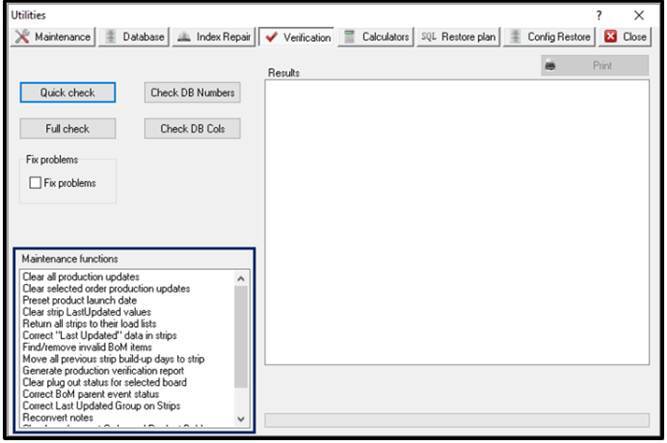
All maintenance functions are self-explanatory however if you require further details, please contact Support.Fastreact@coats.com
Calculators
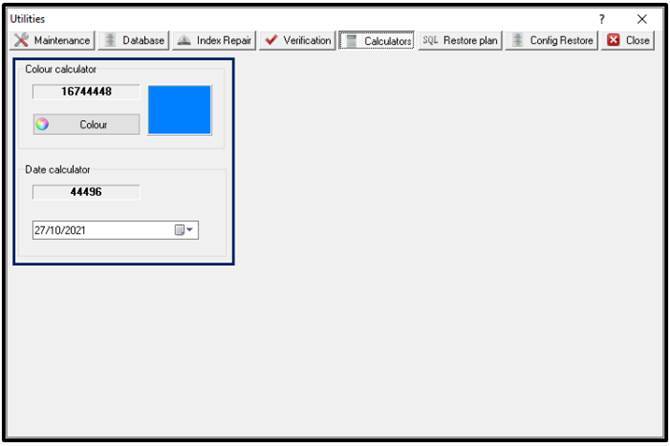
Here you can find specifics related to colour codes or date codes used within FastReactPlan. Under either option, choose the correct date or colour and the calculator will return the numerical value of the date/colour selected.