
Article Public Number: KA-01384
Coats Digital Knowledge Article
Product: FastReactPlan
Purpose & Scope:
Sometimes users found order/product disappear suddenly in FRP, and they want to know when and who has deleted them. So,they would like to know if somewhere that can record this information.
Solution:
Enable the option "Enable notes archive"
Instructions:
Step 1 : Go to Setup - Configure - General - Defaults, tick the option "Enable notes archive" and click on to select a folder to record that into. Take below for example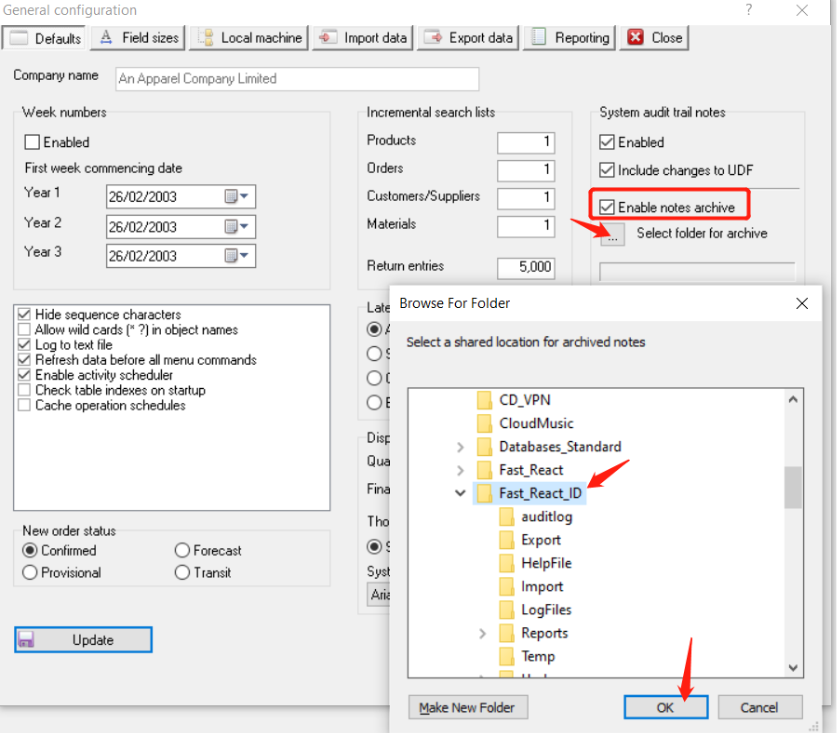
Step 2: With above enabled, and we try to delete the order in FRP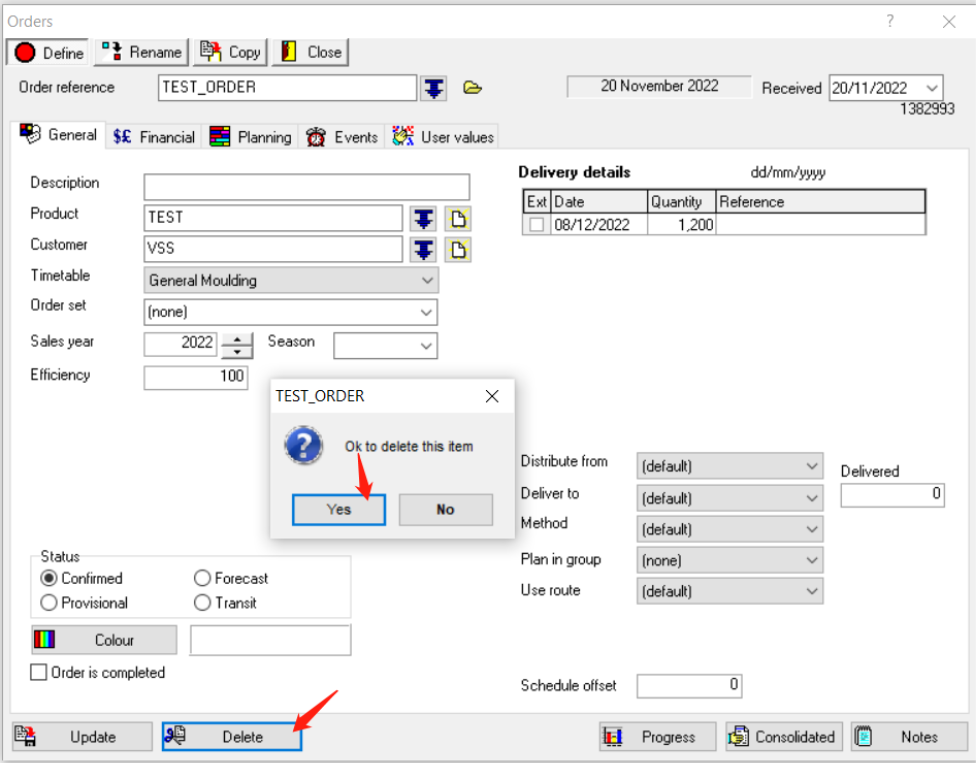
Step 3: Go to the folder that we have selected in Step 1 to check, we can see there is a folder name "ORDERS" has been created automatically when there is any order delete from FRP.
And you can see the detail for the order since it has been created in FRP till it has been deleted. Same to Products.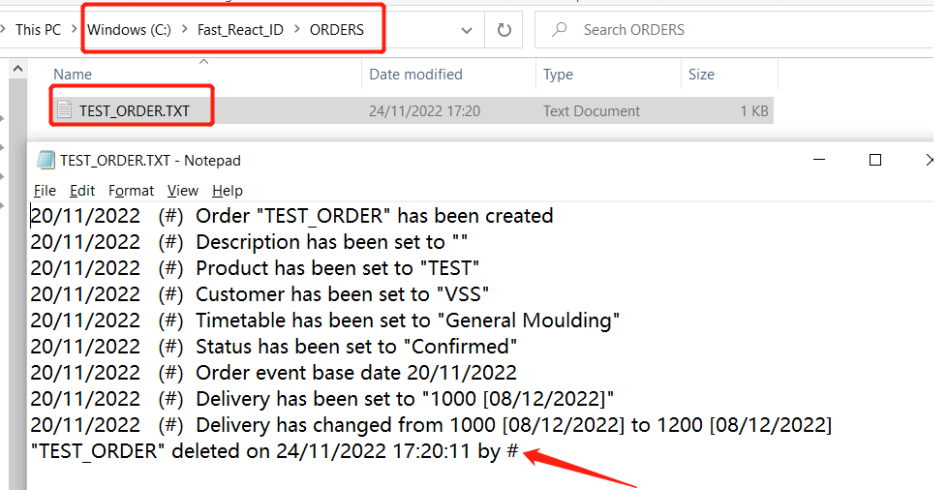
Outcome:
With this enabled, all those orders/products have been deleted from the system, no matter it was deleted manually or via import. There will be an individual TXT file there to carry for each order/product.
Further reading:
Links to related articles