
Article Public Number: KA-01202
Coats Digital Knowledge Article
Product: FastReactPlan
Purpose & Scope:
Highlight to show where the strips were planned on LL planning board that match the criteria that have been defined.
Solution:
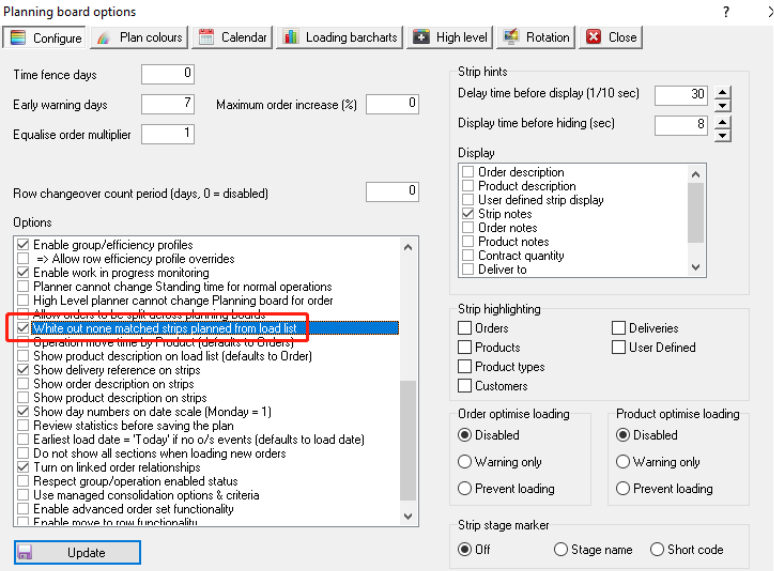
Enable the option "White out none matched strips planned from load list "
Instructions:
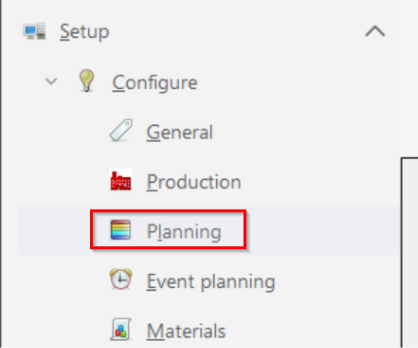
Step 1: Go to Setup - Configure - Planning
Step 2: Enable the option "White out none matched strips planned from load list" below
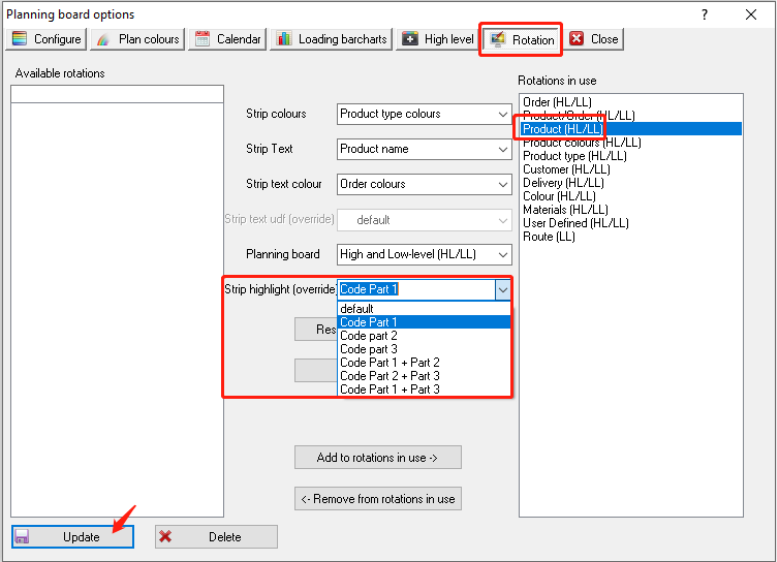
Step 3: Then go to "Rotation" as below to define the criteria that you want to set to highlight for. E.g. Select "Product(HL/LL)" below, and from the dropdown to select the Strip highlight as "Code Part 1", and click "Update"
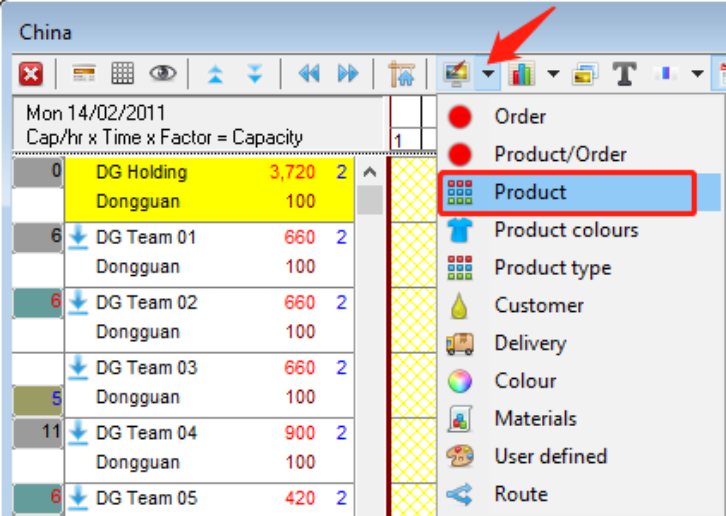
Step 4: When you go back to any LL planning board, e.g. Pick "Product" rotation as below from the dropdown list
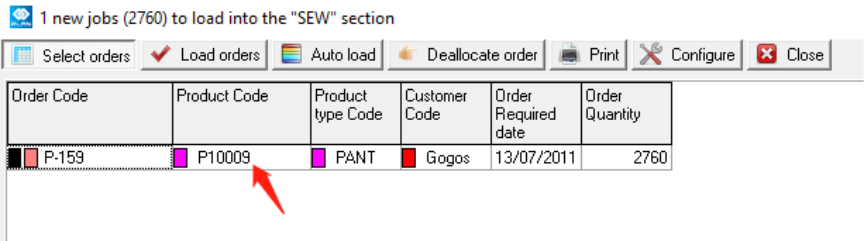
Step 5: And go the Load list, we can see the product there waiting for plan is "P10009"
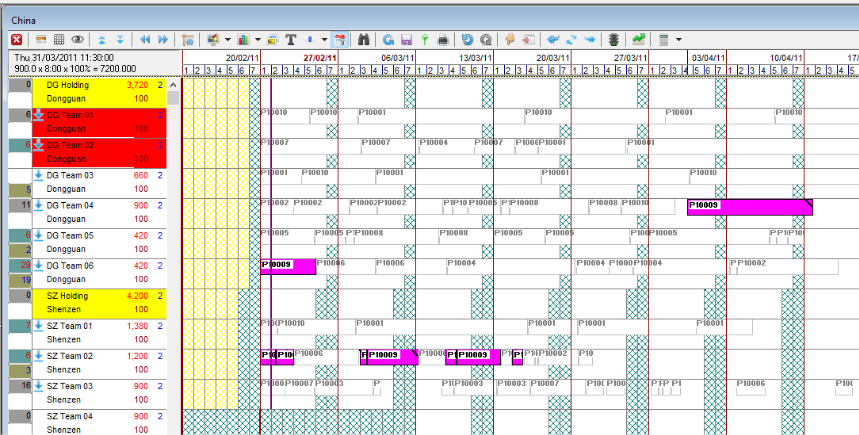
Step 6: So when you trying to drag the order from Load List above to planning board, it will highlight where there are strips planned on production lines that belong to product "P10009".
Outcome:
With the white out option enable, which easy for planners to know where is better to plan the strip to produce and have a better efficiency if same product has been produced continuously.