
Article Public Number: KA-01338
Coats Digital Knowledge Article
Product: GSDCost
Purpose & Scope:
If some analysis codes will be no longer used or some analysis codes would be permitted to do some change on it, you can change the status of them.
Solution:
Change the status for the analysis in Housekeeping.
Instructions:
Step 1 :Navigate to the [Menu], then to [Housekeeping] 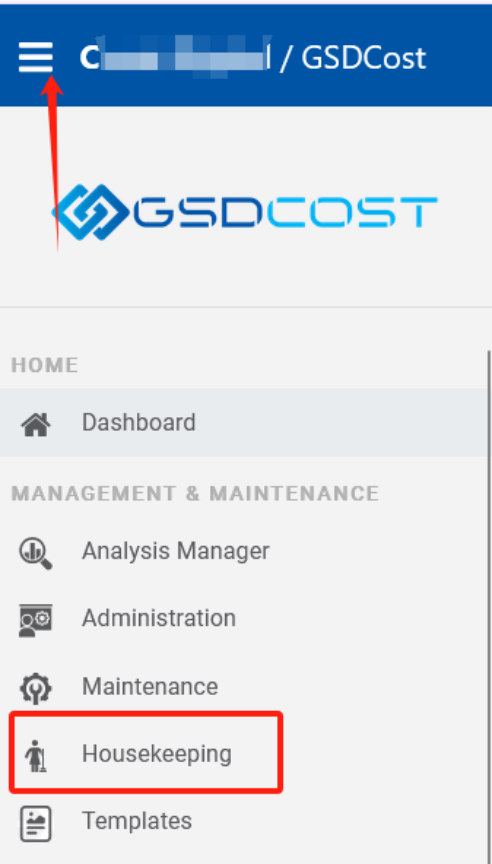
Step 2 : Search the specific analysis code that you want to update as below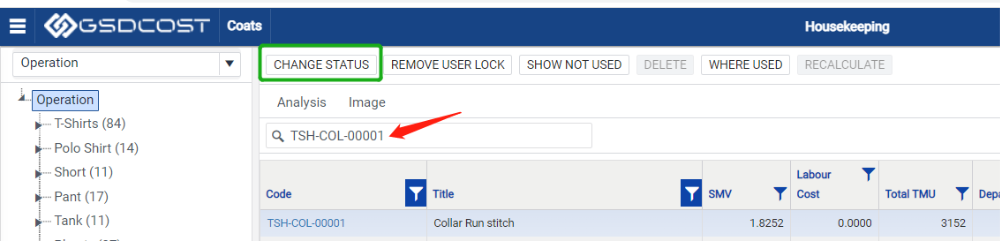
Step 3: Select the analysis code, select the status you want to change the analysis to, click the [Apply]
Note: [Selected] mean it will only effect on the selected code; [Page] mean it will effect on the code shown in current page; [All] means it will have effect on all codes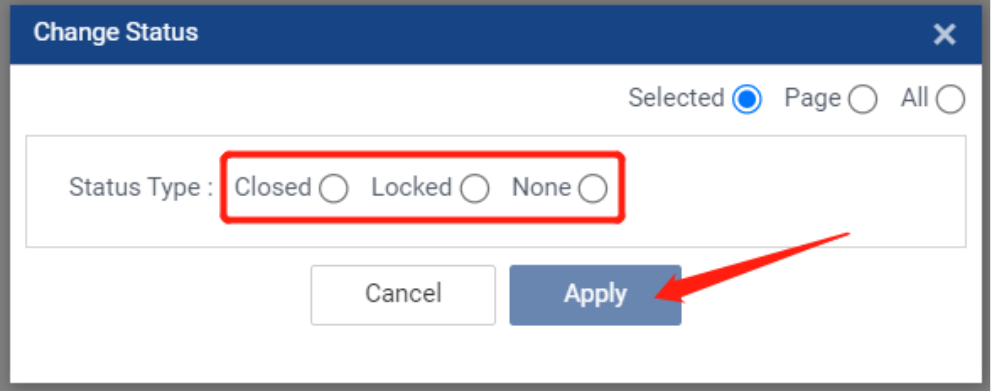
Outcome:
Status has been updated as above you selected.
Further reading:
Links to related articles