
Article Public Number: KA-01363
Coats Digital Knowledge Article Product: GSDCost
Purpose & Scope:
If user want to delete some analysis code which was not used in anywhere, we can delete it through housekeeping
Solution:
We can delete it through housekeeping
Instructions:
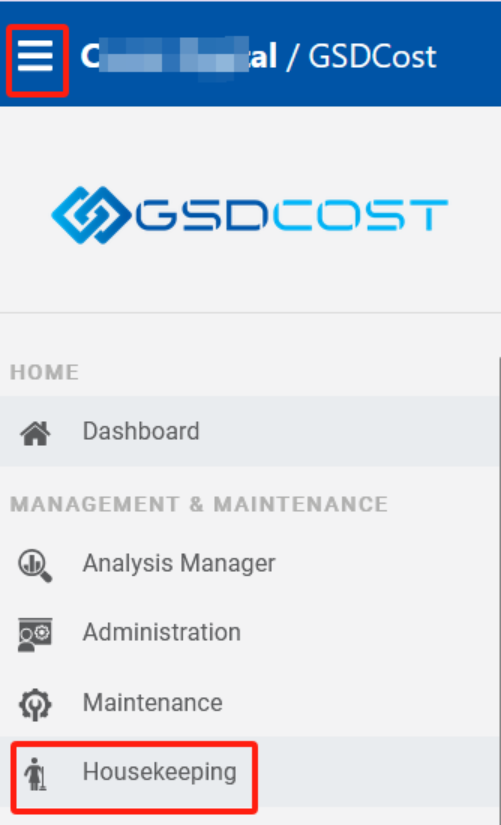
Step 1: Go to Housekeeping
Step 2 :If you want to delete the operation analysis code,Pls select the operation from drop down.
This selection depend on what you want to delete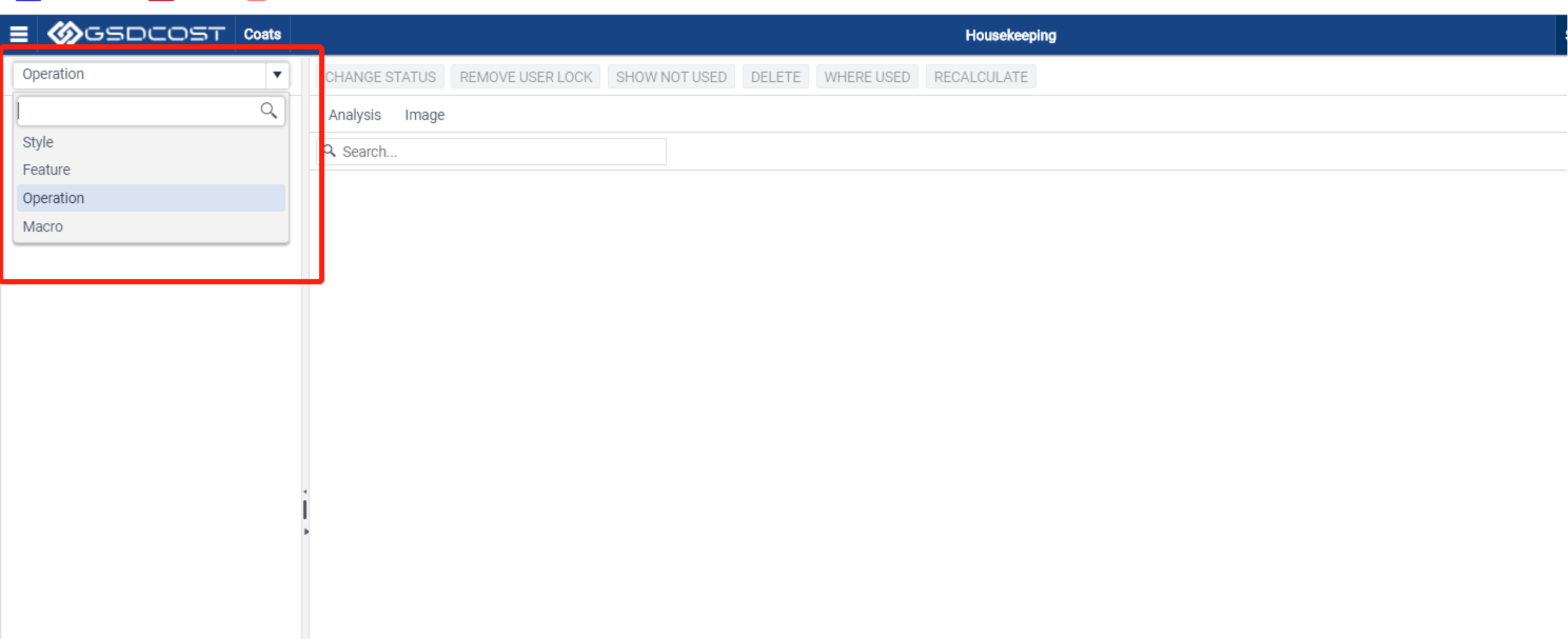
Step 3 :Click on show not used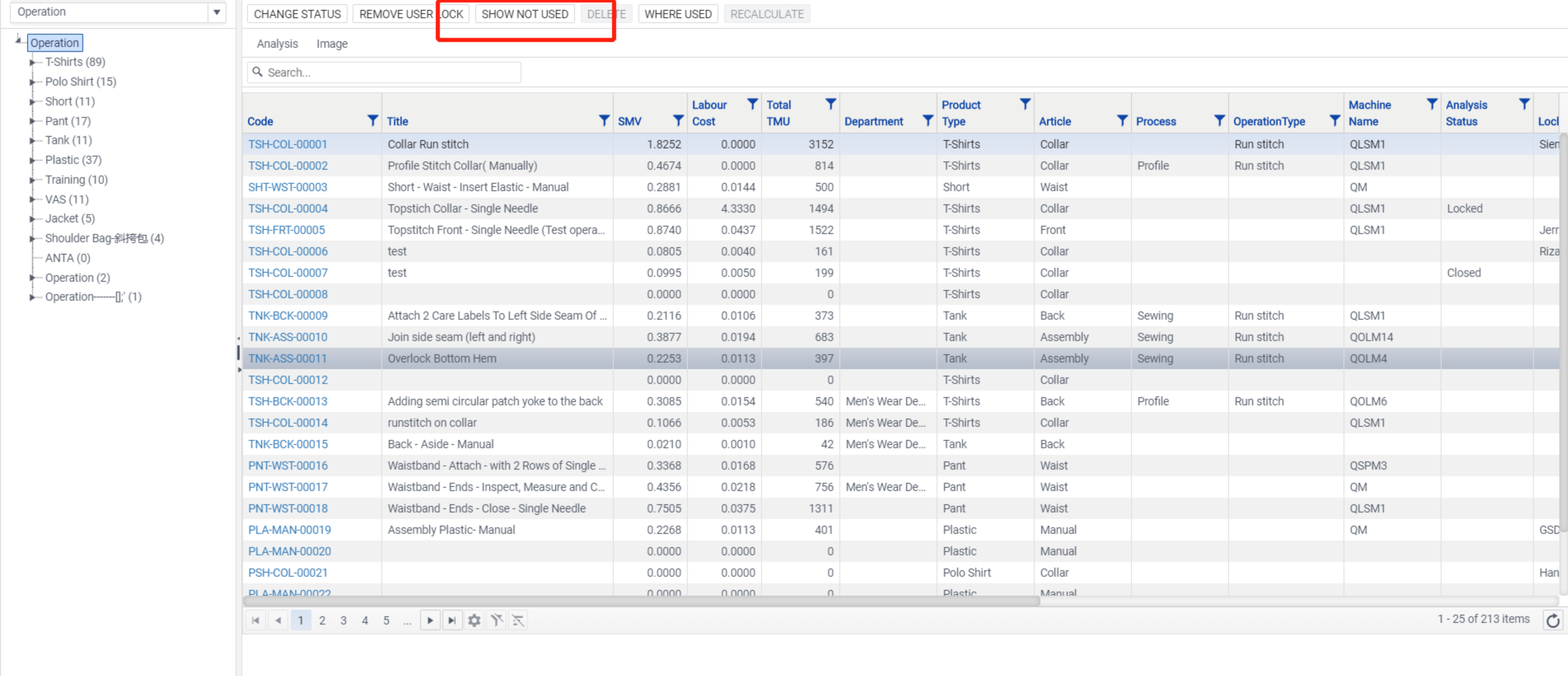
Step 4 :Search the operation -> Select the operation row in the grid -> Click on delete. 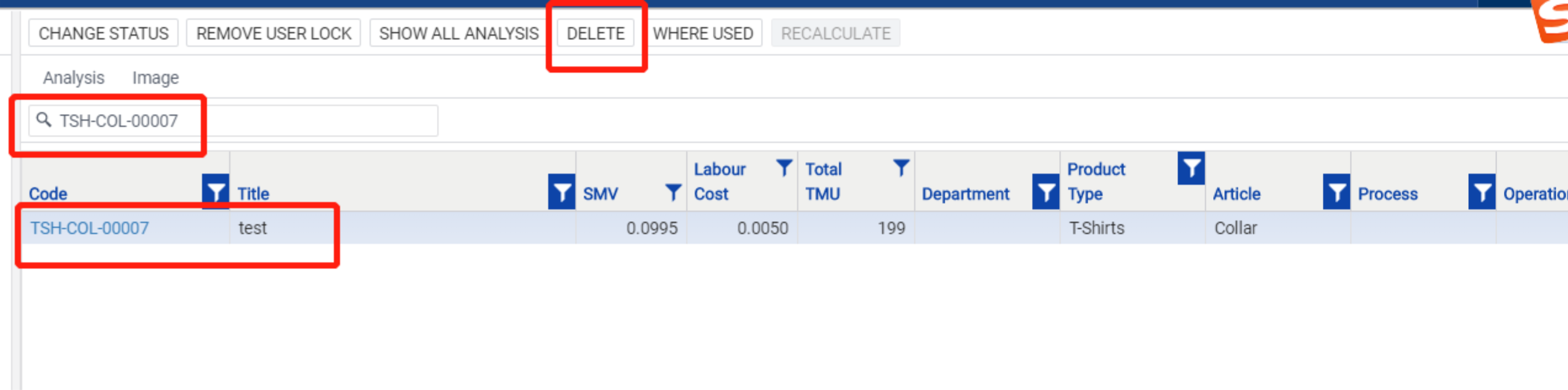
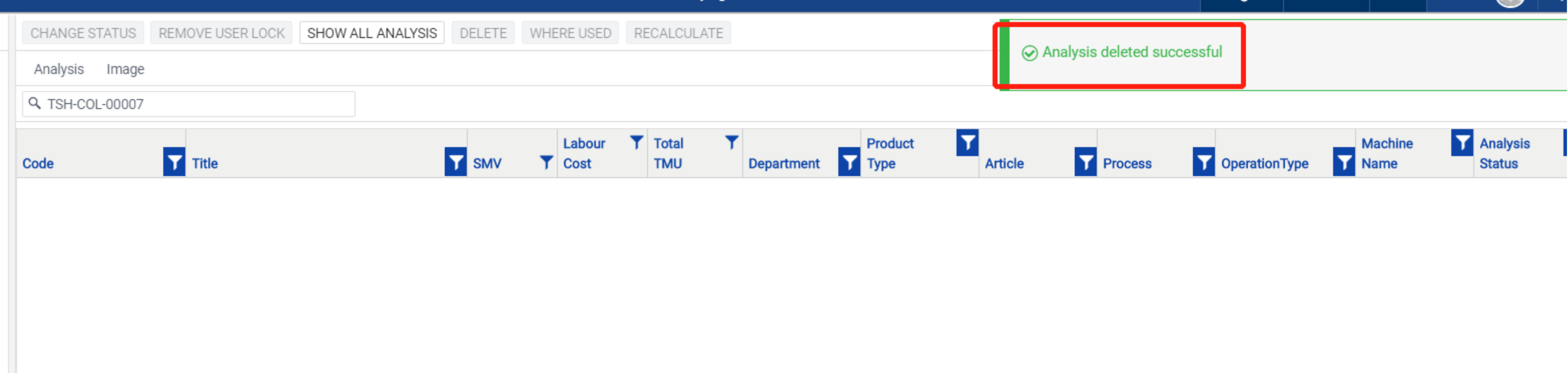
Outcome:
Following above steps, user can delete the operation analysis code which was not in used
Further reading:
Links to related articles