
Article Public Number: KA-01518
Coats Digital Knowledge Article Product: GSDCost
Purpose & Scope:
Sometimes client will need to clear some old analysis or those analysis not be used anymore from GSDCost.
Here this article is going to explain how to delete analysis.
Solution:
Go to Housekeeping and do the deletion.
Instructions:
Step 1 : To the Navigation bar, select "Housekeeping" below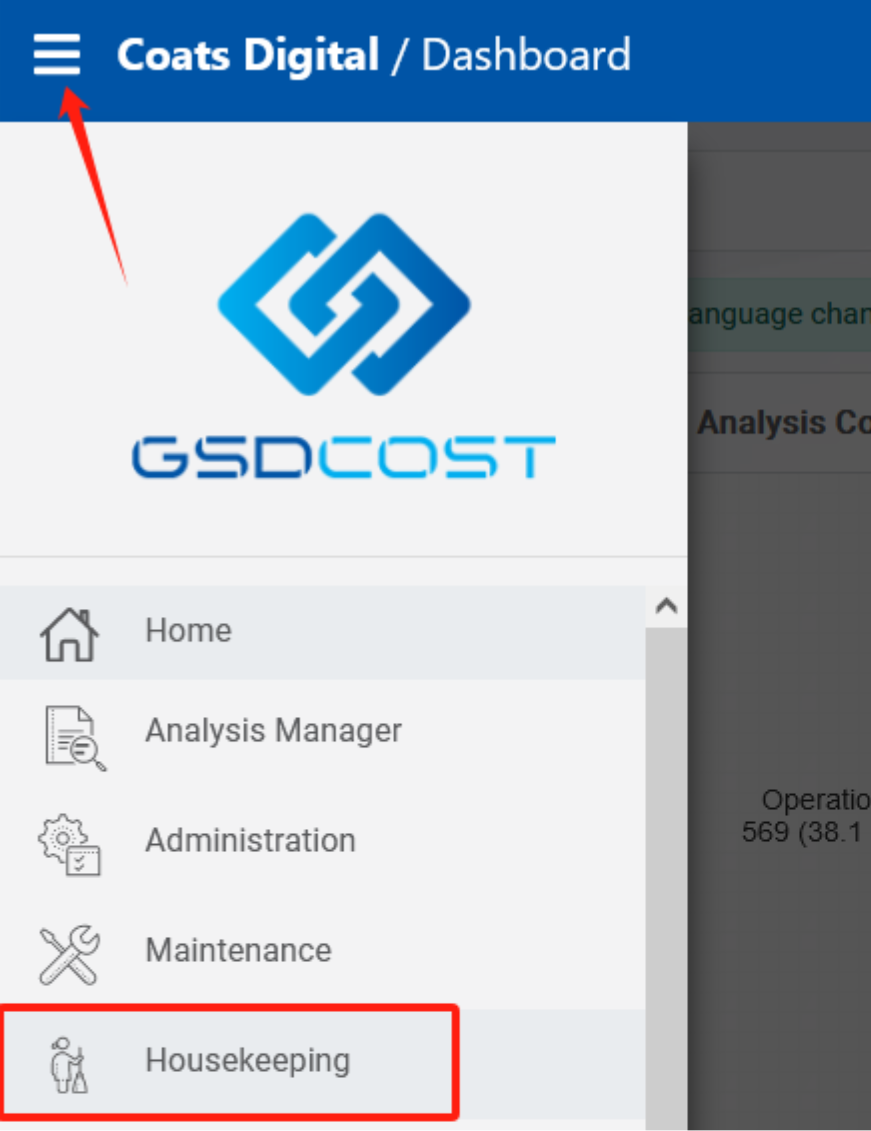
Step 2 : From the dropdown list to select what kind of analysis you want to delete, below take "Operation" as example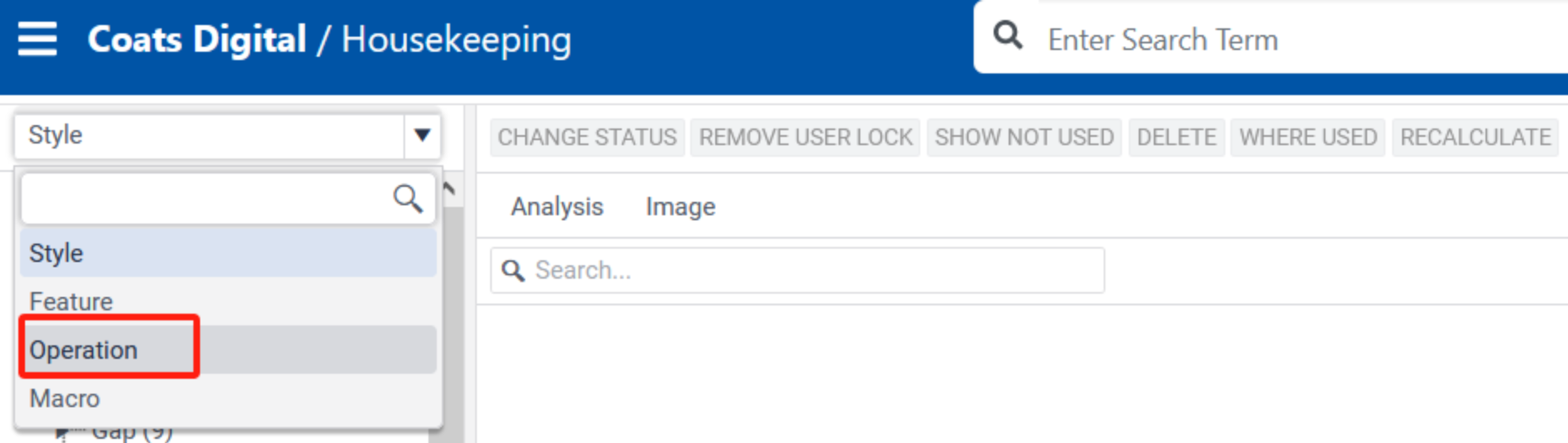
Step 3 : Select "SHOW NOT USED"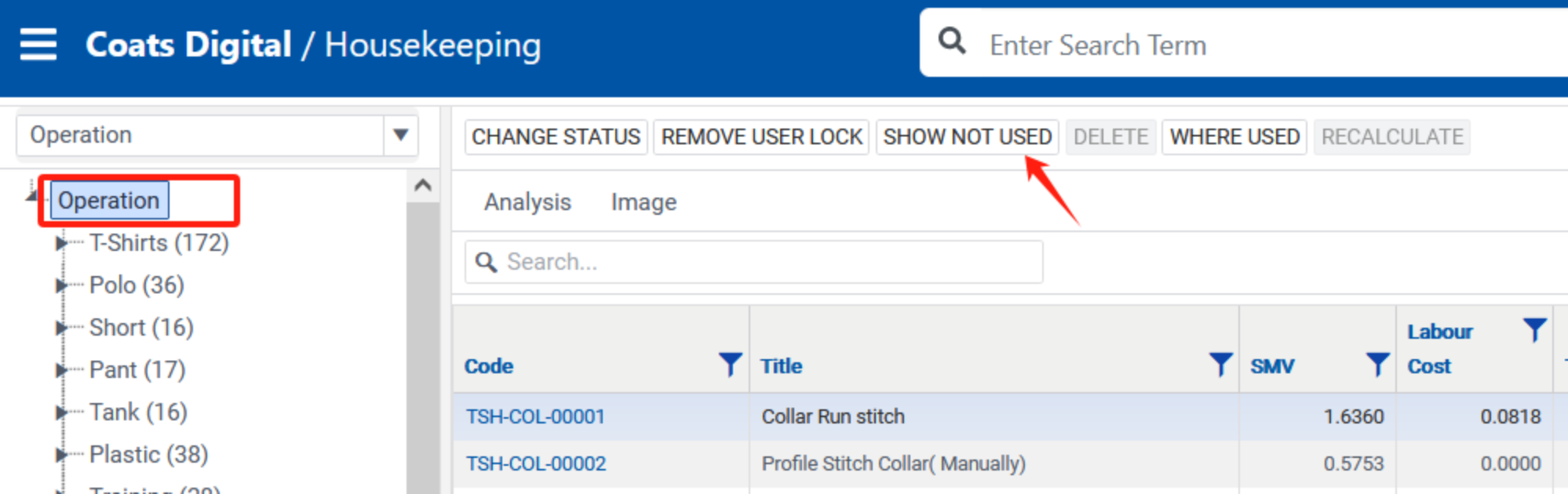
Step 4 : Key in the operation analysis that you want to delete, then press "Enter" key on your keyboard, system will show you the analysis that you looked for.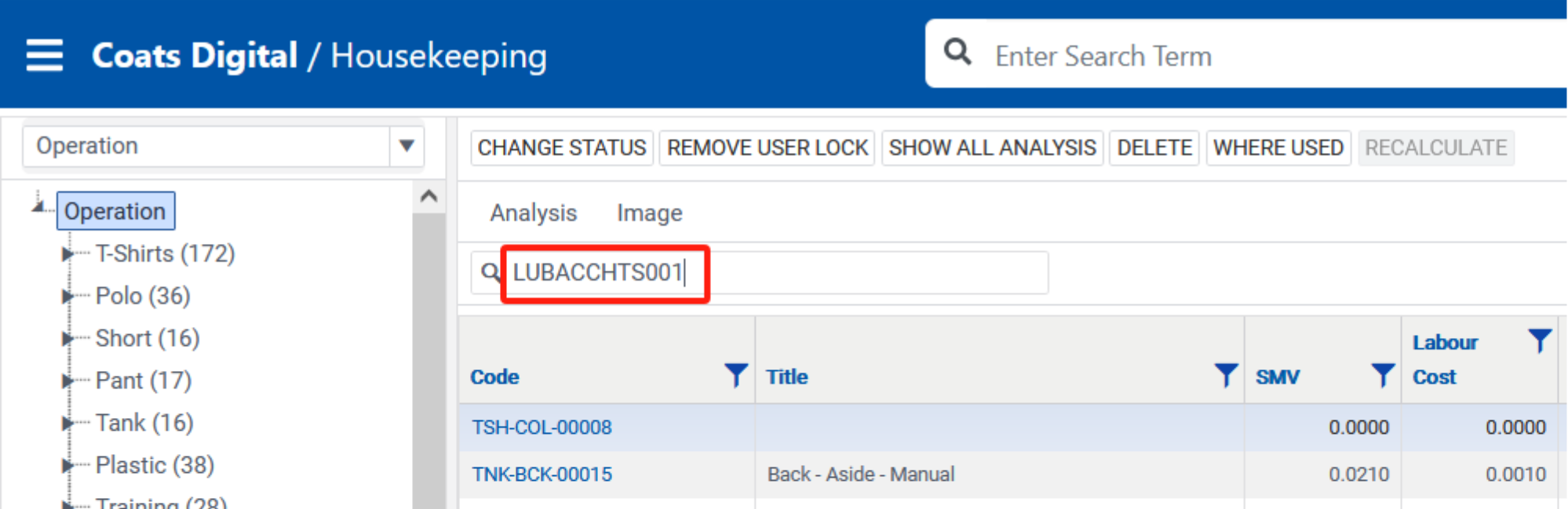
Step 5 : Select the analysis and press the "DELETE"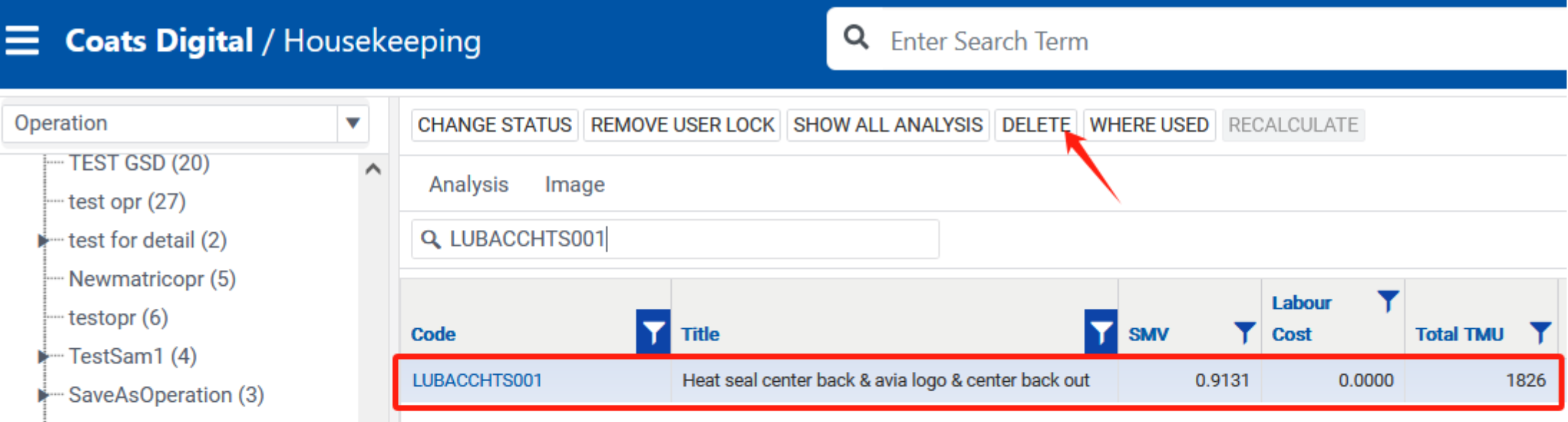
Step 6 : System will tell you that "Analysis deleted successful"
Outcome:
After you have deleted the analysis from the system, you cannot find it anymore.
Further reading:
Links to related articles