
Article Public Number: KA-01471
Coats Digital Knowledge Article
Product: GSDV4
Purpose & Scope:
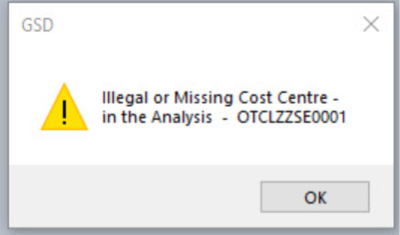
Error below is pop up when user try to Save new style
Solution:
User should choose Operation Type and Cost Center equivalent for warning operation code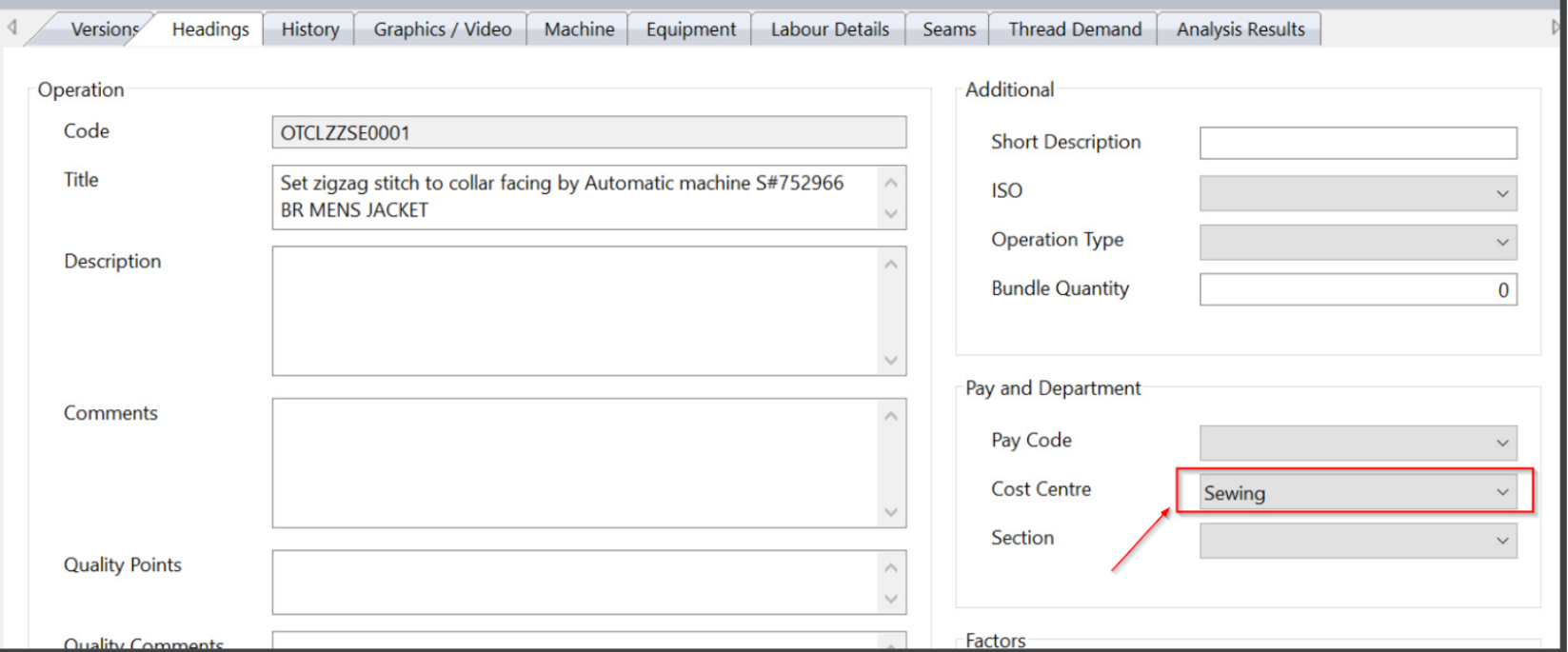
Instructions:
Step 1: Open warning Operation code -> go to tab Heading -> Select the arrow of Operation Type -> choose "Company Manufacturing Environment"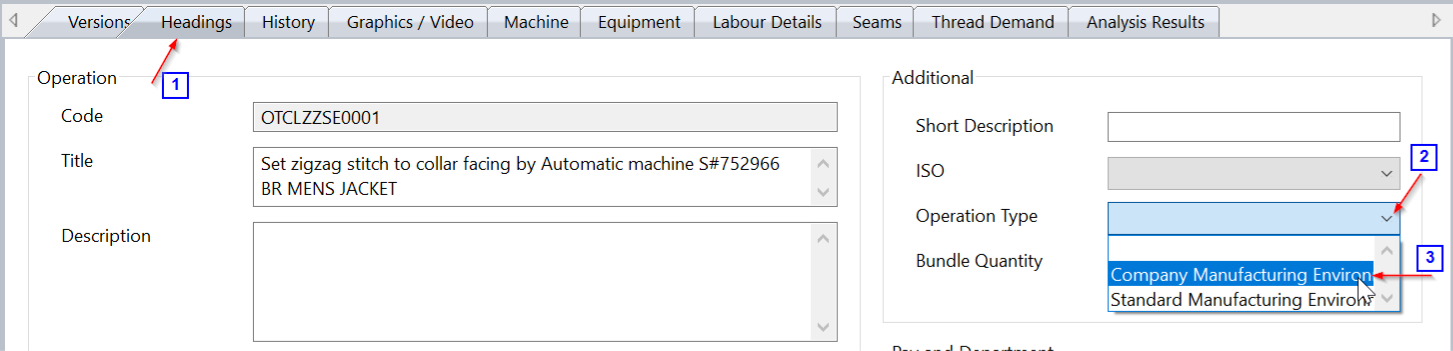
Step 2: Select appropriate Operation Type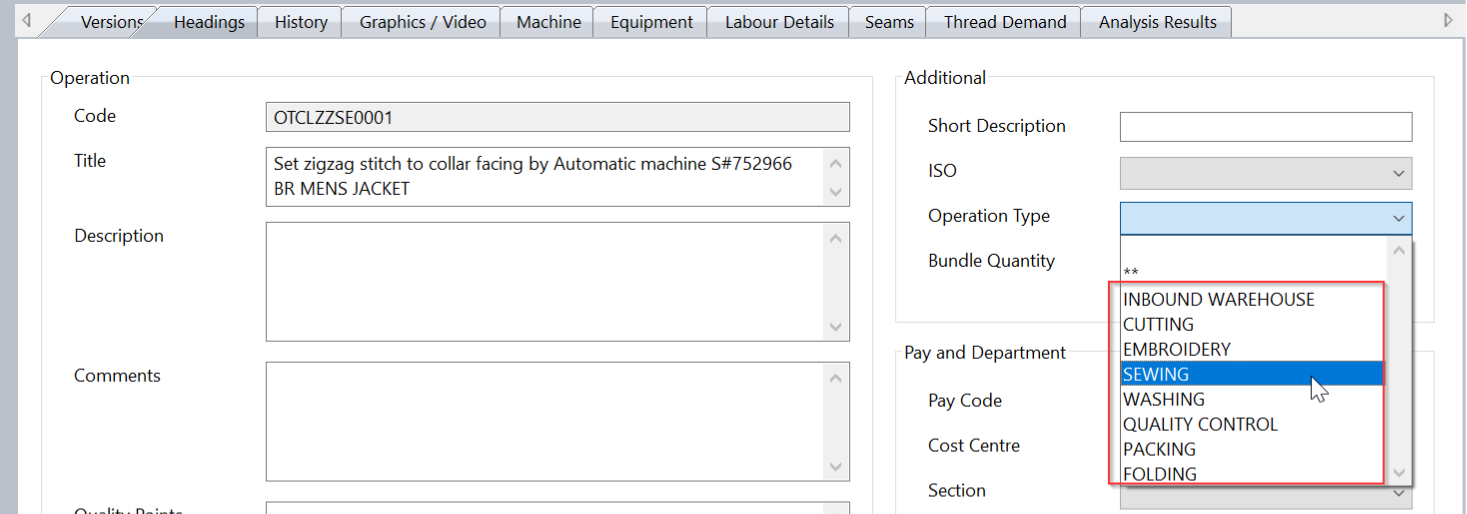
Step 3: Select the arrow of Cost Center -> choose "Company Manufacturing Environment"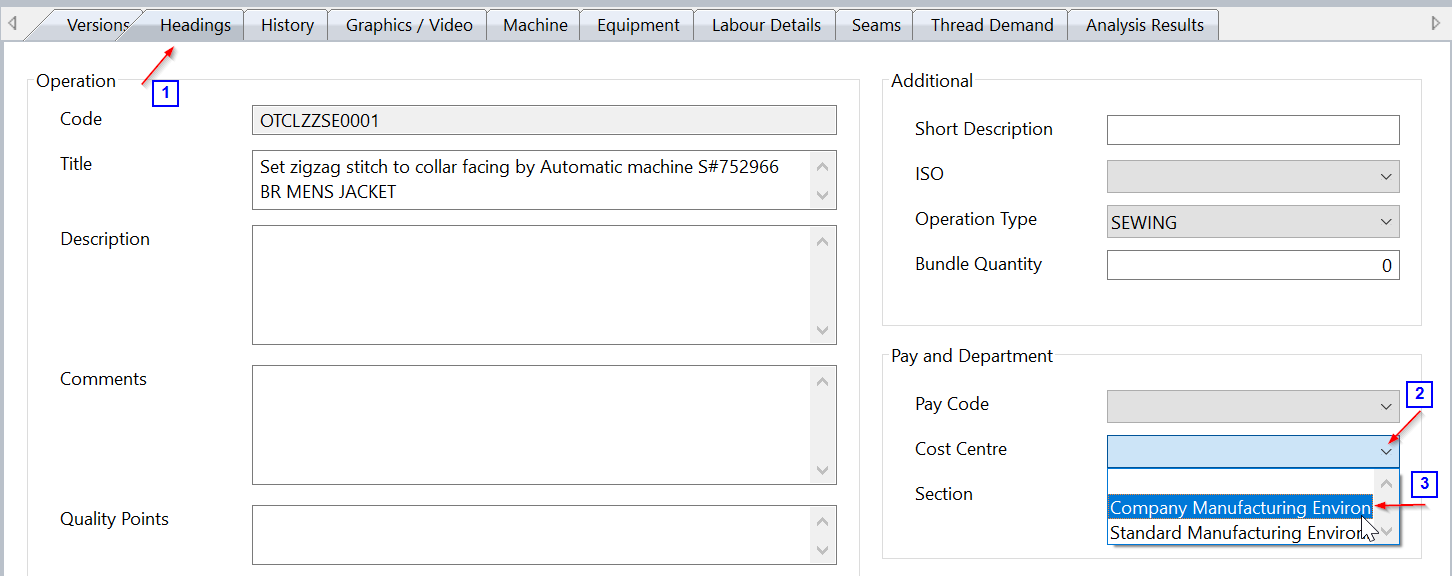
Step 4: Select appropriate Cost Center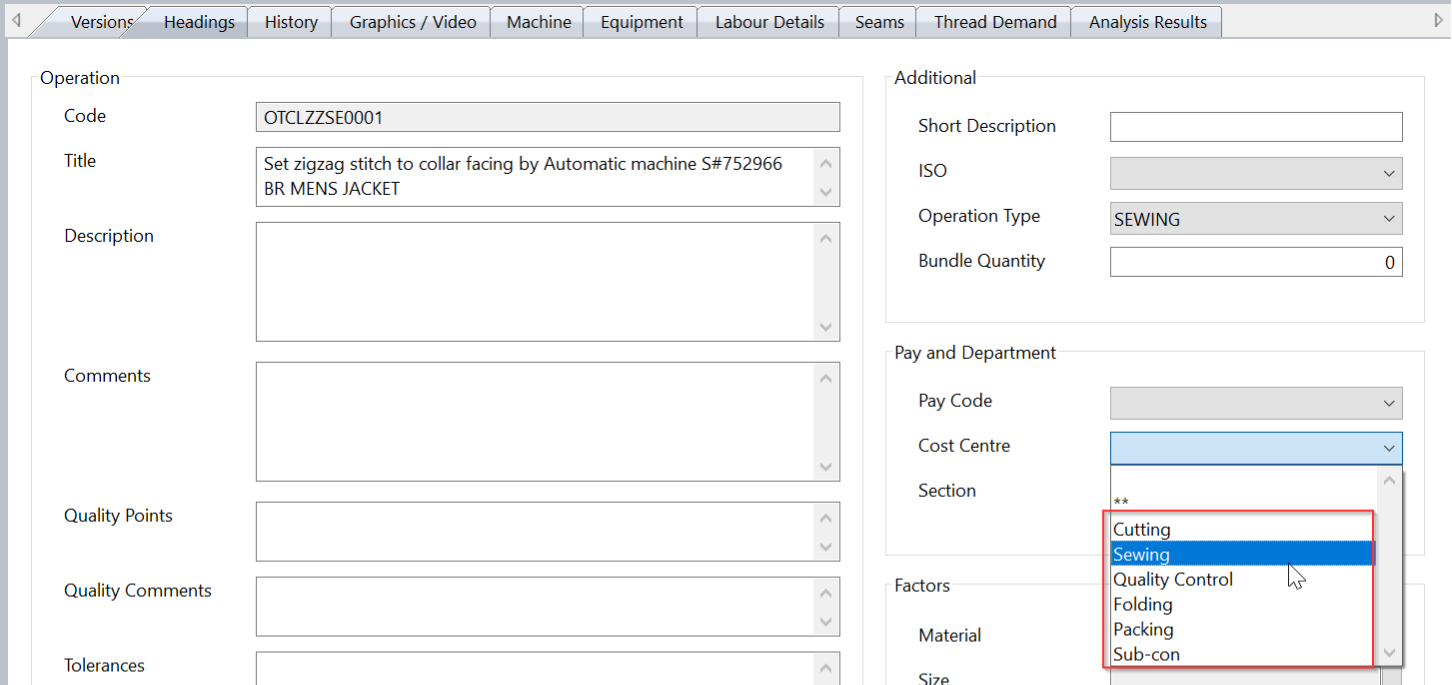
Step 4: Then click on button "Save"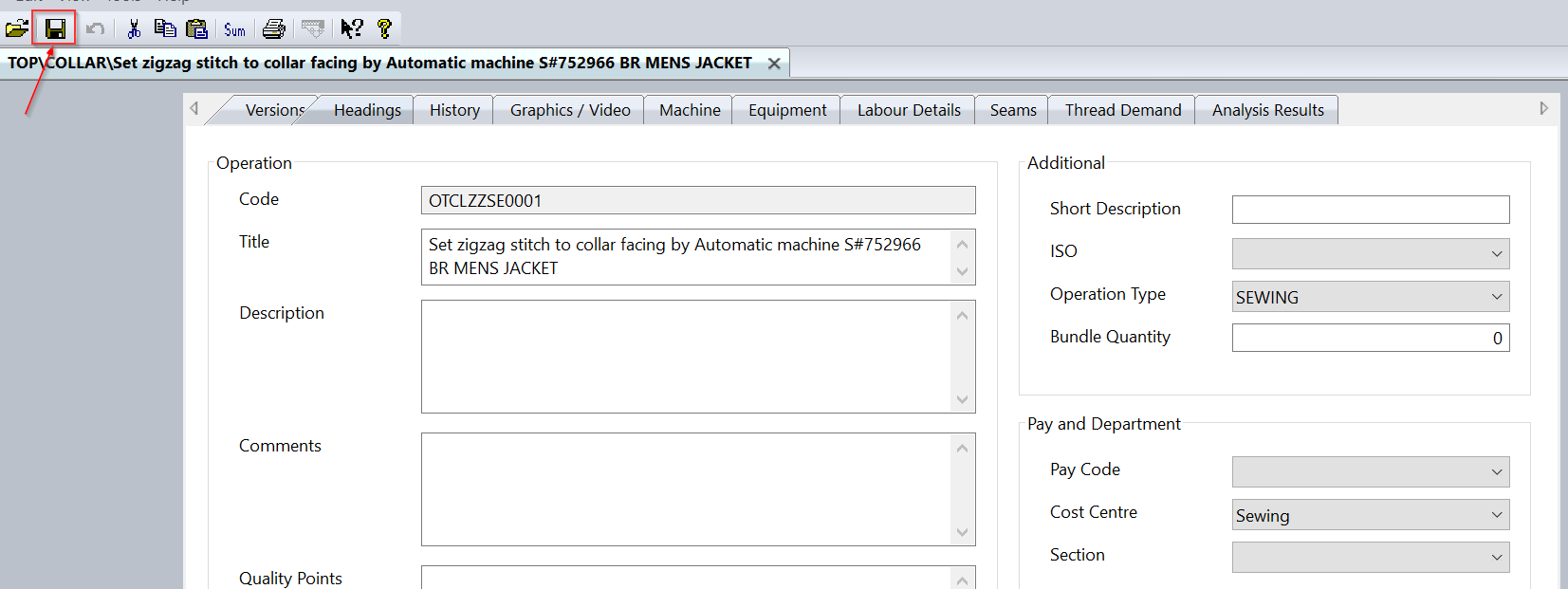
Outcome:
The error will be fixed and no warning message.