
Article Public Number: KA-01260
Coats Digital Knowledge Article
Product: GSDV4
Purpose & Scope:
Brief description of how to add Access Ranges List in GSDV4
Solution:
Login GSDSS à Access Range ListàAdd Range à Key in Ranges or Choose Ranges àClick “OK” to add
Instructions:
Step 1 : Login in GSDSS using Supervisor account > Click Access Ranges List
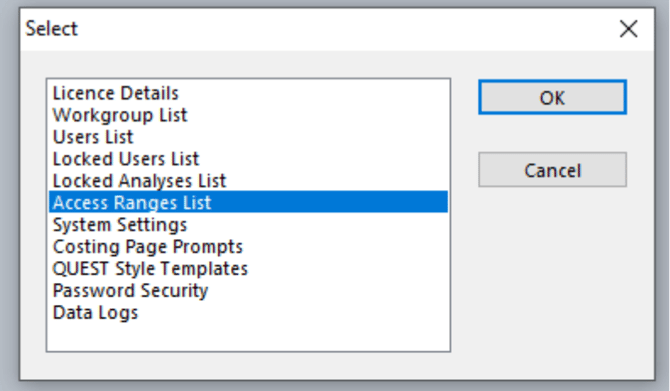
Step 2 : Click [ Add Range] button.
Step 3 : Choose Data Level Styles/Features/Operations > Manually key in [Start of Range] & [End of Range] or Click Styles/Features/Operations folder to choose Ranges. >Click OK to add ranges.
Manually key in [Start of Range] & [End of Range]: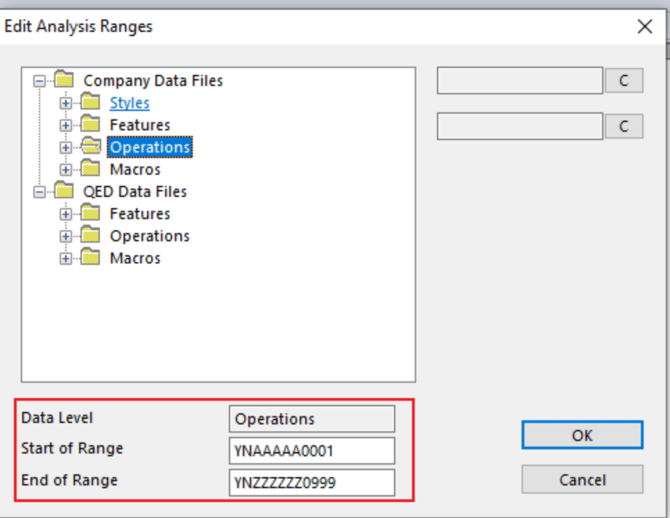
Click Styles/Features/Operations folder to choose Ranges > Click [C] to copy the range to [Start of Range] & [End of Range]: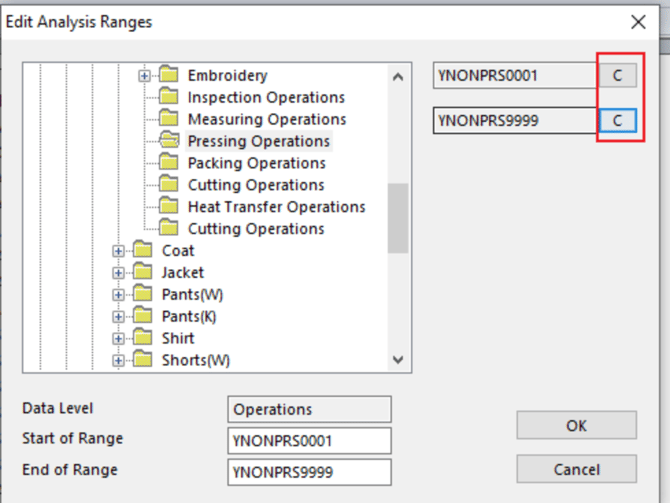
Step 4: New Access Range will be available now. 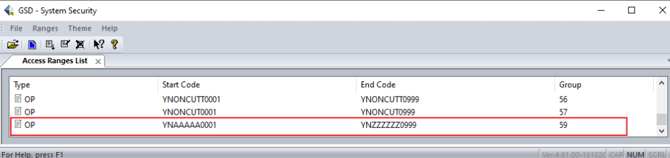
PS: New added access range should grant the access to related users accordingly from the "Advanced".
Outcome:
New access range would be added following above steps.