
Article Public Number: KA-01266
Coats Digital Knowledge Article
Product: GSDV4
Purpose & Scope:
Introduction of how to Change Allowances in GSDV4
Solution:
Login GSDV4 > Open Company Data Editor > Open GSD Operation Company Data > Machine Data > Click Machine tab to change Allowances.
Instructions:
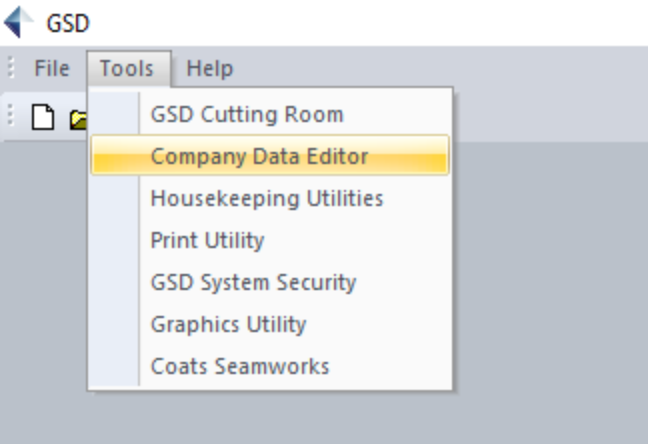
Step 1 : Click Tools > Company Data Editor.
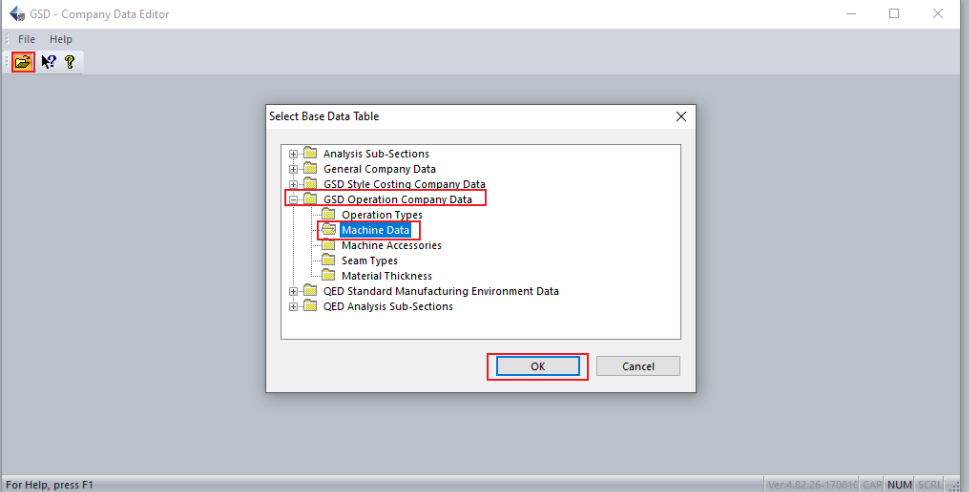
Step 2: Click Open Folder > Click GSD Operation Company Data > Machine Data > Click OK.
Step 3 : Select the machine that need to change allowances > Change [Machine / Manual/ Contingency Allowance %] by click [?] in each column.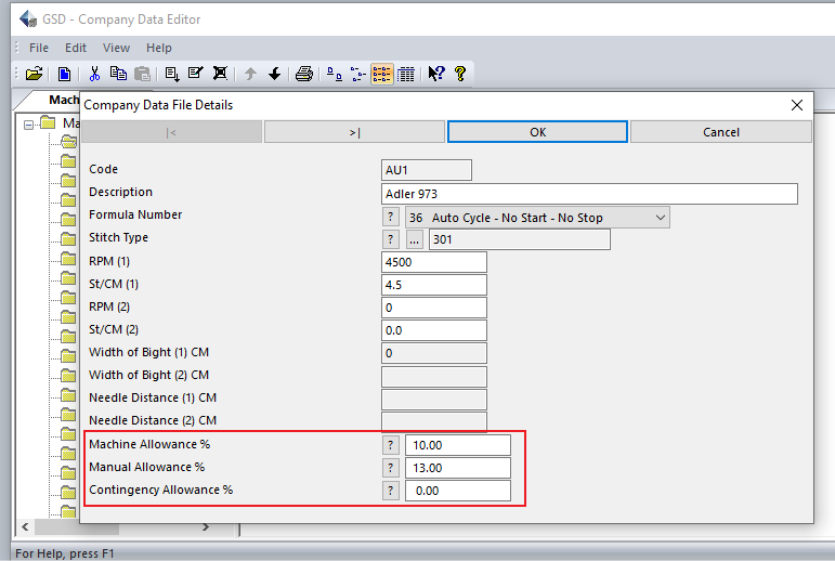
Step 4: Click [?] in Machine Allowance % > Below screen would appear to choose the Machine Delay Allowances > Total M/c Delay would show the final Machine Allowances once change the detail Machine Delay Allowances > Click OK to save your change.
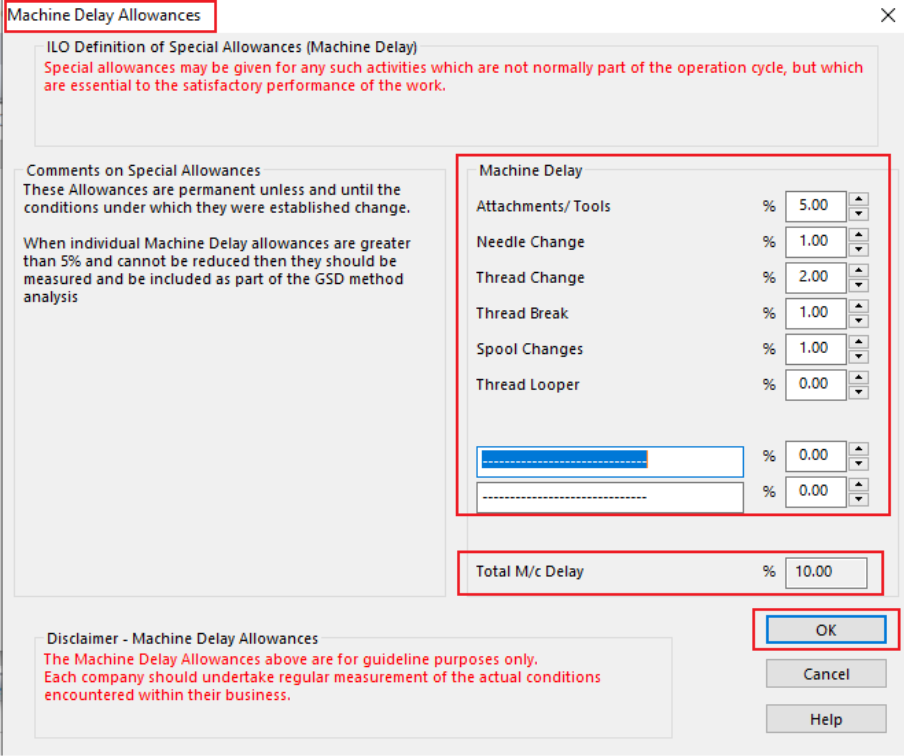
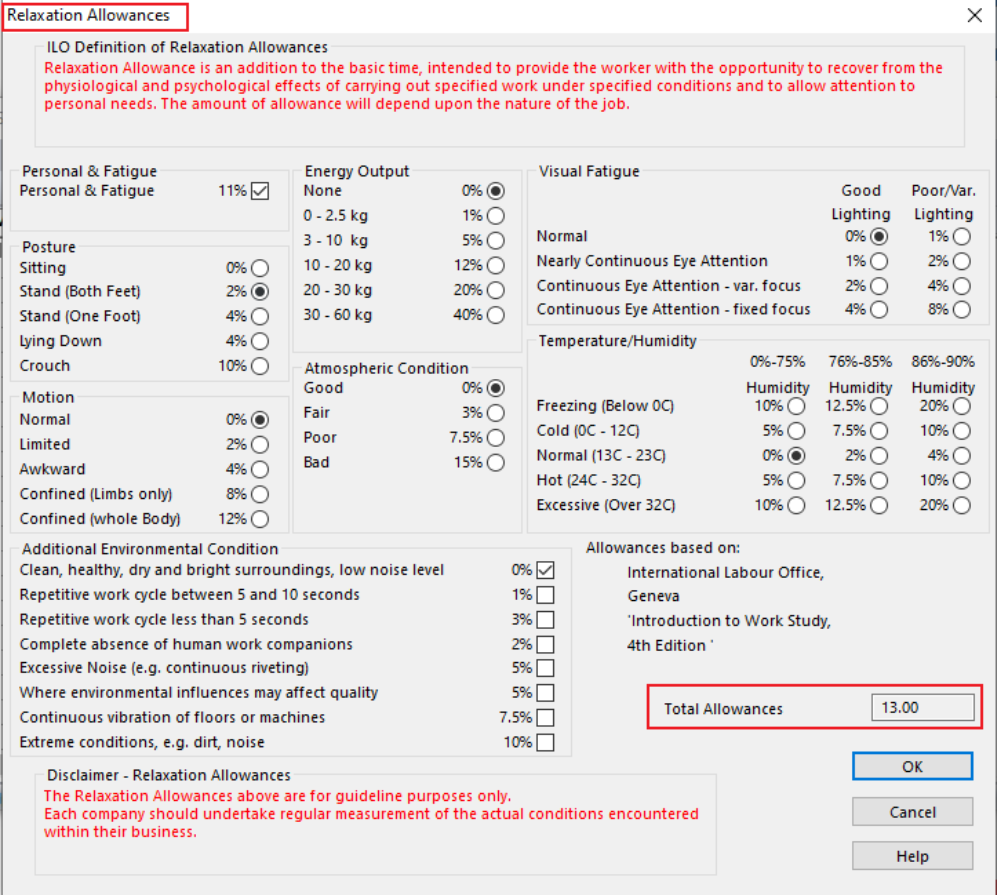
Click [?] in Manual Allowance % > Below screen would appear to choose the Relaxation Allowances > Total Allowances would show the final Manual Allowances once change the detail Relaxation Allowances > Click OK to save your change.
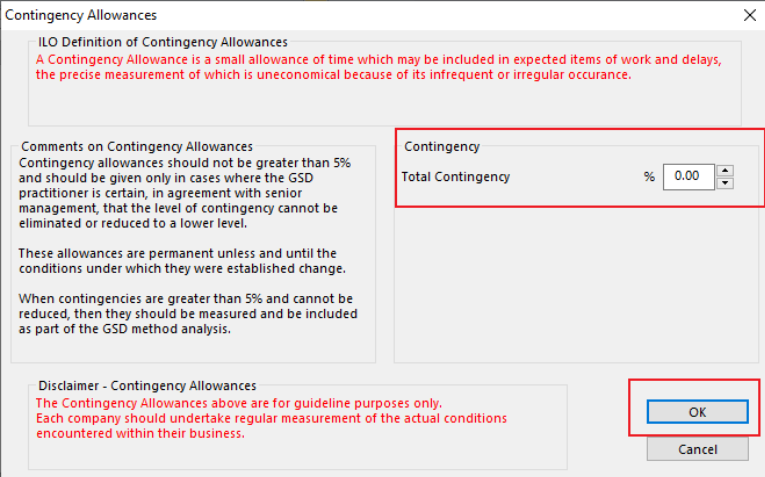
Click [?] in Contingency Allowance % > Below screen would appear to change the Contingency Allowances > Total Contingency would show the final Contingency Allowances once change > Click OK to save your change.
Step 5: Click OK to Save your change > Click YES to confirm Save.
Important Note: After you change the allowances in Machine Data, the change would only apply to new operation analysis, the old operation analysis would remain the original allowances. 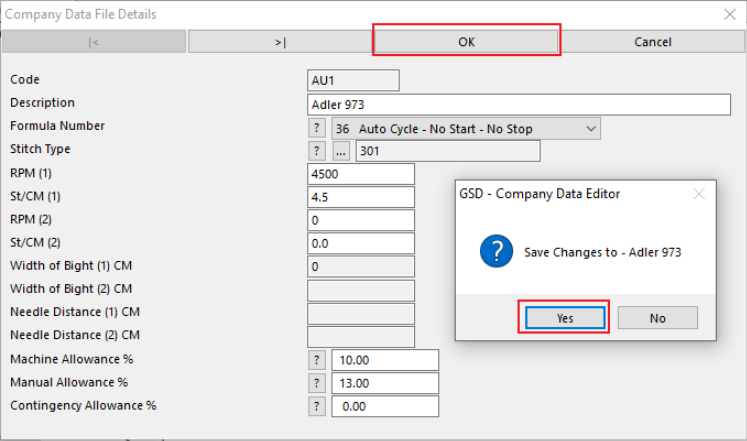
Outcome:
Machine / Manual/ Contingency Allowance % could be changed and applied to new operation analysis by following above steps.