
Article Public Number: KA-01493
Coats Digital Knowledge Article Product: GSDCost
Purpose & Scope:
This article will walk you through for how to create a new folder(Sub-section) in GSD for Style/Feature/Operation/Macro analysis.
Solution:
Login GSD, go to Tools-->Company Data Editor-->Analysis Sub-sections
Instructions:
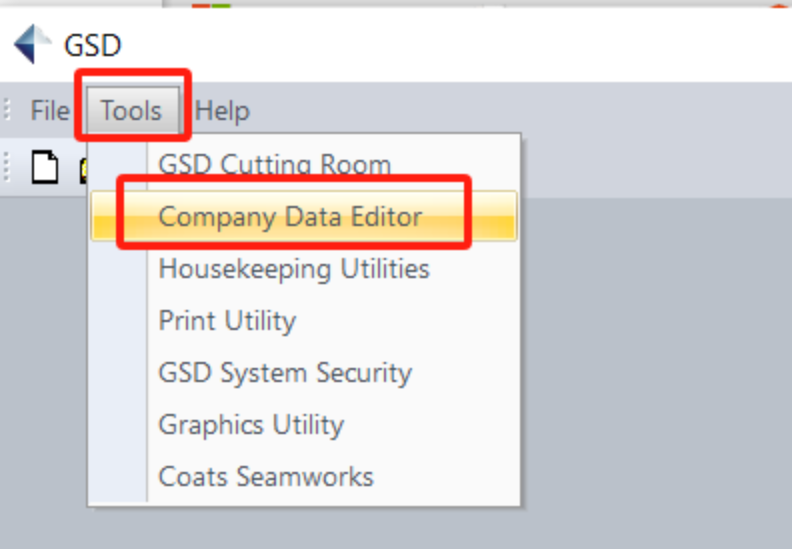
Step 1 : Login GSD, and go to "Company Data Editor" as below
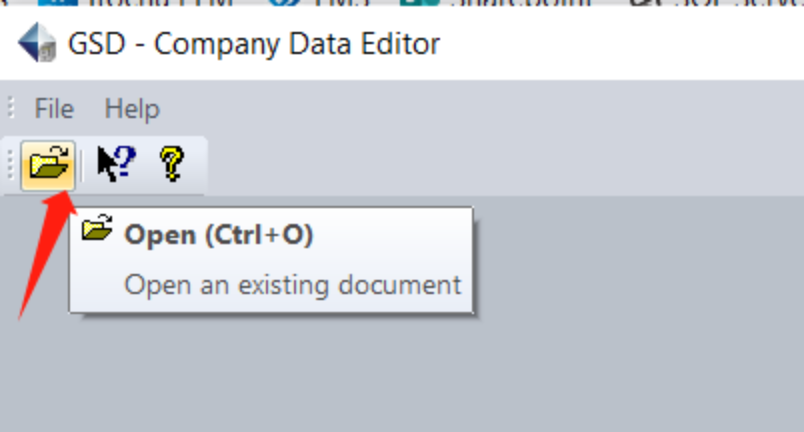
Step 2: Select the folder icon to Open
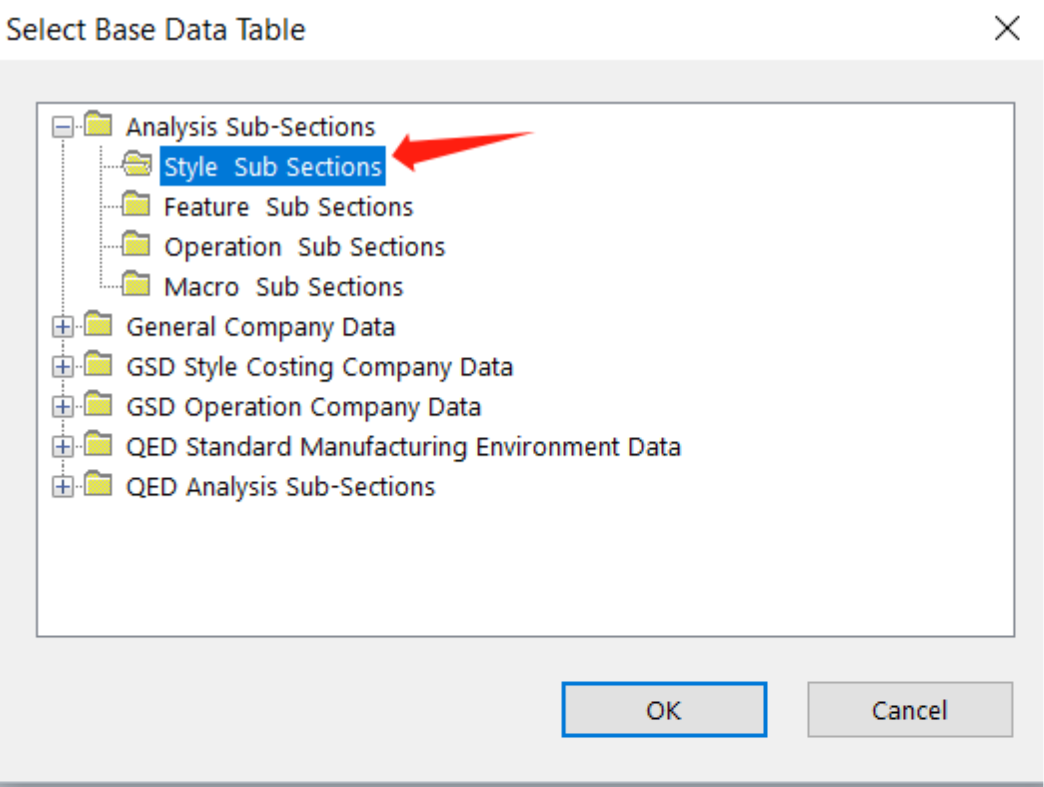
Step 3 : Here took Style for example, select the "Style Sub Sections" and click "OK"
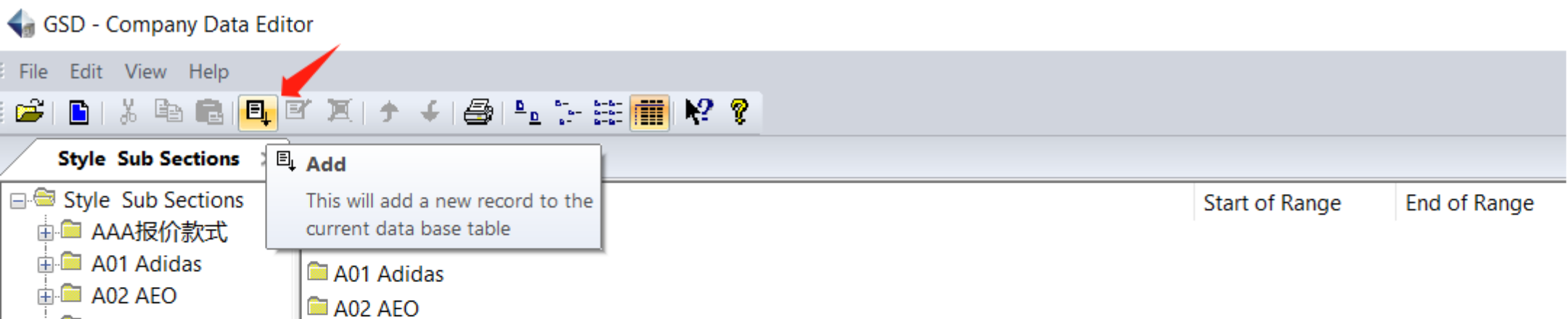
Step 4: Left click on the blank space at the right hand side. Click the "Add"
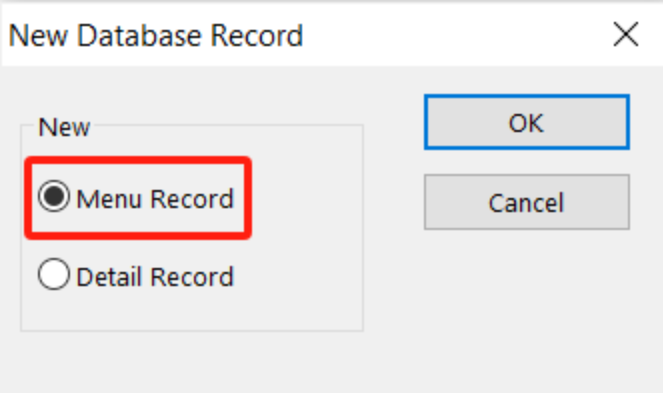
Step 5: Select "Menu Record", click OK
Step 6 : Input the sub section name as below for example, data level as 0 GSD, click "OK "

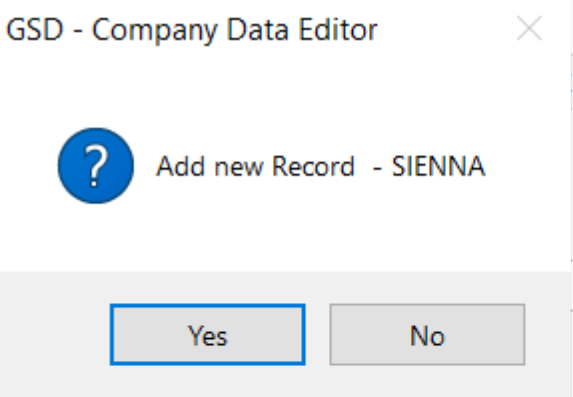
Step 7 : Select "Yes"
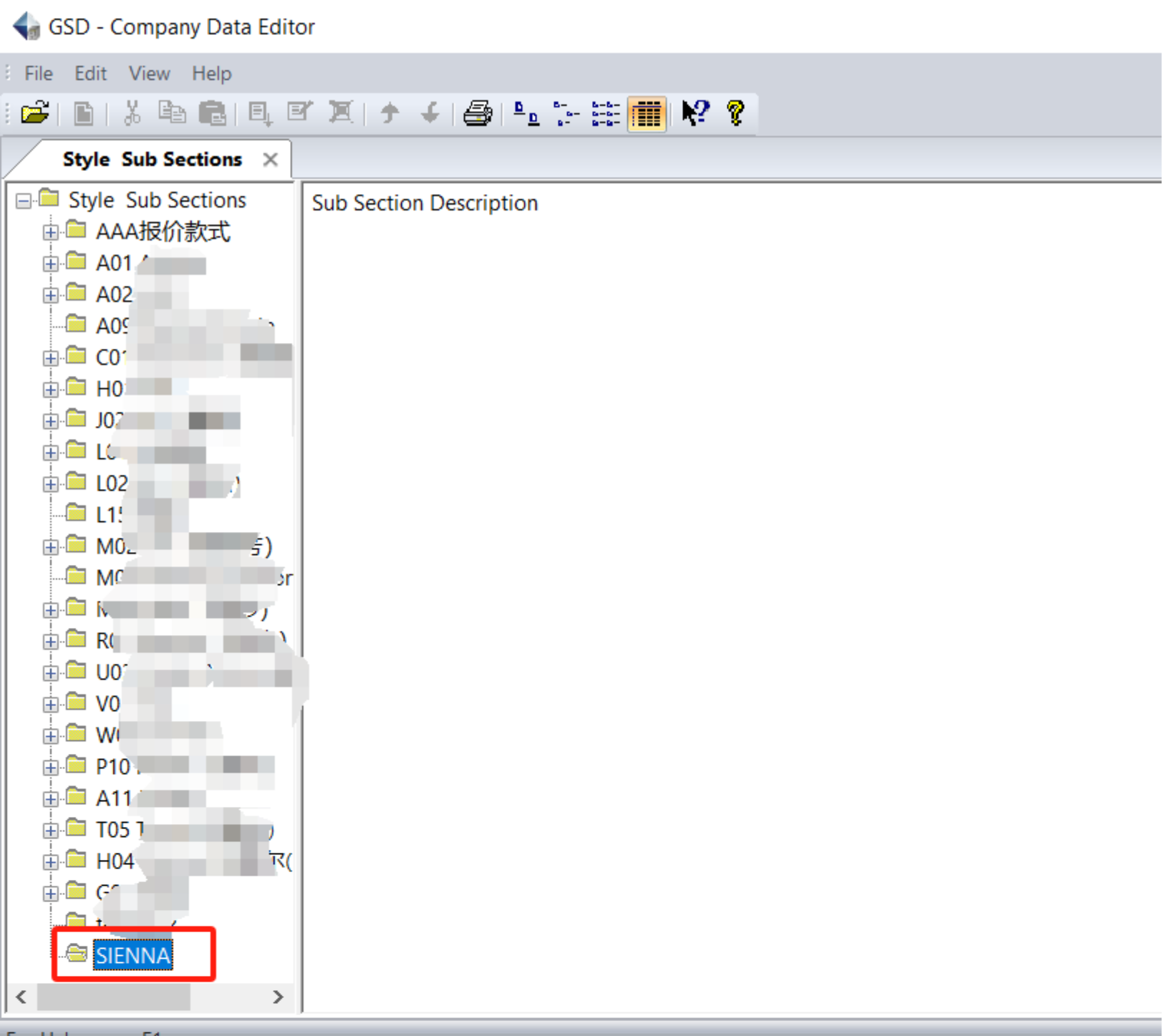
Step 8 : Sub section "SIENNA" has been created accordingly.
Outcome:
Further reading:
Links to related articles