
Article Public Number: KA-01271
Coats Digital Knowledge Article
Product: GSDV4
Purpose & Scope:
How to add a user in GSDV4
Solution:
The GSD users list allows you to add, amend and delete users from access to the GSD application.
Instructions:
Step 1: Log in GSDSS with "Supervisor" account, open the file and select the user list option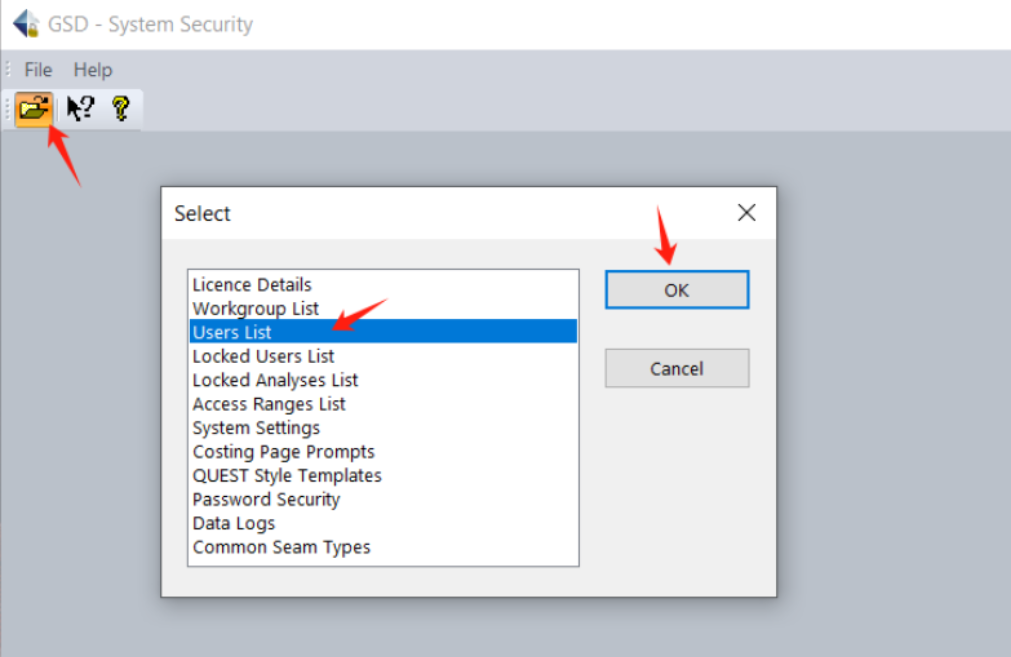
Step 2: Click the "Add User"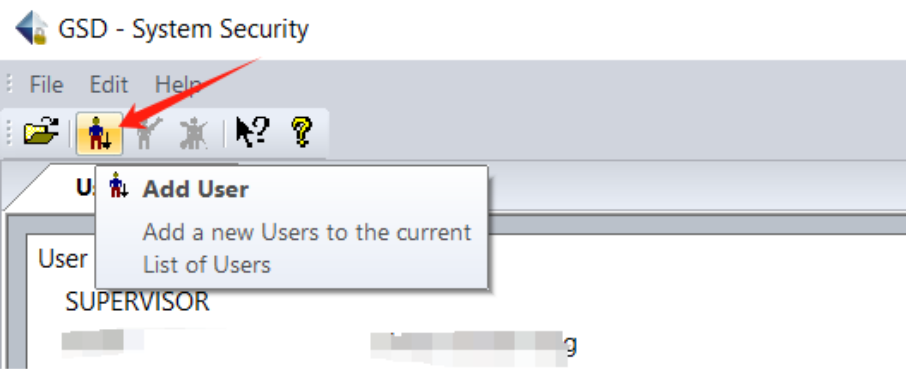
Step 3: Fill in the information that required in below dialog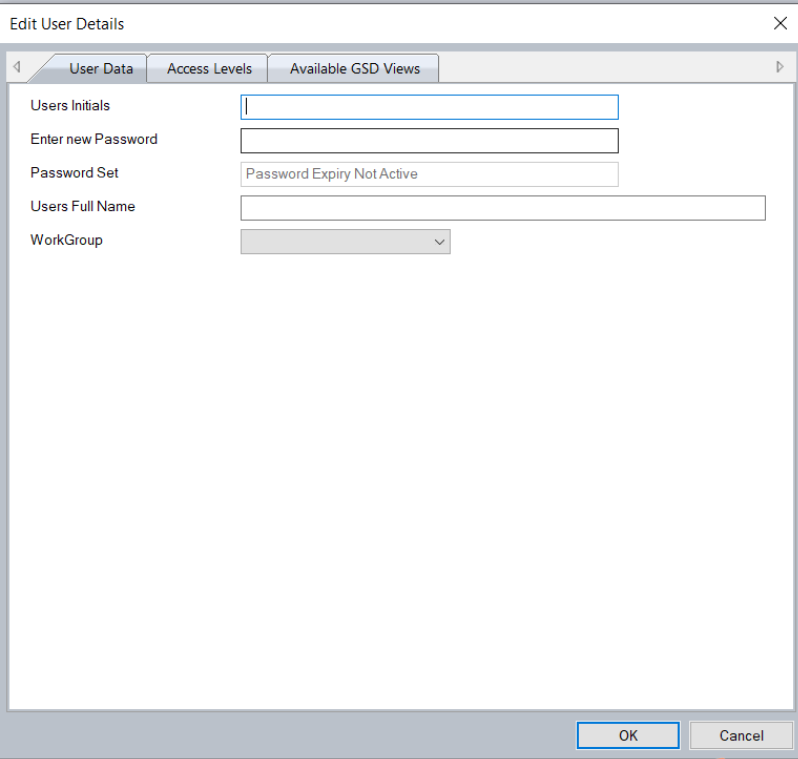
Step 4: Meanwhile don't forget to giving the access level as below. 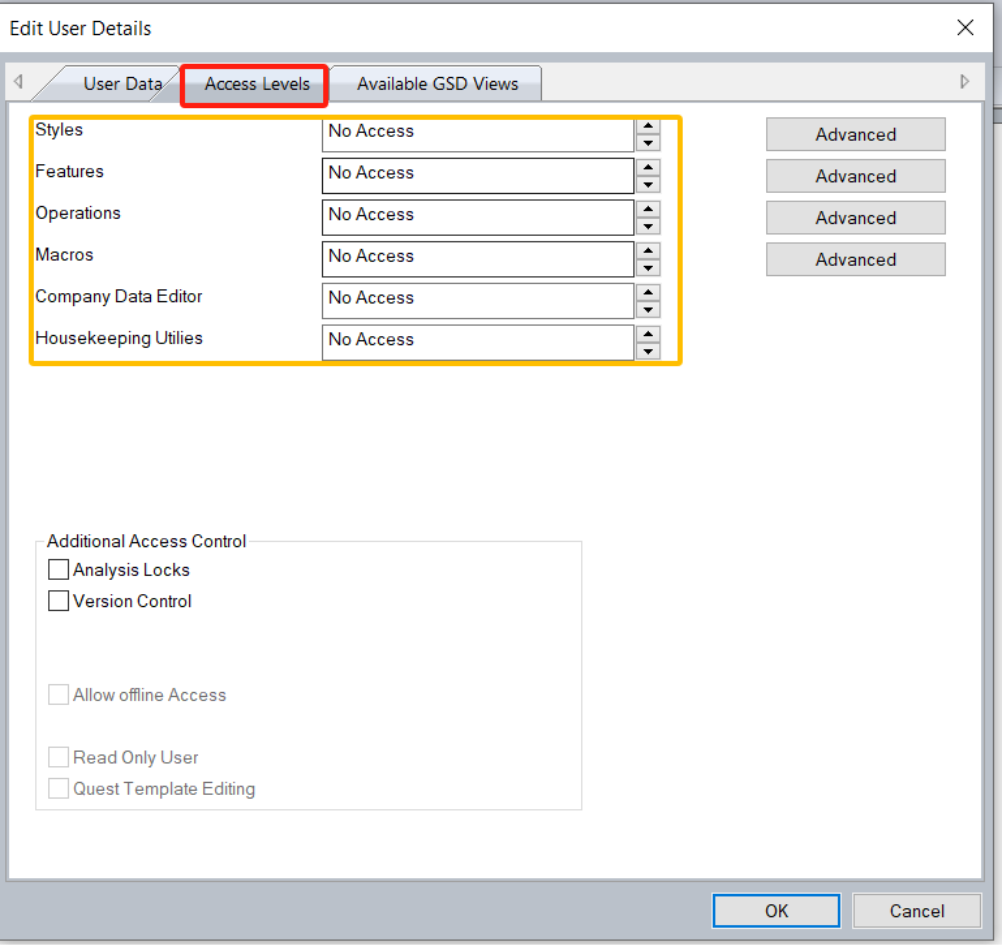
Step 5 : To update the "Available GSD views" as well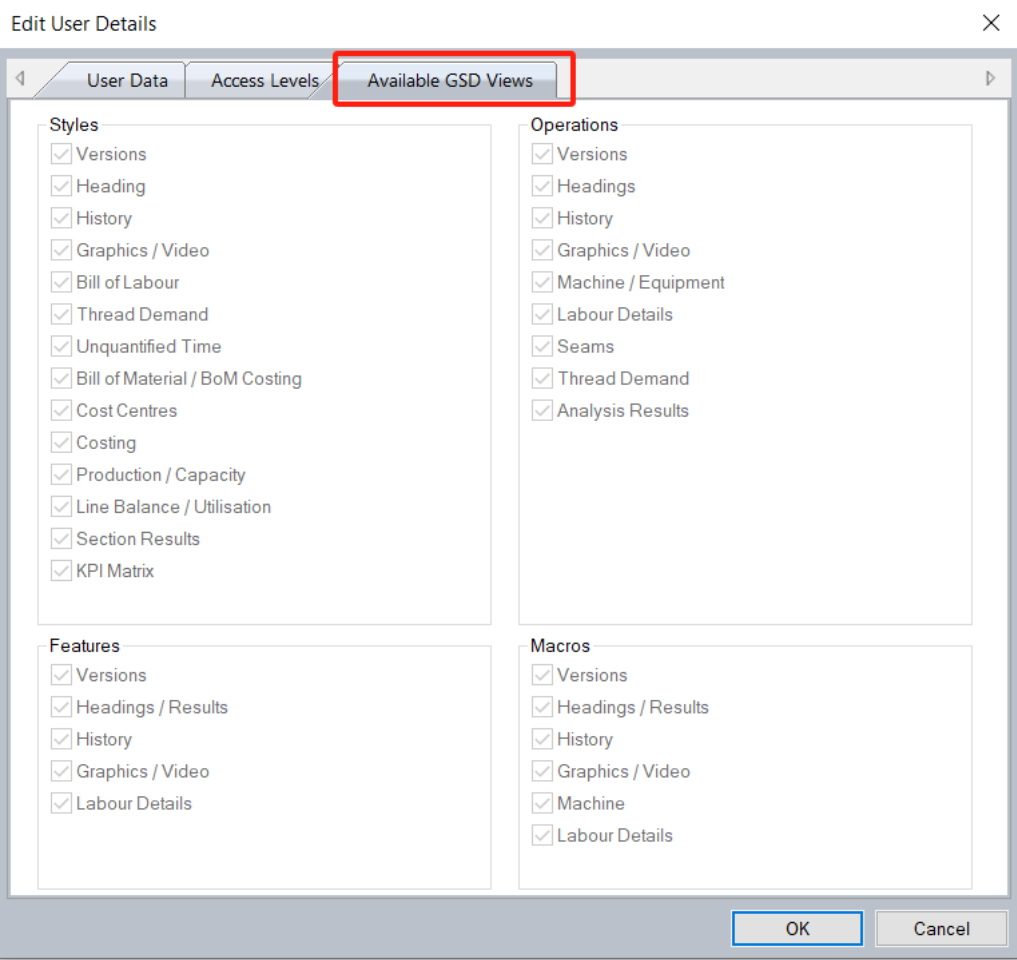
Outcome:
With above defined, now user will be able to login with the username and password that given.
Further reading:
Links to related articles