
Article Public Number: KA-01302
Coats Digital Knowledge Article
Product: GSDV4
Purpose & Scope:
The available views tab allows Supervisors to control what a particular user can view or not.
Solution:
We can modify the access to “Available Views” tab through GSDSS
Instructions:
Step 1: Log into GSDSS with supervisor account, File -> User List -> OK
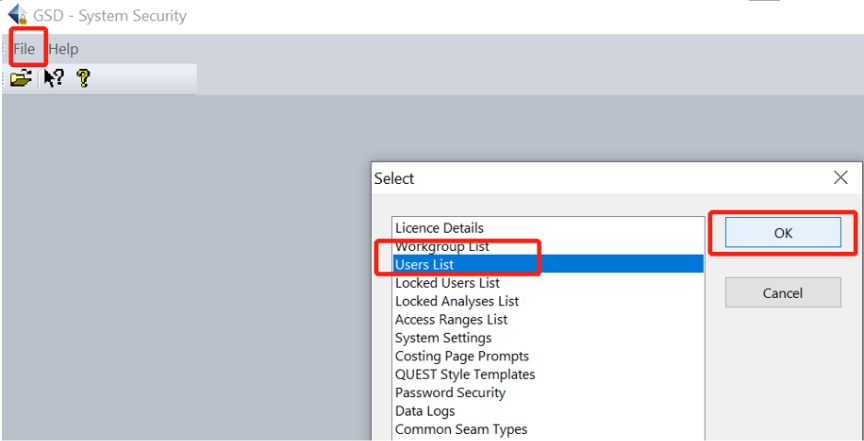
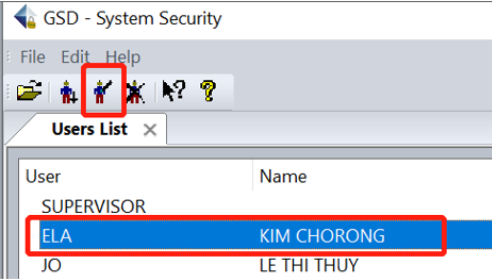
Step 2: Select a specific username and click “Edit” button
Step 3: By simply unchecking any of the white checkboxes, the user in question will not have access to that view.
Noted: Grey checkboxes are default access views and cannot be removed 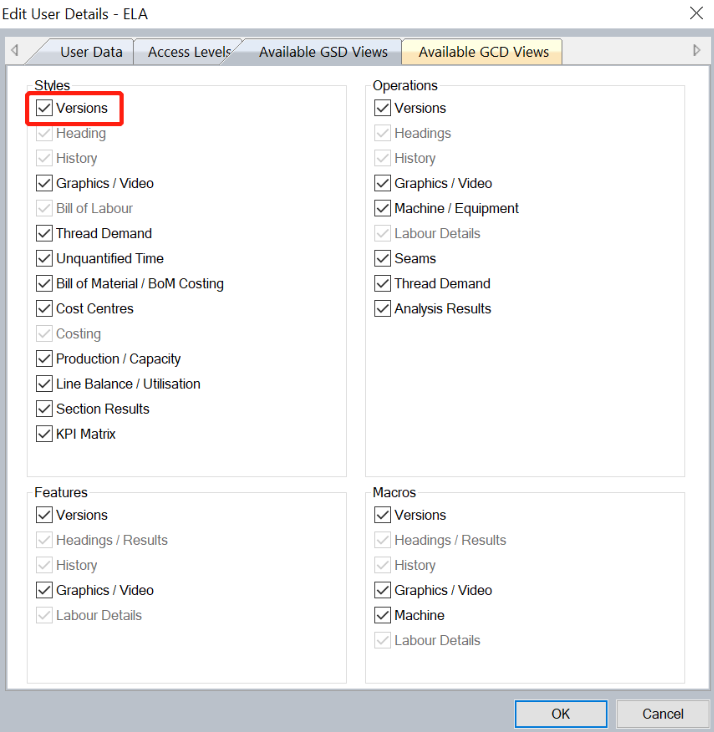
Outcome:
User can get access to the different tabs which was admitted by supervisor