
Article Public Number: KA-01259
Coats Digital Knowledge Article
Product: GSDV4
Purpose & Scope:
Brief description of how to enable Version Control function in GSDV4
Solution:
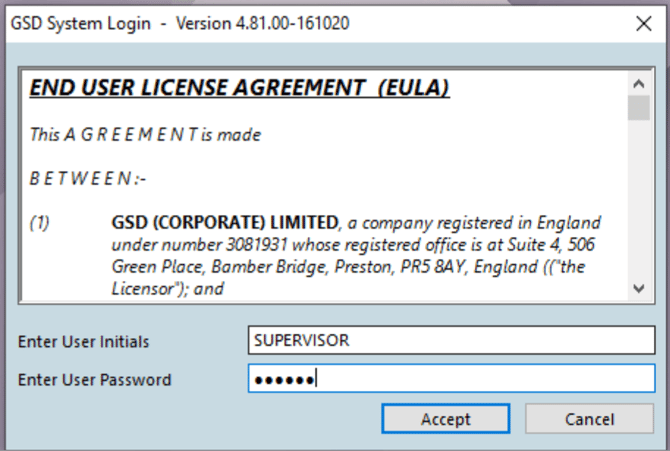
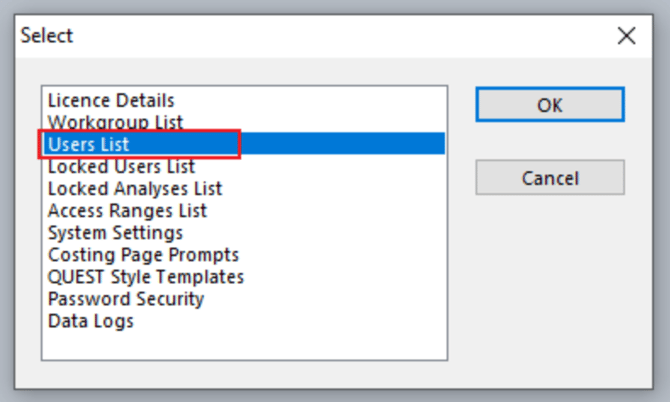
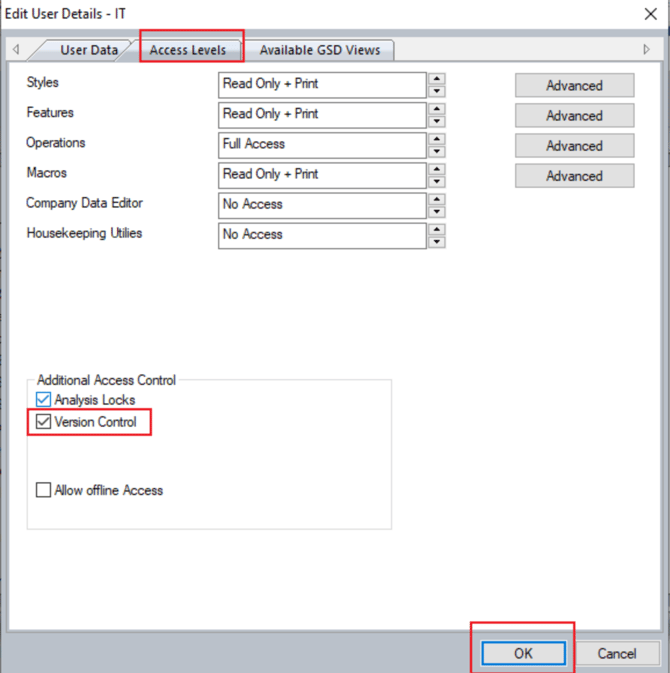
Login GSDSS> Click Users List >Click Access Levels > Tick Version Control > Click Ok.
Instructions:
Step 1: Login GSDSS via Supervisor account.
Step 2 : Clicked Users List.
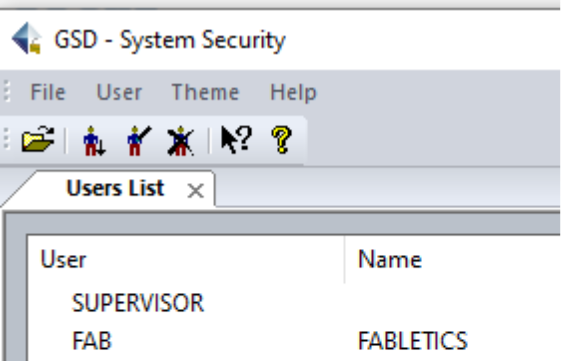
Step 3 : Clicked Users who need to grant the Version Control access.
Step 4: Clicked Access Levels > Tick [Version Control] > Click Ok.
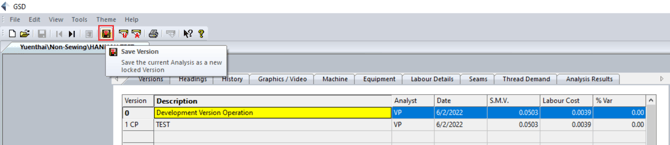
Step 5: Users would find [Save Version] button was lighted.
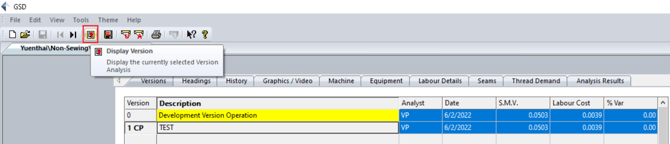
Step 6: [Display Version] button would be lighted if a new version of analysis was created to review.
Outcome:
Version Control function would be enabled following above steps.
Further reading:
Links to related articles