
Article Public Number: KA-01261
Coats Digital Knowledge Article
Product: GSDV4
Purpose & Scope:
Brief description of how to grant Range Access to users in GSDV4
Solution:
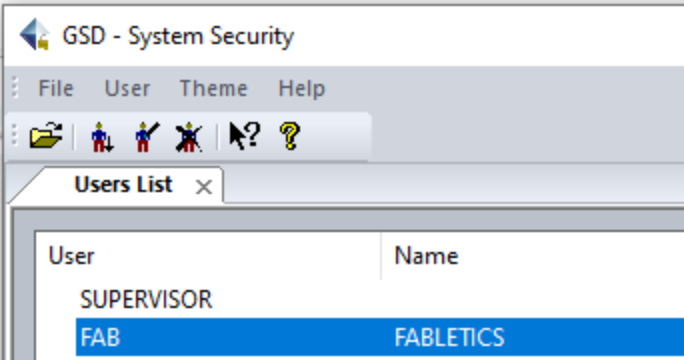
Login GSDSS à Users List àUsers à Access Levelsà Choose Styles/Features/Operations to click Advanced à Choose Ranges to provide proper Access
Instructions:
Step 1: Login GSDSS using Supervisor account > Click [Users List].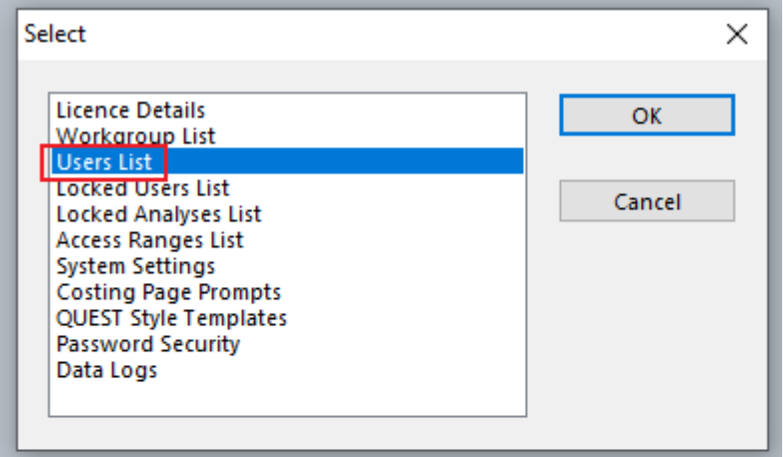
Step 2: Choose Users who need to be granted Range Access.
Step 3: Click Access Levels > Clicked [Advanced] button of Styles/Features/Operations.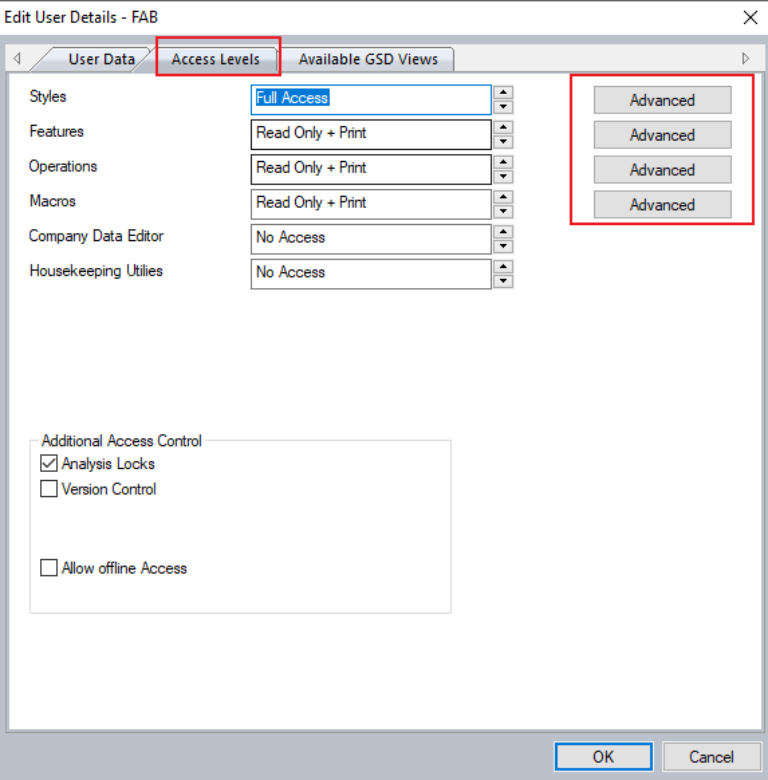
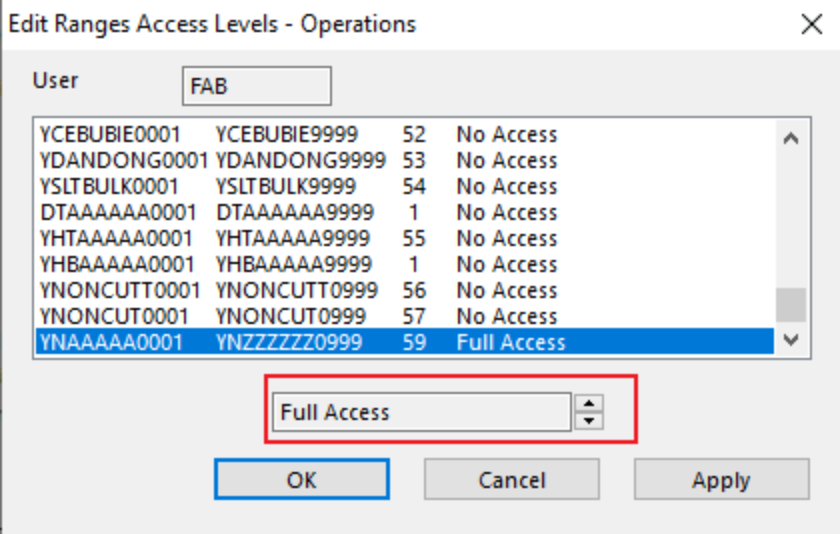
Step 4: Find the range list which you want to grant access > Click Up/Down arrows to provide proper access to users > Click Apply & OK to save.
Access include [Default access]/[Full Access]/ [Read - Modify - Print] / [Read Only + Print] / [Read Only Access] / [No Access] .
Outcome:
Ranges access of styles/features/operations could be granted to related users following above steps.
Further reading:
Links to related articles