
Article Public Number: KA-01349
Coats Digital Knowledge Article
Product: GSDV4
Purpose & Scope:
This will article take you through How to handle the TCP/IP socket issue during creating a data source in ODBC
Solution:
We need to create a 1433 port rule in the Windows Defender setting
Instructions:
Step 1: Suppose we encounter the following TCP/IP socket issue when we create a data source in ODBC. Normally, the root cause for this is from the host computer or server, not from the user end.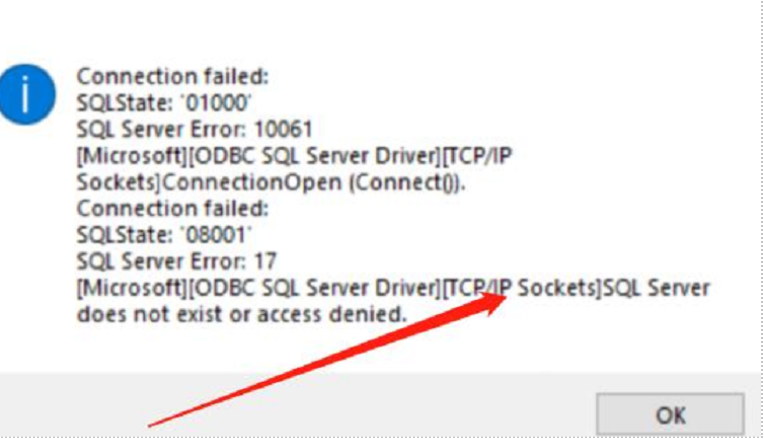
Step 2: Go to the server or host computer>Open the control pan>Open windows defender firewall> Advanced setting 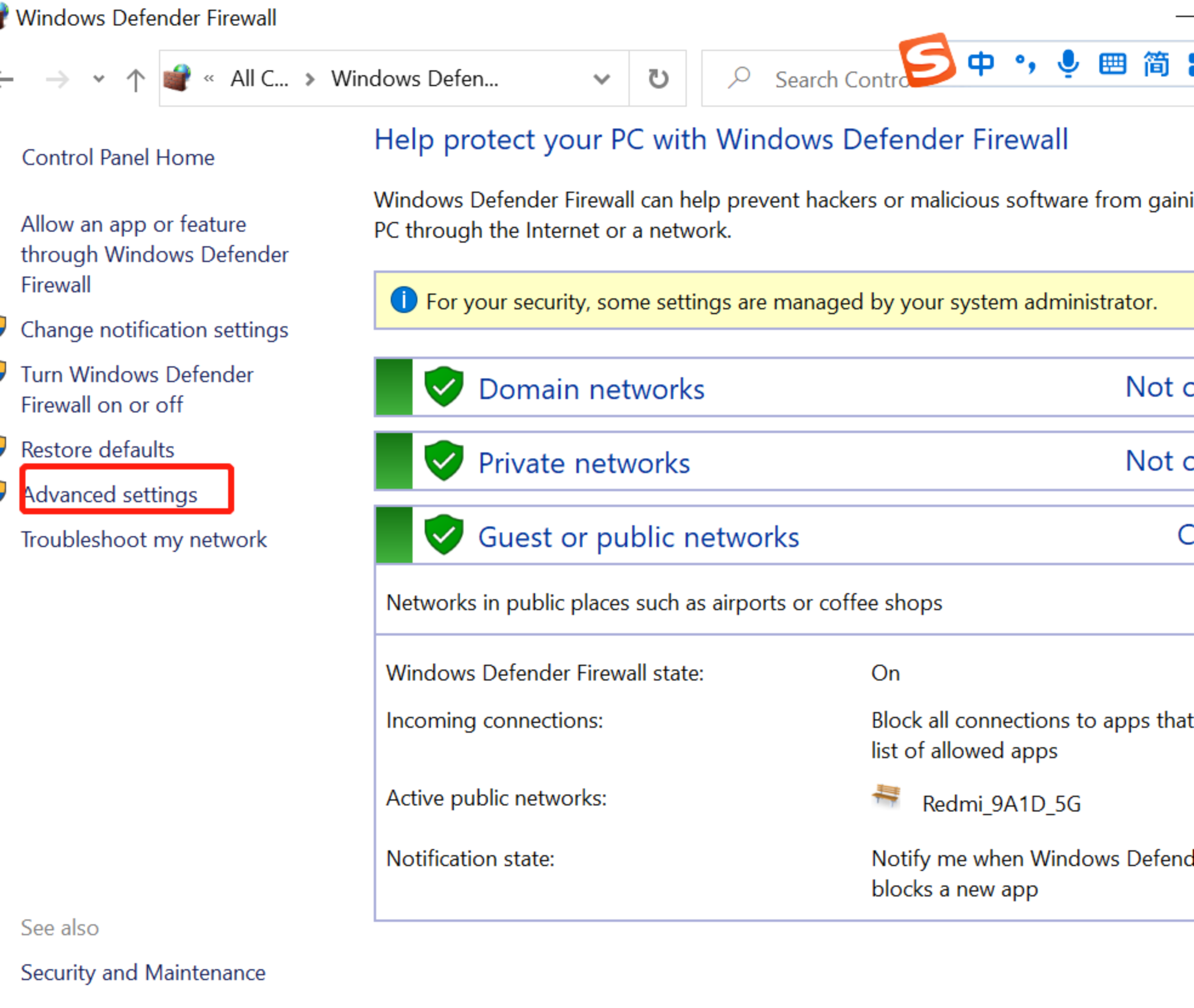
Step 3: Click the inbound rules>Click the new rule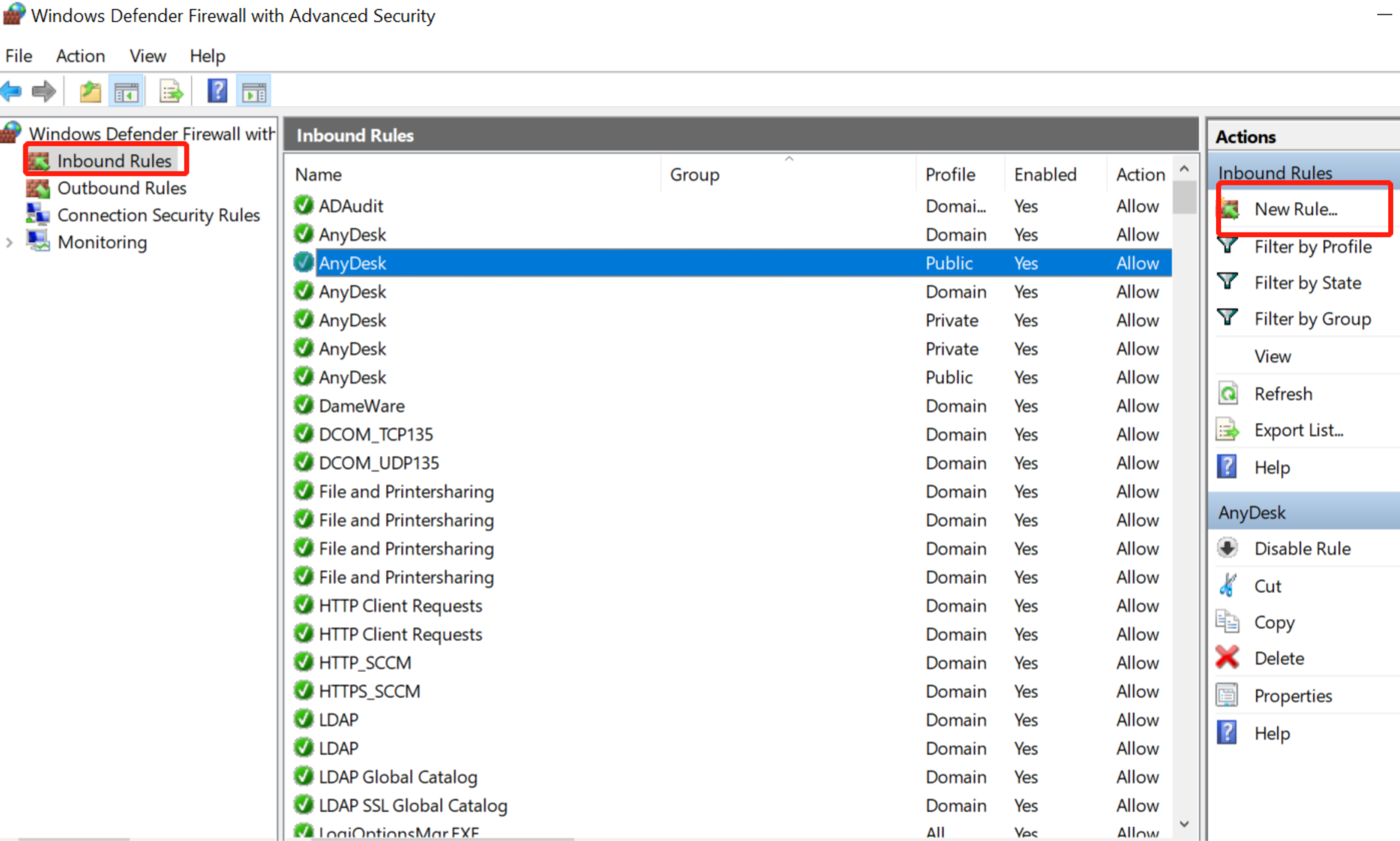
Step 4: Select port > Enter 1433 in port 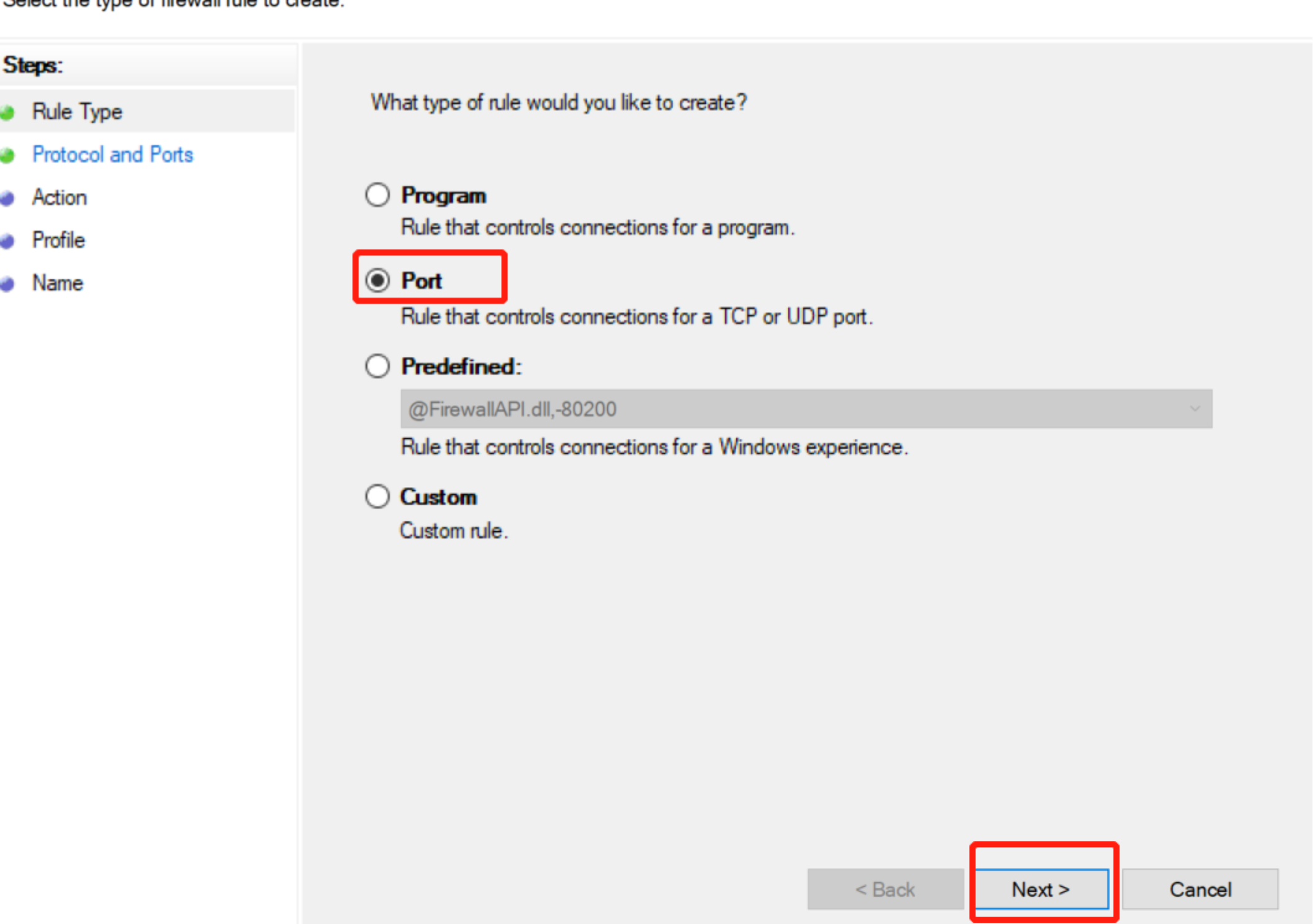
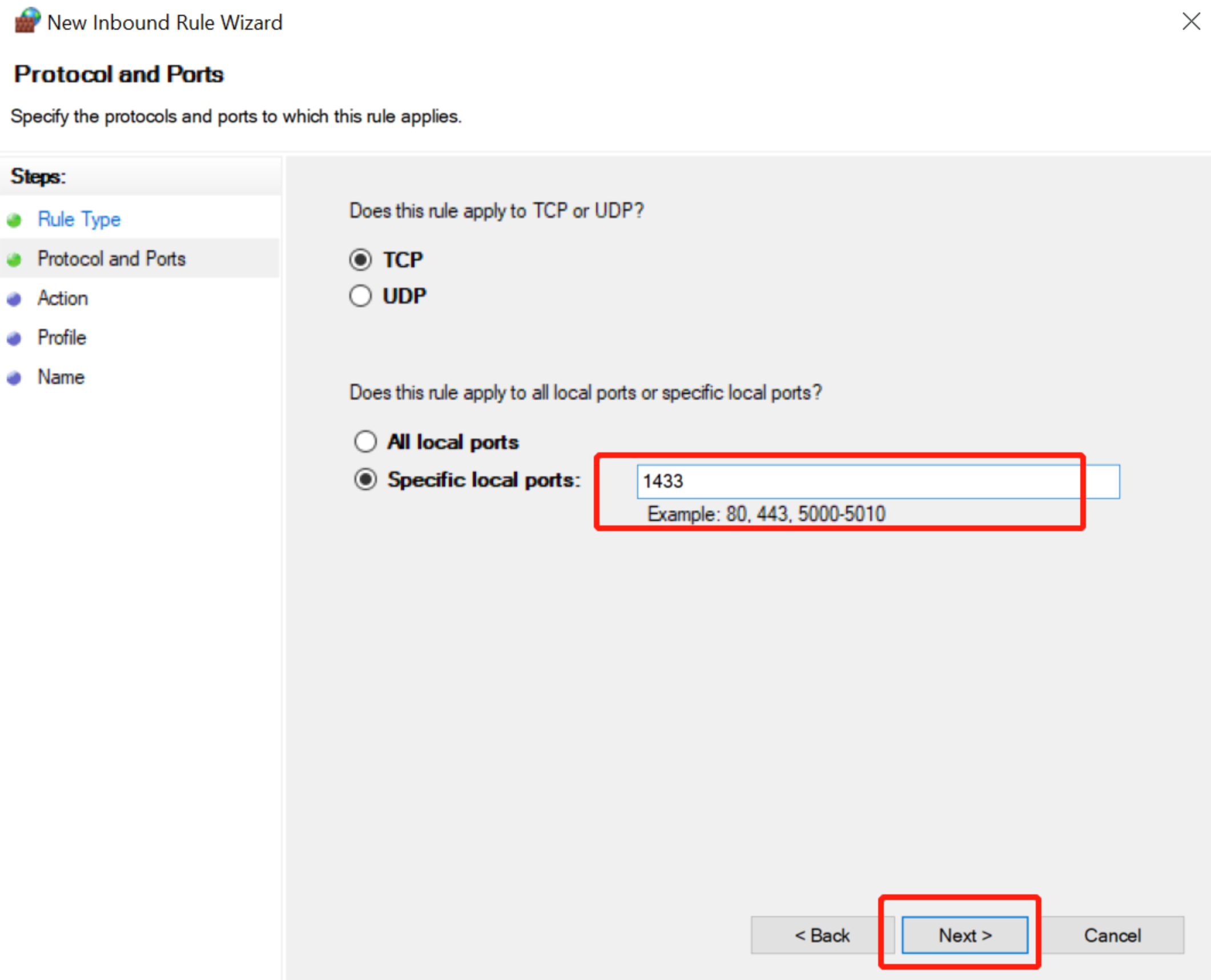
Step 5: You can select the default option for the next steps
Step 6: Repeat the above steps for creating outbounds rules
Outcome:
The connection failure issue will be resolved.
Further reading:
Links to related articles