
Article Public Number: KA-01443
Coats Digital Knowledge Article
Product: GSDV4
Purpose & Scope:
Brief description of how to resolve cost centre blank issue in GSDV4.
Solution:
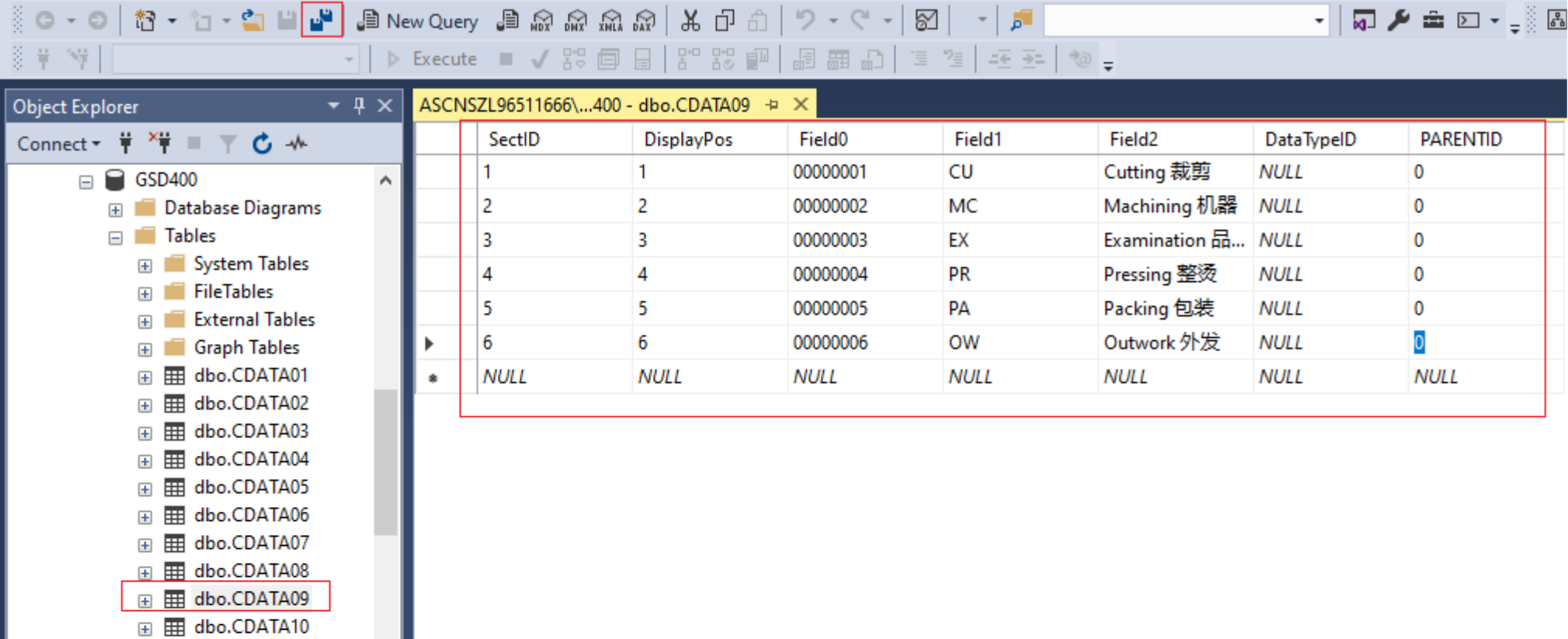
Edit table CDATA09 in SQL GSD database and add the info for cost centre.
Problem Description: Cost Centre was blank. (As below).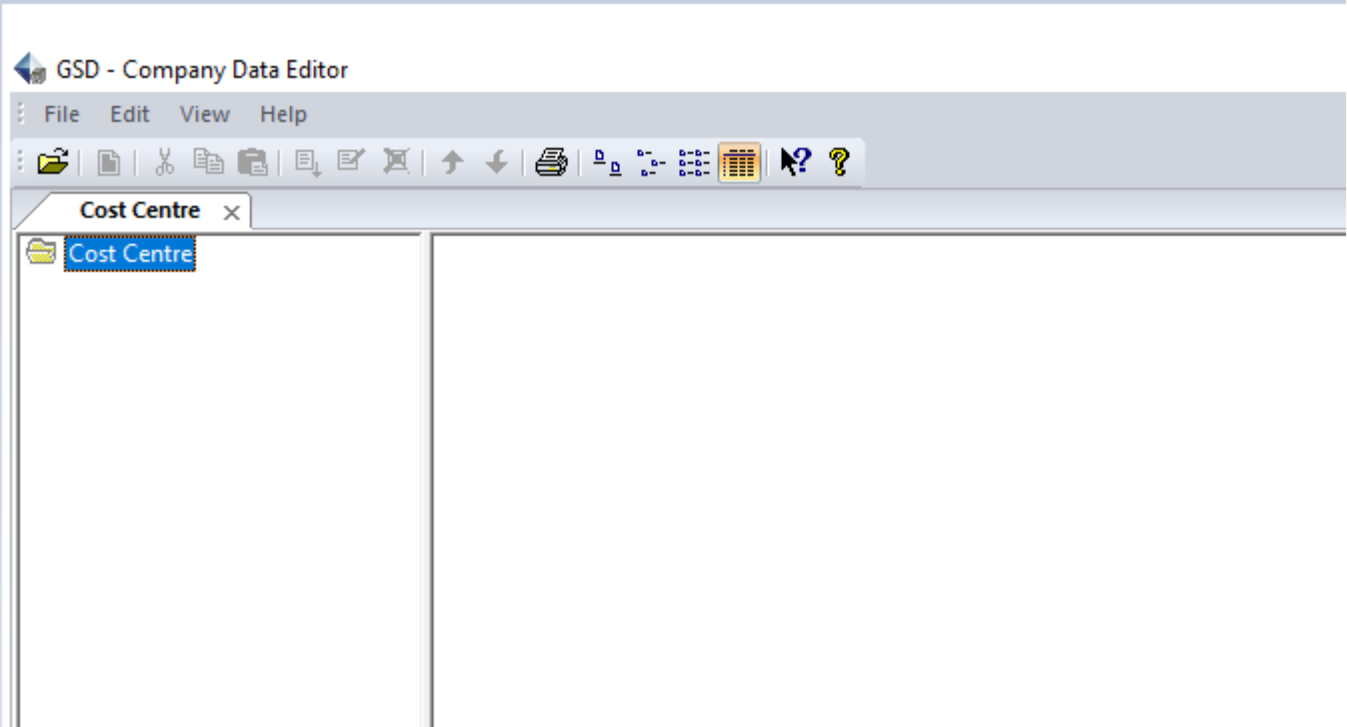
Resolutions:
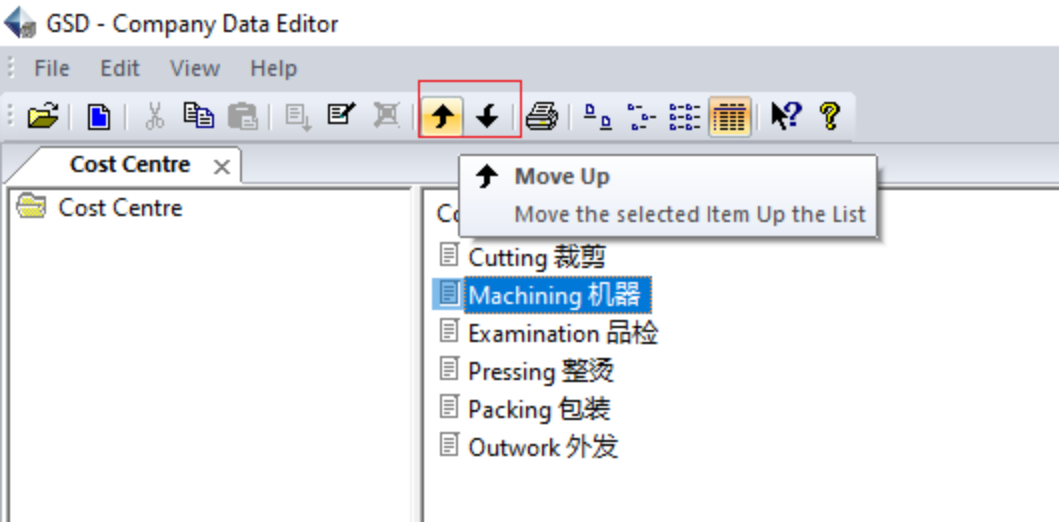
Find GSD database table CDATA09 > Edit table CDATA09 and entry info for [Cost Centre]. The standard cost centre default as below. Furthermore:Customer couldn't add or delete cost centre info in GSDV4 Company Data Editor. Customer could only edit the description and adjust the sequences as below.
Edit Description for cost centre in Company Data Editor: Click Up/Down arrow to Move up/Down: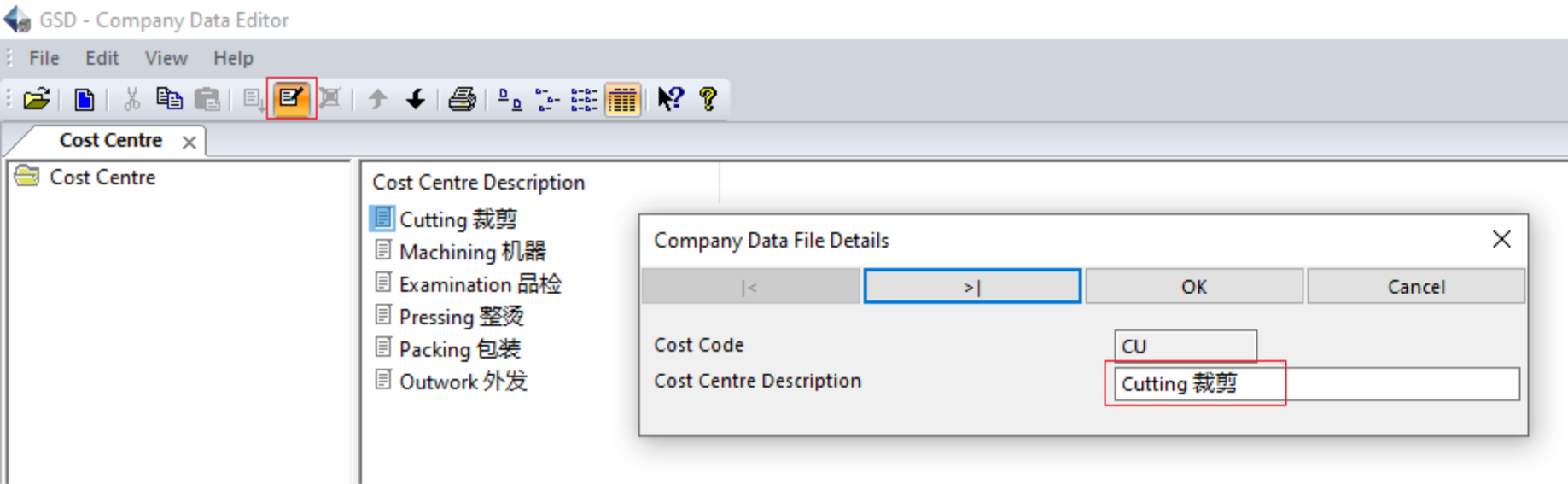
Further reading:
Links to related articles